What Grok on Tesla Actually Is — and Why Owners Are Searching for It
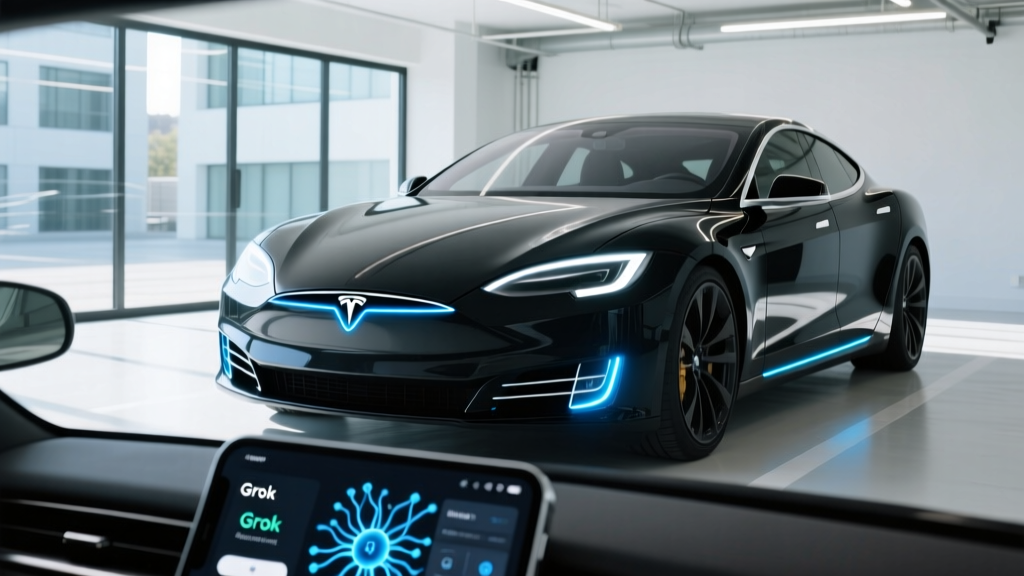
Since late 2025, Tesla has been integrating Grok, xAI's large language model, into its in-vehicle infotainment system. Unlike Tesla's legacy voice-command interface — which handles basic navigation, climate, and media queries — Grok brings conversational AI to the dashboard: answering complex questions, summarizing points of interest, drafting messages, and even explaining vehicle settings in plain language. For 2026 Model S, Model 3, Model X, Model Y, and Cybertruck owners, Grok represents the most significant infotainment upgrade since the v11 UI overhaul.
But not every Tesla on the road can access it. Compatibility depends on your hardware generation, software version, connectivity subscription status, and region. This guide walks through exactly how to enable Grok on Tesla, what it costs, what it can (and cannot) do while driving, and whether the feature justifies a connectivity upgrade.
Is Your Tesla Compatible with Grok? Hardware and Software Requirements
Before you dig through settings menus, confirm your vehicle meets these baseline requirements:
- Hardware: AMD Ryzen-based infotainment processor (all vehicles built from approximately mid-2022 onward, and all current 2026 production). Older Intel Atom-based MCUs do not support Grok.
- Software version: Tesla OTA update 2025.44 or later (rolled out broadly by Q1 2026). Check via Controls > Software > Software Update.
- Connectivity: Active Premium Connectivity subscription ($9.99/month or $99/year through the Tesla app) or an active Wi-Fi connection. Grok requires cloud-based inference and will not function on Standard Connectivity alone while on cellular without the premium tier.
- Region: Currently available in the United States and Canada. European and Asia-Pacific rollouts are announced but not yet live as of early 2026.
If your vehicle was built before mid-2022 and still runs the Intel Atom MCU, Grok is not available. Tesla has not announced a retrofit program for older hardware.
How to Enable Grok on Tesla: Step-by-Step
Once you've confirmed compatibility, activation takes under two minutes:
- Update your software. Navigate to Controls > Software. If an update is available, connect to Wi-Fi and install it. Grok requires build 2025.44 or newer.
- Verify Premium Connectivity. Open the Tesla app on your phone, tap your vehicle, and select 'Subscriptions.' Confirm Premium Connectivity is active. If not, subscribe directly through the app.
- Access the Grok app. On your Tesla's touchscreen, tap the App Launcher (grid icon at the bottom of the screen). Look for the Grok icon — a stylized 'G' — typically grouped with Theater and Arcade apps.
- Sign in with your Tesla account. The first launch will prompt you to authenticate using the same credentials tied to your vehicle. This links Grok to your xAI/Tesla ecosystem profile.
- Grant permissions. You'll be asked to allow Grok access to your current location (for contextual queries like "find me a charger nearby") and your calendar (optional, for scheduling-related queries).
- Activate voice wake. Go to Controls > Voice > toggle 'Grok Voice Activation.' Once enabled, you can summon Grok by saying "Hey Grok" — similar to how legacy Tesla voice commands worked, but now routed through the LLM.
That's it. Grok will appear as an app on your dock and respond to both typed and spoken queries.
What Grok Can and Cannot Do in Your Tesla
Grok on Tesla is a conversational assistant, not a driving system. It's critical to understand the boundary:
What Grok handles well:
- Natural-language navigation: "Take me to the best-rated ramen place within 10 miles that's open now"
- Trip planning context: "How long to Denver, and will I need to charge along the way given my current battery?"
- Vehicle education: "What does the battery preconditioning icon mean?" or "Explain how regenerative braking works on my Model Y"
- General knowledge, news summaries, and conversational queries while parked (especially useful during charging stops)
- Drafting and reading aloud text messages via voice
What Grok does not do:
- Modify vehicle settings directly (you cannot say "Hey Grok, set charge limit to 80%" — that still requires manual input or the legacy voice shortcut)
- Replace Autopilot or FSD in any capacity
- Function without an internet connection
- Provide real-time traffic rerouting independent of Tesla's built-in navigation engine
Which 2026 Tesla Models Support Grok? Spec Comparison
Grok is available across the entire current Tesla lineup, but the experience varies slightly by model due to screen size and hardware. Below is a comparison of the 2026 models where Grok is confirmed functional:
| Spec | 2026 Model 3 LR | 2026 Model Y LR | 2026 Model S LR | 2026 Cybertruck AWD |
|---|---|---|---|---|
| EPA Range | 363 mi | 330 mi | 402 mi | 340 mi |
| Battery (usable) | 79 kWh NMC | 81 kWh NMC | 100 kWh NMC | 123 kWh NMC |
| Max DC Charge | 250 kW | 250 kW | 250 kW | 350 kW |
| 10–80% DC Time | ~25 min | ~27 min | ~30 min | ~18 min |
| Level 2 Rate | 11.5 kW (~44 mi/hr) | 11.5 kW (~44 mi/hr) | 11.5 kW (~34 mi/hr) | 11.5 kW (~28 mi/hr) |
| 0–60 mph | 4.2 sec | 4.8 sec | 3.1 sec | 3.9 sec |
| Drivetrain | Dual Motor AWD | Dual Motor AWD | Dual Motor AWD | Tri-Motor AWD |
| Efficiency | 132 MPGe / 25 kWh/100mi | 122 MPGe / 27 kWh/100mi | 124 MPGe / 27 kWh/100mi | 112 MPGe / 30 kWh/100mi |
| Base MSRP | $47,740 | $48,990 | $79,990 | $79,990 |
| Grok Display | 15.4" center | 15.4" center | 17" center | 18.5" center |
| Battery Warranty | 8 yr / 120,000 mi | 8 yr / 120,000 mi | 8 yr / 150,000 mi | 8 yr / 150,000 mi |
Source: fueleconomy.gov and Tesla owner's manuals.
Real-World Range: What to Actually Expect
EPA Sticker: 330 miles
Real-world highway (70–75 mph, mild weather): ~280–295 miles
Real-world city/mixed driving: ~310–325 miles
Cold weather (below 32°F, highway): ~230–260 miles
With cabin preconditioning and heat pump active: Cold-weather loss reduced to ~15–20% vs. ~25–30% without
These numbers reflect consistent findings from EPA data and independent real-world testing. Tesla's heat pump, standard on all current models, significantly mitigates cold-weather range loss compared to earlier resistive-heating systems. If you're using Grok during a road trip to ask "Will I make it to the next Supercharger?", it pulls from Tesla's navigation energy-prediction engine — which is generally accurate within 5–10% under normal conditions.
Tax Credit Eligibility for 2026 Tesla Models
The federal EV tax credit under IRS §30D remains a major purchase factor. Here's where 2026 Tesla models stand:
| Model | Base MSRP | Under MSRP Cap? | Max Credit | Key Caveat |
|---|---|---|---|---|
| Model 3 LR | $47,740 | ✅ Yes (sedan cap: $55,000) | Up to $7,500 | Battery sourcing rules apply |
| Model Y LR | $48,990 | ✅ Yes (SUV cap: $80,000) | Up to $7,500 | Battery sourcing rules apply |
| Model S LR | $79,990 | ✅ Yes (sedan cap: $55,000 — wait, NO) | ❌ Not eligible | Exceeds $55K sedan MSRP cap |
| Cybertruck AWD | $79,990 | ✅ Yes (truck cap: $80,000) | Up to $7,500 | Battery sourcing rules apply; classification confirmed as truck |
Income caps still apply: Modified adjusted gross income (MAGI) must not exceed $150,000 (single), $225,000 (head of household), or $300,000 (joint filers). The credit can now be transferred to the dealer at point of sale as an upfront discount, per current IRS rules. However, critical-mineral and battery-component sourcing requirements may reduce the credit to $3,750 or disqualify specific build configurations entirely. Always verify your specific VIN's eligibility at fueleconomy.gov and consult a tax professional before relying on the credit.
Pros and Cons of Enabling Grok on Tesla
✅ Pros
- Far more capable than legacy Tesla voice commands for complex queries
- Contextual trip planning using live battery state and Supercharger network data
- Useful during charging stops — answers questions, summarizes news, entertains
- Voice-first interaction reduces screen-tapping while driving (voice responses only in motion)
- No additional cost beyond existing Premium Connectivity subscription
- Continuous improvement via OTA — Grok's capabilities expand with each update
❌ Cons
- Requires Premium Connectivity ($99/year) — not free for Standard Connectivity users
- AMD Ryzen MCU only — older Intel-based Teslas are excluded with no retrofit path
- Cannot directly control vehicle settings (charge limit, climate presets, etc.)
- Occasional latency on weaker cellular signals — responses can take 2–4 seconds
- US and Canada only as of early 2026; no ETA for EU/APAC
- Privacy considerations: queries are processed on xAI cloud servers
Is Grok Worth Enabling vs. Using Your Phone's AI?
If you already use Siri, Google Assistant, or ChatGPT on your phone via CarPlay-style integration (which Tesla does not natively support), Grok's key advantage is deep vehicle integration. It knows your current state of charge, your destination, nearby Superchargers, and your driving patterns. Asking "Can I make it to Lake Tahoe without charging?" gets a real answer based on your actual battery, elevation profile, and current speed — not a generic estimate.
For general knowledge queries, Grok performs comparably to other frontier LLMs. Where it pulls ahead is automotive context. For Tesla owners who already pay for Premium Connectivity, there's no additional cost to enable it — so the value proposition is essentially free upside.
Frequently Asked Questions
Does enabling Grok affect my Tesla's Autopilot or FSD?
No. Grok is an infotainment-layer feature with no connection to Tesla's driver-assistance stack. Autopilot and FSD (Supervised) remain SAE Level 2 systems requiring full driver attention. Grok does not enhance, modify, or interfere with these systems in any way.
Can I use Grok while the car is parked and charging?
Yes — this is arguably its best use case. While parked, Grok provides full text and voice responses on the main display. You can ask detailed questions, play trivia games, get restaurant recommendations near your charging stop, or draft emails. It turns a 25-minute Supercharger stop into productive or entertaining downtime.
Does Grok work without Premium Connectivity?
Only if your Tesla is connected to Wi-Fi. On cellular data, Grok requires an active Premium Connectivity subscription. Standard Connectivity does not include enough data bandwidth for Grok's cloud-based inference.
How much does Grok cost?
Grok itself is free for Tesla owners — there is no separate xAI subscription required for in-vehicle use. The only cost is Tesla's Premium Connectivity at $9.99/month or $99/year, which you may already have for navigation, streaming, and Sentry Mode alerts.
Will Grok come to older Tesla models with Intel Atom processors?
Tesla has not announced any plans to bring Grok to Intel Atom-based vehicles (roughly pre-mid-2022 builds). The AMD Ryzen chip's computational capability appears necessary for the on-device preprocessing that enables low-latency voice interaction. An MCU retrofit (offered previously for ~$2,500) upgrades the processor, but Tesla has not confirmed whether retrofitted units will gain Grok access.
Is my data private when I use Grok in my Tesla?
Queries are processed on xAI's cloud infrastructure. Tesla's privacy policy and xAI's data-use terms govern how query data is stored and used. Location data is shared only when you explicitly grant permission during setup. If privacy is a primary concern, review xAI's terms before enabling the feature, and consider limiting permissions to location-off mode.