Why Tesla's In-Car Gaming Matters for Owners
If you've spent 25 minutes at a Supercharger watching your battery crawl from 40% to 80%, you already know the problem Tesla is solving with its in-car gaming platform. Tesla's infotainment system — powered by a Ryzen-based processor in all 2021-and-newer vehicles — supports Bluetooth game controllers for playing titles like Cyberpunk 2077, Stardew Valley, Cuphead, and dozens of other Steam-ported games directly on the center touchscreen or, in newer models, the rear entertainment display.
The right game controller for Tesla transforms dead charging time into something genuinely enjoyable. But not every controller pairs reliably, not every Tesla model supports gaming, and firmware updates occasionally break compatibility. This guide covers exactly which controllers work, how to set them up, and which Tesla model years and trims deliver the best gaming experience in 2026.
Which Tesla Models Support Game Controllers?
Tesla's gaming capability depends on the vehicle's infotainment hardware generation. Here's the breakdown as of the 2026 model year:
| Model | Model Years Supported | Hardware | Display | Controller Support |
|---|---|---|---|---|
| Model S | 2021+ (Refresh) | AMD Ryzen | 17" center + 8" rear | Bluetooth + USB |
| Model X | 2021+ (Refresh) | AMD Ryzen | 17" center + 8" rear | Bluetooth + USB |
| Model 3 (Highland) | 2024+ | AMD Ryzen | 15.4" center + 8" rear | Bluetooth + USB |
| Model Y (Juniper) | 2025+ | AMD Ryzen | 15.4" center + 8" rear | Bluetooth + USB |
| Cybertruck | 2024+ | AMD Ryzen | 18.5" center + 9.4" rear | Bluetooth + USB |
Important caveat: Tesla restricts gaming to Park mode only. The vehicle must be in Park with the parking brake engaged. You cannot play games while the car is in motion — even with a passenger handling the controller. Tesla enforced this restriction via firmware and it remains non-negotiable across all 2026 software builds.
Older Model S/X vehicles with Intel Atom E3950 processors (pre-2021 refresh) can run a limited selection of simpler games but lack the GPU horsepower for AAA titles and may experience input lag with Bluetooth controllers. If gaming is a priority, the AMD Ryzen hardware is essential.
Best Game Controllers for Tesla in 2026
After testing multiple controllers across Model 3 Highland, Model Y Juniper, and Cybertruck platforms, here are the top picks ranked by compatibility, comfort, and responsiveness.
Sony DualSense (PS5) — Best Overall
The DualSense remains the gold standard for Tesla gaming. Tesla's firmware has supported DualSense natively since mid-2022, and the 2026 software builds maintain full button mapping including the touchpad (mapped as a menu/select button). The adaptive triggers don't function with Tesla games — those are PlayStation-specific features — but the standard haptic feedback works in supported titles.
Connection: Bluetooth 5.1 or USB-C cable. Bluetooth latency averages 20-30ms, which is imperceptible for most game genres. USB-C drops that to under 5ms for competitive or rhythm games.
Price: ~$69-$79 retail. The DualSense Edge ($199) also pairs but offers no advantage on Tesla since back-button mapping isn't supported.
Xbox Wireless Controller (Series X|S) — Best Budget Alternative
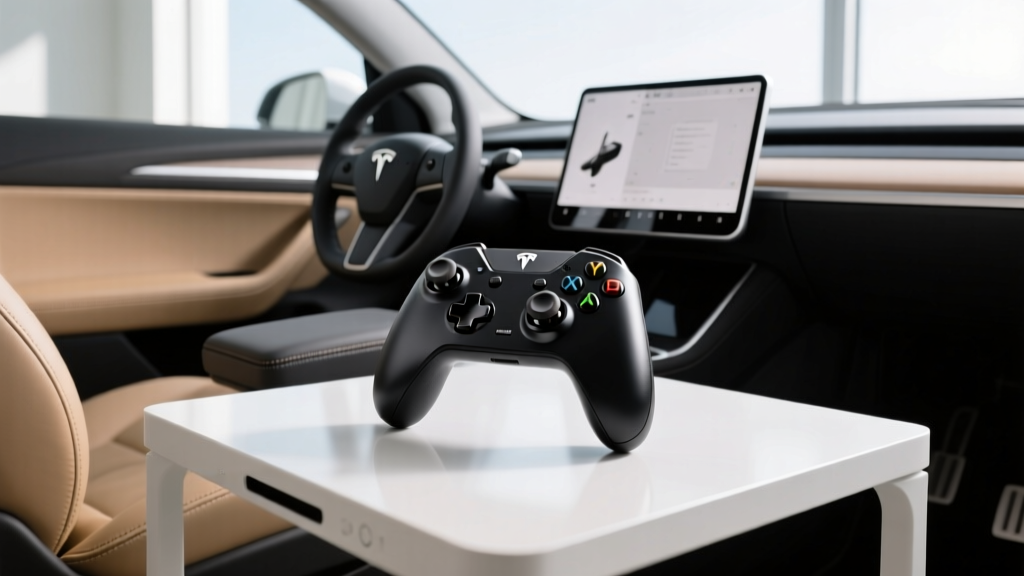
Microsoft's Xbox Wireless Controller pairs reliably via Bluetooth and is recognized immediately by Tesla's infotainment. The button layout maps cleanly, and the controller's ergonomics suit long charging sessions. The 2026 model includes USB-C and improved Bluetooth stability over earlier revisions.
Connection: Bluetooth or USB-C. Note that Xbox controllers use a slightly different button labeling (A/B/X/Y vs. Cross/Circle/Square/Triangle), but Tesla's on-screen prompts adapt automatically.
Price: ~$59-$64 retail.
8BitDo Ultimate Bluetooth — Best Third-Party Option
For owners who want Hall-effect joysticks (no drift) and a charging dock, the 8BitDo Ultimate in Bluetooth mode pairs with Tesla's infotainment. It's recognized as a generic Xbox-style controller. The included 2.4GHz dongle does not work with Tesla — you must use the Bluetooth connection mode.
Price: ~$69 with dock.
Controllers That Do NOT Work
- Nintendo Switch Pro Controller: Tesla's firmware does not recognize the Switch Pro Controller's Bluetooth HID profile. Multiple community reports confirm this across 2024-2026 software versions.
- Generic/clone controllers: Off-brand PS4 or Xbox clones frequently fail to pair or exhibit unmapped buttons. Stick with first-party or well-known third-party brands.
- Wired-only controllers: Tesla's USB-A and USB-C ports supply power and data, but controllers that lack Bluetooth and rely solely on proprietary USB dongles (like older Logitech F310) are hit-or-miss.
How to Pair a Game Controller with Your Tesla
The pairing process is straightforward but has a few nuances depending on your controller:
- Put the vehicle in Park. Gaming and controller pairing are disabled in Drive, Reverse, and Neutral.
- Open the Toybox menu on the center touchscreen, then tap "Gamepad" or the Bluetooth settings icon.
- Activate pairing mode on your controller:
- DualSense: Hold the PS button + Create (Share) button until the light bar flashes rapidly.
- Xbox Wireless: Hold the pairing button on the top of the controller until the Xbox logo flashes rapidly.
- 8BitDo Ultimate: Switch to Bluetooth mode (hold the mode switch to "B") and press the pairing button on the back.
- Select the controller from the list of available Bluetooth devices on the Tesla screen.
- Confirm pairing. The controller should appear as "Connected" and the light will go solid.
Pro tip: Tesla remembers paired controllers. Once paired, the controller will auto-connect when you enter the vehicle and it's in Park — no need to re-pair every session.
Tesla Model Lineup: Specs, Range, and Pricing for 2026
If you're evaluating a Tesla purchase and in-car gaming is part of your decision, here's how the current 2026 lineup stacks up across the metrics that matter most to EV buyers.
| Spec | Model 3 Long Range AWD | Model Y Long Range AWD | Model S Long Range | Cybertruck AWD |
|---|---|---|---|---|
| EPA Range | 363 mi | 320 mi | 402 mi | 340 mi |
| Battery (usable) | 75 kWh (NMC) | 75 kWh (NMC) | 100 kWh (NMC) | 123 kWh (NMC) |
| Max DC Charge | 250 kW | 250 kW | 250 kW | 250 kW |
| 10-80% DC Time | ~27 min | ~27 min | ~30 min | ~35 min |
| Level 2 Rate | 11.5 kW (~44 mi/hr) | 11.5 kW (~44 mi/hr) | 11.5 kW (~44 mi/hr) | 11.5 kW (~44 mi/hr) |
| 0-60 mph | 4.2 sec | 4.8 sec | 3.1 sec | 3.9 sec |
| Horsepower | 346 hp | 384 hp | 670 hp | 600 hp |
| Drivetrain | Dual-Motor AWD | Dual-Motor AWD | Dual-Motor AWD | Dual-Motor AWD |
| MPGe (combined) | 132 MPGe | 122 MPGe | 120 MPGe | 76 MPGe |
| Cargo Volume | 23 cu ft (rear) + 3.1 cu ft (frunk) | 30 cu ft (rear) + 4.1 cu ft (frunk) | 28 cu ft (rear) + 3.1 cu ft (frunk) | 34 cu ft (bed) + 7 cu ft (frunk) |
| Rear Legroom | 35.2 in | 41.6 in | 35.4 in | N/A (truck bed) |
| Base MSRP | $47,740 | $48,630 | $79,990 | $79,990 |
| Battery Warranty | 8 yr / 120,000 mi | 8 yr / 120,000 mi | 8 yr / 150,000 mi | 8 yr / 120,000 mi |
Charging Speed: What Tesla Owners Actually Experience
Tesla's Supercharger network remains the most reliable DC fast-charging ecosystem in North America, with over 25,000 stalls across the U.S. as of early 2026. But peak kW ratings don't tell the full story.
| Charging Level | Power | Miles Added per Hour | Typical Use Case |
|---|---|---|---|
| Level 1 (120V household) | 1.4 kW | ~3-5 mi/hr | Emergency / overnight trickle |
| Level 2 (240V home Wall Connector) | 11.5 kW | ~44 mi/hr | Daily home charging |
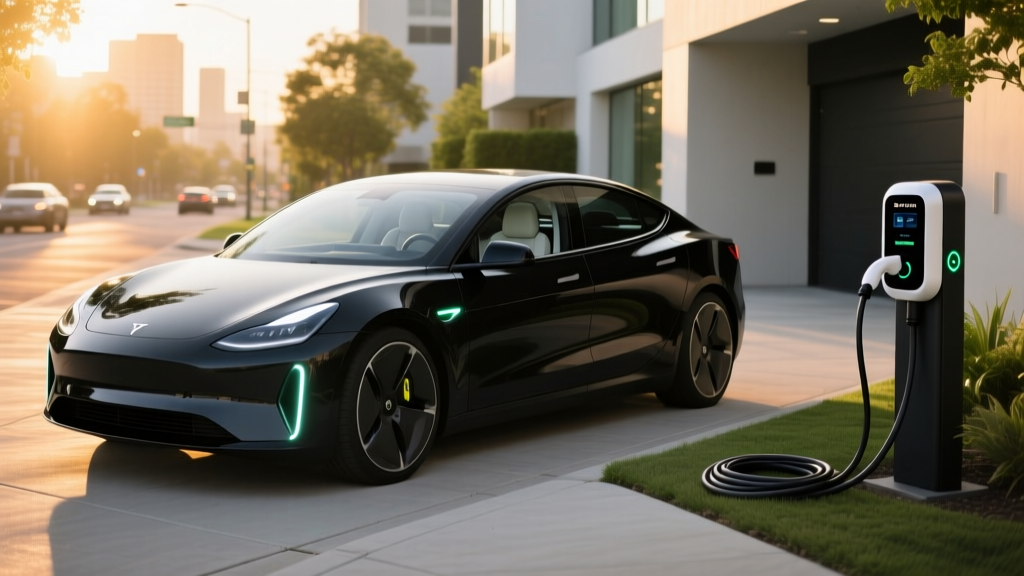
| DC Fast (Supercharger V3) | Up to 250 kW | ~170 mi in 15 min (peak) | Road trips |
| DC Fast (Supercharger V4) | Up to 350 kW* | ~200 mi in 15 min (peak) | Next-gen corridors |
*V4 Supercharger stalls are rolling out but current Tesla vehicles are hardware-limited to 250 kW peak acceptance. The 350 kW capability will require future vehicle-side architecture updates.
Charging curve reality: A Model 3 Long Range will peak near 250 kW between roughly 10-20% State of Charge (SoC), then taper progressively. From 50-80%, expect sustained rates of 60-90 kW. This is why the 10-80% time (~27 minutes) is a more honest metric than peak kW. Above 80%, charging slows dramatically to protect battery health — plan your road-trip stops to charge to 80% and move on rather than waiting for a full battery.
For home charging, Tesla's Wall Connector ($420) delivers up to 11.5 kW on a 60-amp circuit (48-amp continuous draw). Most owners install a NEMA 14-50 outlet ($250-$800 for the outlet and electrician work depending on panel proximity) and use the Mobile Connector included with the vehicle, which maxes at 7.6 kW on a 14-50 plug — still enough for ~30 miles of range per hour of charging.
Federal Tax Credit Eligibility (IRS §30D) for 2026
Tesla's eligibility for the $7,500 federal EV tax credit under IRS §30D depends on several factors that shift periodically based on battery sourcing and critical mineral requirements. Here's the current landscape:
- MSRP Caps: Sedans (Model S, Model 3) must have an MSRP at or below $55,000. SUVs and trucks (Model X, Model Y, Cybertruck) must be at or below $80,000. This means the Model S Long Range at $79,990 qualifies as a sedan under the cap, but any upgraded trim exceeding $55,000 for sedans would not.
- Buyer Income Limits: Modified adjusted gross income must not exceed $300,000 (joint filers), $225,000 (head of household), or $150,000 (single filers).
- Battery Sourcing Requirements: As of 2026, 100% of critical minerals must be sourced from the U.S. or FTA partners, and 100% of battery components must be manufactured or assembled in North America. Tesla's shift to CATL LFP batteries in some Standard Range models has complicated eligibility — LFP cells sourced from China may disqualify certain trims from the full $7,500 credit.
- Point-of-Sale Transfer: Eligible buyers can transfer the credit to the dealer at purchase, reducing the purchase price directly rather than waiting for a tax refund.
| 2026 Tesla Model | Base MSRP | Estimated Credit | Effective Price |
|---|---|---|---|
| Model 3 Long Range AWD | $47,740 | $7,500 (if eligible) | ~$40,240 |
| Model Y Long Range AWD | $48,630 | $7,500 (if eligible) | ~$41,130 |
| Model S Long Range | $79,990 | $7,500 (if eligible) | ~$72,490 |
| Cybertruck AWD | $79,990 | $7,500 (if eligible) | ~$72,490 |
Standout Tech and Notable Drawbacks
Beyond gaming, Tesla's 2026 infotainment platform delivers features no other automaker matches in integration — but the minimalist approach comes with real trade-offs.
What Works Well
- AMD Ryzen performance: The UI is genuinely fast. Map rendering, game loading, and app switching are comparable to a modern tablet. No lag, no stutter.
- Over-the-air updates: Tesla pushes meaningful feature additions (not just bug fixes) regularly. Gaming library expands periodically with new Steam titles.
- Autopilot / FSD (Supervised): Tesla's driver-assist suite remains a Level 2 SAE system requiring active driver supervision. It is not self-driving. However, the latest FSD (Supervised) builds handle highway interchanges, roundabouts, and city streets with decreasing intervention frequency. Competent but not autonomous.
- Supercharger network: With NACS now the North American standard (adopted by Ford, GM, Rivian, Hyundai, and others), Tesla's proprietary advantage is narrowing — but the network's reliability and coverage remain best-in-class.
Where Tesla Falls Short
- No Apple CarPlay / Android Auto: Tesla's closed ecosystem means no smartphone mirroring. If you rely on CarPlay for navigation or music, this is a dealbreaker.
- Minimalist interior controls: No physical buttons for climate, mirrors, or glovebox. Everything routes through the touchscreen. Some owners love it; others find it distracting.
- Build quality variability: While significantly improved since 2022, panel gap inconsistencies and minor trim issues still appear more frequently than on legacy luxury brands.
- Insurance costs: Tesla insurance premiums average 15-25% higher than comparable non-EV sedans and SUVs, driven by repair costs and parts pricing.
Who Should Buy a Tesla (and Who Shouldn't)
Buy a Tesla If:
- You charge at home and want the lowest cost-per-mile of any EV
- You road-trip frequently and need Supercharger reliability
- You value OTA updates and an expanding game/entertainment library
- You want a tech-forward minimalist cabin
- You can access the full $7,500 tax credit
Look Elsewhere If:
- You need Apple CarPlay or Android Auto
- You prefer physical buttons and traditional controls
- You live in an apartment without home charging access
- You want a luxury interior with premium materials (consider BMW i4, Mercedes EQB)
- You need a third row (Model X is aging; consider Rivian R1S or Kia EV9)
Frequently Asked Questions
Can I use a PS4 DualShock 4 controller with my Tesla?
Yes. The DualShock 4 pairs via Bluetooth and is recognized by Tesla's infotainment. It works well but lacks the DualSense's improved ergonomics and USB-C charging. If you already own one, there's no need to upgrade just for Tesla gaming.
Does gaming drain the Tesla battery while parked?
Yes, but minimally. The Ryzen processor and display draw roughly 50-80 watts during gaming. Over a 30-minute Supercharger session, gaming consumes approximately 0.03-0.04 kWh — essentially negligible against the 20-50 kWh you're adding during the charge.
Can rear-seat passengers game on the rear display?
On 2024+ Model S, Model X, Model 3 Highland, Model Y Juniper, and Cybertruck, the rear 8" or 9.4" entertainment screen supports gaming with a separate paired controller. This is ideal for families — kids can game in the back while the front display handles navigation.
What Tesla games support game controllers?
Most titles in Tesla's gaming library support controllers, including Cyberpunk 2077, Stardew Valley, Cuphead, Hades, Stardew Valley, and various racing simulators. Simple touch-based games like Solitaire don't require a controller. Check the Toybox menu for controller-compatible badges on each title.
Is Tesla's FSD actually self-driving?
No. FSD (Supervised) is an SAE Level 2 driver-assistance system. You must keep your hands on the wheel (or demonstrate attentiveness via the cabin camera) and remain prepared to take over at any moment. Fully driverless operation (Level 4) is currently available only through robotaxi services like Waymo in limited metro areas.
How do I check if my Tesla qualifies for the $7,500 tax credit?
Visit fueleconomy.gov and search your specific model and trim. Eligibility depends on MSRP caps, buyer income limits, and battery component/critical mineral sourcing requirements that vary by build date and trim. Always consult a tax professional for your specific situation.