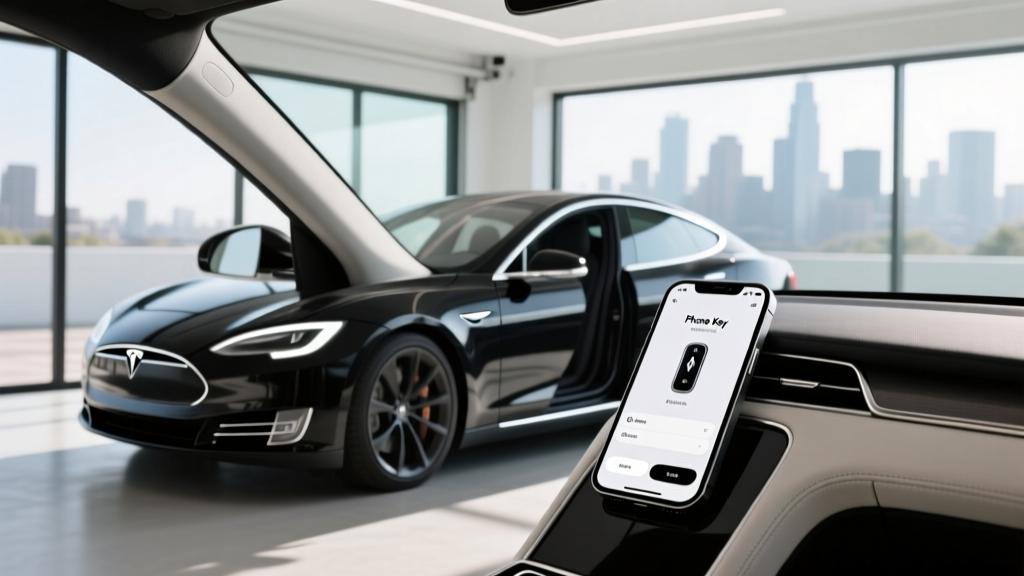
If you have ever stood outside your Tesla tugging a door handle while the car ignores your phone, you are not alone. Bluetooth Low Energy (BLE) phone keys are convenient when they work flawlessly, but a surprising number of owners report intermittent lag, delayed unlock, or outright failure to connect. Below is a data-driven, owner-tested guide to diagnosing and fixing phone key issues on every current Tesla model — the 2026 Model 3 Highland, Model Y Juniper, and refreshed Model S/X — plus a look at which phones perform best as keys in 2026.
Why Tesla Phone Keys Fail: The BLE Stack Explained
Tesla's phone key uses Bluetooth Low Energy (BLE 5.0 and newer) to authenticate your device and unlock the car without a physical key fob. The process relies on three things working in concert: your phone's BLE radio, the car's BLE receiver module, and the Tesla mobile app's background permissions. Break any one of those and you get the dreaded "key not detected" behavior.
Common failure modes include:
- Background app restrictions: Android and iOS aggressively kill background processes to save battery. If the Tesla app is throttled, the BLE handshake never initiates.
- Bluetooth radio sleep: Some phones (especially mid-range Android devices) power down BLE during screen-off to conserve energy.
- RF interference: Urban environments with dense BLE traffic (parking garages, apartment complexes) can cause handshake timeouts.
- App version mismatch: Running an outdated Tesla app against a car with a newer firmware can break the authentication protocol.
- Phone case attenuation: Thick cases with metal plates or MagSafe-style magnets can reduce BLE signal strength by 3-6 dB, enough to prevent passive entry at arm's length.
Step-by-Step: How to Enhance Phone Key Performance
Work through these fixes in order. Most owners resolve their issues by step 3 or 4.
1. Grant Unrestricted Background Access (Android)
On Android 14 and 15, navigate to Settings > Apps > Tesla > Battery and select Unrestricted. Then go to Settings > Apps > Special app access > Battery optimization and confirm Tesla is set to "Not optimized." Samsung devices require an additional step: Settings > Device care > Battery > Background usage limits — remove Tesla from "Sleeping apps" and "Deep sleeping apps."
2. iOS: Enable Background App Refresh and Precise Location
On iOS 18+, go to Settings > Tesla > and ensure Background App Refresh is ON and Location is set to "Always" with Precise Location enabled. Without "Always" location, iOS will not allow the Tesla app to initiate BLE scans while the phone is locked.
3. Delete and Re-Pair the Phone Key
On your Tesla's touchscreen, go to Controls > Locks, tap the trash icon next to your phone, then re-pair from scratch using the Tesla app (Phone Key > Set Up). This clears corrupted BLE bonding data. You will need to be inside the car with a working key card or key fob for this step.
4. Reset the Car's BLE Module
Hold down both scroll wheels on the steering wheel for approximately 10 seconds until the touchscreen goes black and the Tesla "T" logo reappears. This reboots the infotainment computer (MCU) and resets the BLE radio stack. No data is lost. Perform this after any firmware update if phone key behavior degrades.
5. Update the Tesla App and Vehicle Firmware
Ensure the Tesla app is on the latest version from the App Store or Google Play. Check vehicle firmware under Controls > Software. Mismatched versions are a frequent cause of handshake failures, especially after Tesla pushes a new BLE authentication protocol.
6. Remove Signal-Blocking Phone Cases
Test phone key range with your case removed. If passive entry works reliably at 6+ feet without the case but fails at 2 feet with it, the case is the culprit. Switch to a non-metallic case or one designed for BLE transparency.
7. Disable Battery Saver / Low Power Mode
Both iOS Low Power Mode and Android Battery Saver throttle BLE scanning. If you rely on phone key, keep these modes off during daily use.
Best Phones for Tesla Phone Key in 2026
Not all BLE radios are equal. Based on owner reports and chipset BLE performance, these phones deliver the most reliable passive entry experience:
| Phone | BLE Version | Passive Entry Reliability | Notes |
|---|---|---|---|
| iPhone 16 / 16 Pro | BLE 5.3 | Excellent | Best-in-class background BLE; iOS "Always" location works seamlessly |
| iPhone 15 / 15 Pro | BLE 5.3 | Excellent | Same BLE chipset as 16 series |
| Samsung Galaxy S25 Ultra | BLE 5.4 | Very Good | Requires Unrestricted battery setting; otherwise top-tier |
| Google Pixel 9 Pro | BLE 5.3 | Very Good | Clean Android; fewer background kill issues than Samsung |
| Samsung Galaxy S24 / S24+ | BLE 5.3 | Good | Occasional deep-sleep issues on One UI 6.1+ |
| Mid-range Android (various) | BLE 5.0-5.2 | Fair to Good | Aggressive battery management often kills Tesla app |
Phone Key vs. Key Fob vs. Key Card: A Practical Comparison
| Feature | Phone Key (BLE) | Key Fob | Key Card (RFID) |
|---|---|---|---|
| Passive Entry | Yes (when working) | Yes | No — must tap B-pillar |
| Passive Lock (walk-away) | Yes | Yes | No |
| Range | ~6-10 ft | ~30+ ft | Contact only |
| Battery Required | Phone battery | CR2032 coin cell | None |
| Cost | Free (your phone) | $175 (Tesla store) | Free (included with car) |
| Backup if Phone Dies | No | Yes | Yes |
| Reliability | Good (with setup) | Excellent | Excellent |
Recommendation: Always carry the key card as a backup. If you experience persistent phone key issues, the $175 key fob is worth the investment for daily convenience.
Does Phone Key Affect Your Tesla's EV Performance?
No. The BLE phone key module draws negligible power (under 1 watt continuous) and has zero impact on range, battery degradation, or drivetrain performance. However, if you leave the Tesla app actively running in the foreground with live vehicle data polling, that phone-side activity consumes your phone's battery — not the car's.
For reference, here are the core specs of the current Tesla lineup that phone key users drive daily:
| Spec | 2026 Model 3 Long Range AWD | 2026 Model Y Long Range AWD | 2026 Model S Long Range |
|---|---|---|---|
| EPA Range | 363 mi | 320 mi | 402 mi |
| Battery (usable) | 79 kWh (NMC) | 78.1 kWh (NMC) | 100 kWh (NMC) |
| Peak DC Charge | 250 kW | 250 kW | 250 kW |
| 10-80% DC Time | ~28 min | ~27 min | ~35 min |
| Level 2 (11.5 kW) | ~44 mi/hr | ~42 mi/hr | ~48 mi/hr |
| 0-60 mph | 4.2 sec | 4.8 sec | 3.1 sec |
| Horsepower | 384 hp | 384 hp | 670 hp |
| MPGe (combined) | 132 MPGe | 122 MPGe | 124 MPGe |
| Base MSRP | $48,990 | $49,990 | $79,990 |
| Federal Tax Credit (§30D) | Up to $7,500 | Up to $7,500 | Not eligible (MSRP cap) |
| Battery Warranty | 8 yr / 120,000 mi | 8 yr / 120,000 mi | 8 yr / 150,000 mi |
Sources: fueleconomy.gov, Tesla.com specifications (2026 model year).
Federal Tax Credit and Pricing Context for Tesla Owners
If you are purchasing a Tesla and using phone key as your primary access method, here is what you need to know about the §30D federal EV tax credit in 2026:
- Eligible models: Model 3 (all trims) and Model Y (all trims) currently qualify. Model S and Model X exceed the $55,000 sedan / $80,000 SUV MSRP cap and are not eligible.
- Income caps: Modified AGI must not exceed $300,000 (joint), $225,000 (head of household), or $150,000 (single).
- Battery sourcing: The full $7,500 credit requires meeting both critical-mineral and battery-component sourcing thresholds set by the IRS. Tesla's Fremont and Austin-built vehicles have largely met these requirements through 2026, but always verify on IRS.gov before purchasing.
- Point-of-sale transfer: You can transfer the credit to the dealer at purchase, reducing your out-of-pocket cost immediately rather than waiting for a tax refund.
Advanced Troubleshooting: When Nothing Works
If you have completed all seven steps above and passive entry still fails intermittently, consider these less common causes:
- Multiple phone keys paired: If two phones are paired and both are near the car, the BLE module can "thrash" between them, causing neither to authenticate cleanly. Remove unused phone keys from the car's Locks menu.
- Third-party BLE devices in the car: Aftermarket Bluetooth trackers, dashcams with BLE, or OBD-II dongles can cause RF congestion near the car's BLE antenna (located in the center console area). Remove them temporarily to test.
- Car firmware bug: Check the Tesla Motors Club forums or Tesla's release notes for known BLE issues in your specific firmware build. Tesla occasionally introduces regressions that are patched in the next OTA update.
- Hardware BLE module failure: Rare, but if no phone (after factory reset and re-pair) can establish a reliable connection, the car's BLE module may need replacement under the 4-year / 50,000-mile basic warranty. Service centers can run a BLE diagnostic via Toolbox.
Frequently Asked Questions
Can I use my Tesla phone key without cell service?
Yes. The phone key uses BLE, not cellular data. Passive entry works in underground garages and remote areas with zero cell coverage. However, remote commands (Summon, climate preconditioning from a distance) require a cellular connection.
Why does my Tesla phone key work for my partner's phone but not mine?
This almost always points to a phone-specific setting: background restrictions, battery saver mode, or an outdated app version. Compare settings side by side using the steps in this guide. Android phones from different manufacturers handle BLE backgrounding very differently.
Does the Tesla Watch app replace the phone key?
The Apple Watch Tesla companion app can function as a phone key if your iPhone is nearby and paired to the watch. However, the Watch alone (without the iPhone) does not currently support full passive entry on most Tesla models. Keep your phone with you for reliable operation.
How do I know if my car's BLE module is the old or new revision?
Vehicles built from mid-2023 onward (including all 2026 Model 3 Highland and Model Y Juniper) use an updated BLE module with improved range and faster handshake times. If you are driving an older Model 3 or Model Y and experience chronic issues, a service center may be able to retrofit the newer module — ask during your next service visit.
Will a Faraday bag or signal-blocking pouch affect my phone key?
Yes, completely. A Faraday bag blocks all RF signals including BLE. Never store your phone in a signal-blocking pouch if you rely on passive entry.