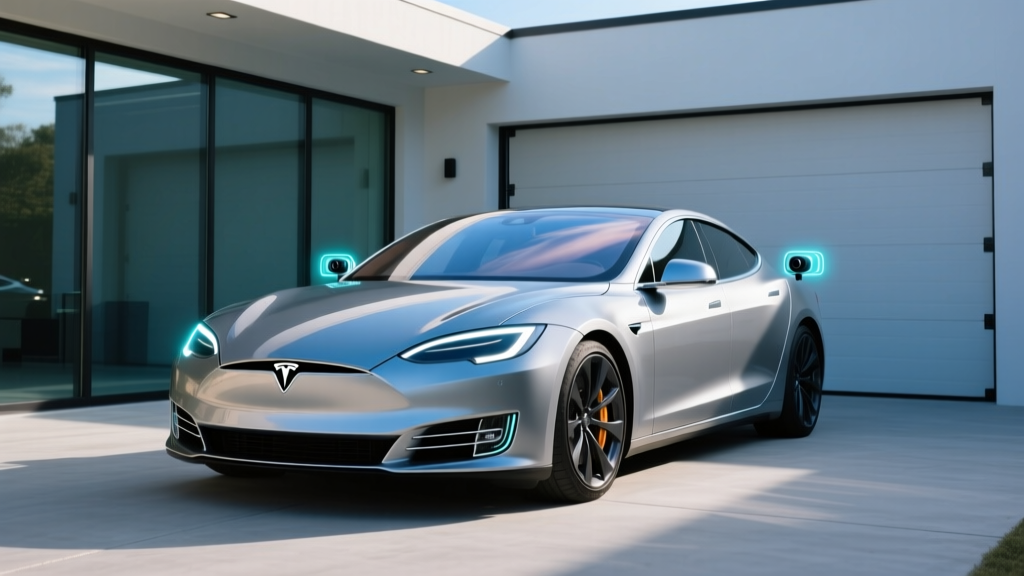
If you've ever walked past a parked Tesla and noticed the headlights flash or saw a camera icon appear on the touchscreen, you've witnessed Sentry Mode in action. It's one of the most talked-about features in Tesla's software suite — and it raises a question we hear constantly from prospective buyers and curious neighbors alike: does Tesla record all the time?
The short answer is no — but the full picture is more nuanced. Tesla vehicles are equipped with up to eight external cameras and an optional cabin camera, yet they don't continuously record and store footage by default. What they do is monitor, buffer, and selectively save video based on triggers, settings, and feature modes. In this guide, we'll unpack exactly what Tesla records, when, and how — then pivot to a complete 2026 Tesla Model 3 profile so you can evaluate the car behind the cameras.
How Tesla's Camera System Actually Works
Every current Tesla (Model 3, Model Y, Model S, Model X, and Cybertruck) ships with a surround-camera array feeding Tesla Vision — the company's camera-only approach to driver assistance and parking visualization. As of the 2025 hardware refresh (Hardware 4 / AI4), the suite includes higher-resolution cameras with improved low-light performance and wider fields of view.
Here's what's important to understand: the cameras are always "seeing" when the vehicle is on or awake, but they are not always "recording" to storage. Think of it like a security camera with a rolling buffer rather than a dashcam that writes every second to an SD card.
The Three Recording Modes Explained
| Mode | When It Records | Where Footage Is Stored |
|---|---|---|
| Dashcam | Only when you manually tap the dashcam icon or if the vehicle detects a safety event (collision, airbag deployment) | USB drive or glovebox SSD (user-installed) |
| Sentry Mode | When the car is parked, locked, and Sentry is enabled — records 10 minutes before a detected threat or alarm event | USB drive or glovebox SSD |
| Tesla Vision (driving) | Processes camera data in real time for Autopilot/FSD — does not save continuous video to local storage | Volatile memory only; not written to disk unless a safety event triggers dashcam save |
So when someone asks, "Does Tesla record all the time?" — the accurate answer is that the system is always processing visual data while driving, but it only saves footage to persistent storage in specific, user-controlled or event-triggered scenarios.
Sentry Mode: What Triggers Recording and What It Captures
Sentry Mode is Tesla's parking surveillance system. When enabled (via the touchscreen or the Tesla app), the car's cameras enter a low-power monitoring state. The system watches for motion and proximity around the vehicle. If it detects a potential threat — someone lingering near a door handle, a shopping cart rolling toward a fender — it escalates through alert levels:
- Standby: Cameras are monitoring but not recording to storage. Minimal battery draw.
- Alert: Motion detected near the vehicle. The touchscreen displays a warning that recording has begun. The system saves the previous 10 minutes of buffered footage.
- Alarm: A significant event (break-in attempt, impact, glass break). The car sounds the alarm, flashes lights, sends a push notification to the owner's phone, and saves the event clip.
Sentry Mode clips are saved in folders on your USB drive or the Tesla Glovebox SSD (available as an accessory for newer models). Each event is timestamped and tagged with the camera that triggered it. You can review clips directly on the car's touchscreen or remove the drive and view them on a computer.
Battery Impact and Smart Features
Sentry Mode does consume energy — typically around 1-2 miles of range per hour of standby, though this varies with ambient temperature and how often alerts trigger. Tesla includes a battery threshold setting: Sentry Mode automatically disables when the battery drops below 20% state of charge to protect your driving range.
You can also configure Sentry Mode to exclude specific locations (your home garage, your workplace) so it doesn't activate in safe, familiar environments. This is one of the most practical privacy and battery-saving settings Tesla offers.
Cabin Camera, Data Privacy, and What Tesla Does with Footage
Current Tesla vehicles include a cabin-facing camera mounted above the rearview mirror. Its primary purpose is driver monitoring — specifically, ensuring the driver is paying attention when Autopilot or FSD Supervised is active. Tesla states that cabin camera footage is not transmitted to Tesla servers unless the owner explicitly opts in to share data for improving the driver-monitoring system.
Regarding external camera data: Tesla has published a privacy policy detailing how vehicle data is handled. Camera video from normal driving is processed locally on the vehicle's computer. Short "triggered" clips (from safety events) may be transmitted to Tesla if the owner has opted into the data-sharing program, but this is off by default for camera footage. Owners can manage data-sharing preferences at any time through the touchscreen under Controls > Software > Data Sharing.
For those concerned about privacy in shared or fleet vehicles: the owner account holder controls all camera and data settings. Valet Mode restricts access to certain vehicle data and disables features like Sentry Mode's saved clips from being viewed without the PIN.
2026 Tesla Model 3: Full EV Profile
Now that we've addressed the recording question, let's look at the vehicle itself. The 2026 Tesla Model 3 (the "Highland" refresh generation, which debuted for the 2024 model year and carries forward with minor updates) remains Tesla's most accessible sedan and one of the best-selling EVs globally. Here are the complete specs for the current lineup.
| Spec | Model 3 RWD | Model 3 Long Range AWD | Model 3 Performance |
|---|---|---|---|
| EPA Range | 363 mi | 341 mi | 315 mi |
| Battery (usable) | ~60 kWh (LFP) | ~75 kWh (NMC) | ~75 kWh (NMC) |
| Drivetrain | RWD, single motor | AWD, dual motor | AWD, dual motor |
| Horsepower | 271 hp | 346 hp | 510 hp |
| 0-60 mph | 5.8 sec | 4.2 sec | 2.9 sec |
| Max DC Fast Charge | 170 kW | 250 kW | 250 kW |
| 10-80% DCFC Time | ~25 min | ~22 min | ~22 min |
| Level 2 Charge Rate | 11.5 kW (~44 mi/hr) | 11.5 kW (~44 mi/hr) | 11.5 kW (~44 mi/hr) |
| Efficiency (MPGe) | 132 MPGe combined | 125 MPGe combined | 113 MPGe combined |
| Base MSRP | $38,990 | $44,990 | $52,990 |
Sources: fueleconomy.gov, Tesla.com official specifications. Pricing reflects MSRP before destination fees; verify current figures at time of purchase.
Charging: Home, Public, and the Supercharger Network
Tesla's charging ecosystem remains one of its strongest advantages. The Supercharger network — now exceeding 65,000 stalls globally — offers reliable, fast, plug-and-charge convenience that most rival networks still can't match consistently.
| Charging Level | Power (kW) | Miles of Range Added per Hour | Best For |
|---|---|---|---|
| Level 1 (120V household) | ~1.4 kW | ~3-5 mi/hr | Emergency/overnight trickle |
| Level 2 (240V home, Wall Connector) | Up to 11.5 kW | ~44 mi/hr | Daily home charging |
| DC Fast Charge (V3 Supercharger) | Up to 250 kW | ~1,000+ mi/hr (peak) | Road trips, rapid top-ups |
Understanding the charge curve: The peak 250 kW rate applies only to the Long Range and Performance trims, and only at lower states of charge (roughly 10-40%). Above 80% SoC, charging speed tapers significantly — this is normal for lithium-ion battery protection. Plan your road-trip stops around the 10-80% window for the fastest sessions.
For home charging, the Tesla Wall Connector ($475) on a 60-amp circuit delivers the full 11.5 kW (48 amps continuous). A typical Level 2 home installation — including the Wall Connector, a 240V/60A circuit, and electrician labor — costs between $800 and $2,500 depending on panel proximity and whether a panel upgrade is needed. Always get a quote from a licensed electrician before committing.
With the industry-wide shift to NACS (North American Charging Standard), Tesla's connector is now the de facto standard. Non-Tesla EVs from Ford, GM, Rivian, and others can access Superchargers with a NACS adapter or native NACS port, which means the network will get busier — but Tesla owners retain native compatibility.
Pricing, Tax Credits, and Total Cost
The 2026 Model 3 lineup starts at $38,990 for the RWD trim — well under the IRS §30D MSRP cap of $55,000 for sedans. However, qualifying for the full federal EV tax credit involves several moving parts.
| Trim | MSRP | Potential §30D Credit | Est. Net Price |
|---|---|---|---|
| Model 3 RWD | $38,990 | Up to $7,500* | ~$31,490 |
| Model 3 Long Range AWD | $44,990 | Up to $7,500* | ~$37,490 |
| Model 3 Performance | $52,990 | Up to $7,500* | ~$45,490 |
*Federal tax credit eligibility depends on multiple factors. Consult IRS.gov §30D guidelines and a tax professional before purchasing.
- Income caps: Modified AGI must not exceed $150,000 (single), $225,000 (head of household), or $300,000 (joint filers).
- MSRP caps: Sedans must be under $55,000 MSRP — all Model 3 trims qualify.
- Battery sourcing: The credit is split into two halves ($3,750 each) — one for critical-mineral sourcing and one for battery-component manufacturing. The RWD trim's LFP battery may have different sourcing eligibility than the NMC Long Range/Performance batteries. Verify current sourcing compliance on the IRS qualified vehicles list before purchasing.
- Point-of-sale transfer: As of 2024+, eligible buyers can transfer the credit to the dealer at purchase, reducing the upfront price rather than waiting for a tax refund.
Interior, Tech, and Practicality
The Highland-generation Model 3 brought meaningful interior improvements over its predecessor: ventilated front seats, ambient lighting, a rear passenger touchscreen, improved sound insulation, and a redesigned center console. The minimalist approach remains — there are no physical stalks (turn signals are on the steering wheel) and virtually all controls live on the 15.4-inch center touchscreen.
Space and Cargo
- Front legroom: 42.3 inches
- Rear legroom: 35.3 inches (adequate for adults on shorter trips; tight for tall passengers on long drives)
- Trunk (rear): 23 cu ft
- Frunk (front trunk): 3.1 cu ft (useful for charging cables, small bags)
- Total cargo: ~26 cu ft — competitive with compact luxury sedans but less than a Model Y or crossover rival
Standout Tech
- Tesla Vision: Camera-based parking visualization, blind-spot monitoring, and traffic-light recognition — no ultrasonic sensors since the 2023 refresh
- Autopilot (standard): Adaptive cruise control + lane centering on highways (SAE Level 2)
- FSD Supervised ($8,000 option or $99/month): City-street navigation with driver supervision — impressive capability but requires constant attention and is not autonomous driving
- Over-the-air updates: Tesla regularly ships software updates that add features, improve efficiency, and refine the UI
- Sentry Mode + Dashcam: As detailed above — integrated parking surveillance and event recording
Notable Drawbacks
- No physical turn-signal stalk: Steering-wheel-mounted buttons are a learning curve, especially during roundabouts or multi-lane changes
- Ride firmness: Improved over pre-Highland but still firm on rough pavement compared to a Hyundai Ioniq 6 or BMW i4
- Repair costs and insurance: Tesla insurance premiums tend to run higher than average due to repair costs for aluminum body panels and camera/sensor calibration
- Minimalist interior isn't for everyone: The absence of physical buttons for climate, wipers, and glovebox frustrates some drivers
Pros, Cons, and Who Should Buy
Pros
- Class-leading efficiency (132 MPGe RWD)
- Access to the Supercharger network
- Strong real-world range (340+ mi on Long Range)
- Best-in-class software and OTA updates
- Sentry Mode and integrated dashcam
- Competitive pricing after potential tax credit
Cons
- No turn-signal stalk — divisive ergonomics
- Higher insurance costs than rivals
- Firm ride quality on rough roads
- Cargo space trails crossover alternatives
- Touchscreen-only controls require adaptation
- FSD remains a Level 2 system despite the name
Who the 2026 Model 3 Suits Best
Choose the Model 3 if: You want a tech-forward sedan with excellent range, Supercharger access for road trips, and integrated security features like Sentry Mode. The RWD trim is ideal for commuters who charge at home; the Long Range AWD suits frequent highway travelers and those in cold climates.
Look elsewhere if: You need maximum cargo space (consider the Model Y or Hyundai Ioniq 5), prefer physical controls, or want a softer ride (BMW i4, Hyundai Ioniq 6). If you tow, the Model 3 is not rated for towing — look at the Model Y or a truck-based EV.
Warranty and Long-Term Ownership
Tesla's warranty coverage is competitive but not class-leading:
- Basic vehicle warranty: 4 years / 50,000 miles
- Battery and drive unit (RWD, LFP): 8 years / 100,000 miles
- Battery and drive unit (Long Range/Performance, NMC): 8 years / 120,000 miles
- Battery degradation guarantee: Tesla warrants that the battery will retain at least 70% of its original capacity during the warranty period
Real-world battery degradation data from Tesla's fleet suggests most Model 3 batteries retain approximately 88-92% capacity after 100,000 miles. LFP batteries (in the RWD trim) have a longer cycle life and can be charged to 100% daily without degradation concerns — a practical advantage for daily commuters. NMC batteries (Long Range/Performance) benefit from daily charge limits of 80-90%, reserving 100% for road trips.
Frequently Asked Questions
Does Tesla record all the time while driving?
No. Tesla's cameras process visual data in real time for Tesla Vision (Autopilot, FSD, parking visualization), but this data is not continuously saved to storage. Footage is only written to your USB drive when you manually activate the dashcam or when a safety event (collision, airbag deployment) triggers an automatic save.
Does Tesla record audio inside the cabin?
Tesla vehicles do not continuously record or store cabin audio. The cabin camera captures video for driver-monitoring purposes when Autopilot is engaged, but audio recording is not a standard feature. Voice commands are processed locally and not stored as recordings.
Can other people access my Tesla's camera footage?
Sentry Mode and dashcam clips are stored locally on your USB drive or glovebox SSD. They are not accessible remotely by default. Tesla does not have access to your saved clips unless you explicitly opt in to share data. In Valet Mode, saved clips are PIN-protected from viewing on the touchscreen.
How much storage do I need for Sentry Mode?
Tesla recommends a USB drive of at least 64 GB formatted to exFAT. Sentry Mode clips are short (typically 1-10 minutes per event), so a 64-128 GB drive holds weeks of events before overwriting the oldest footage. The Tesla Glovebox SSD accessory offers more durable, faster storage.
Does the 2026 Model 3 qualify for the $7,500 federal tax credit?
All Model 3 trims are under the $55,000 sedan MSRP cap. However, the full $7,500 credit depends on your income (AGI caps apply), battery-sourcing compliance (which varies by trim and can change), and your tax liability. The point-of-sale transfer option lets eligible buyers apply the credit at purchase. Check the IRS qualified vehicle list for the most current eligibility before buying.
Is the Model 3 worth buying over the Hyundai Ioniq 6 or BMW i4?
The Model 3 wins on Supercharger network access, software, efficiency, and Sentry Mode integration. The Ioniq 6 offers 800V ultra-fast charging and a more comfortable ride; the BMW i4 delivers a more traditional luxury experience with physical controls. If Supercharger reliability and Tesla's tech ecosystem matter to you, the Model 3 remains the benchmark. If ride comfort and conventional ergonomics are priorities, test-drive the alternatives.