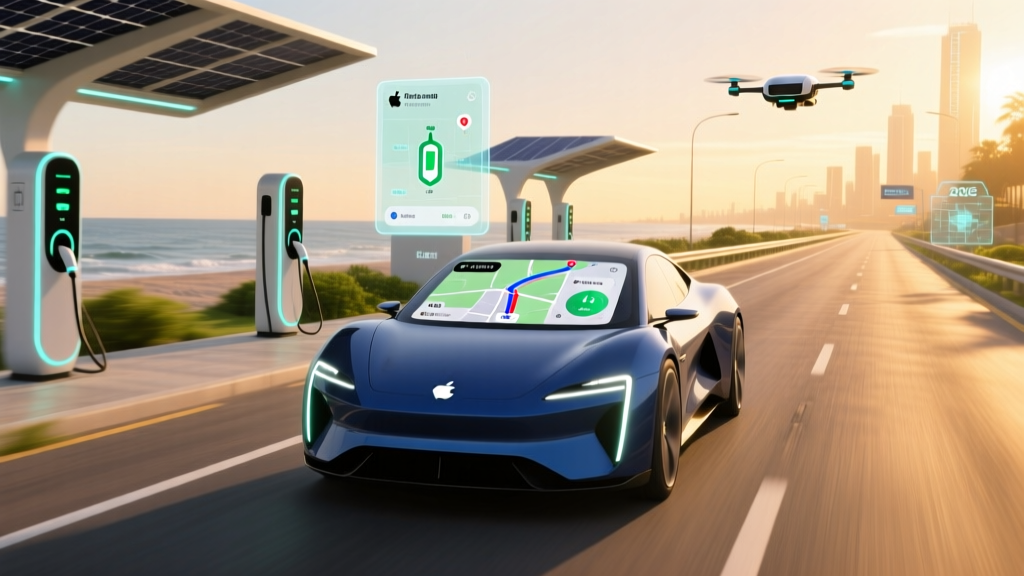
If you own an electric vehicle and use an iPhone, Apple Maps EV routing automatically factors your current battery state of charge (SoC), your vehicle's real-time energy consumption, elevation changes along your route, and nearby charger availability to recommend optimal charging stops. Introduced with iOS 15.4 and expanded through 2026, the feature works natively with select EVs via wireless CarPlay or direct integration, eliminating the need to manually calculate whether you can reach your destination. However, it currently supports a limited roster of vehicles, lacks the granular customization of dedicated EV route planners like A Better Route Planner (ABRP), and may not always surface the fastest or most reliable chargers on your route.
What Apple Maps EV Routing Actually Does
Apple Maps EV routing is a navigation feature that communicates directly with your vehicle's battery management system (BMS) over CarPlay or a native app connection. Here's the data exchange that happens when you enter a destination:
- Battery SoC: Your vehicle reports its current charge percentage (e.g., 72%) to your iPhone.
- Energy consumption model: Apple Maps uses your recent driving data — typically a rolling average of kWh/mile — to project range.
- Route topography: Elevation gain and loss along your route adjusts the range estimate. A 2,000-foot mountain pass will consume significantly more energy than a flat coastal highway.
- Charger database: Apple cross-references your remaining projected range with its charger location database, pulling from networks like Electrify America, EVgo, ChargePoint, and Tesla Superchargers (for NACS-equipped vehicles).
- Charging time estimate: For supported vehicles, the system estimates how long you'll need to charge at a given station to reach the next waypoint or your final destination.
The result is a turn-by-turn route that includes charging stops with estimated arrival SoC, charge duration, and the SoC you'll have when you resume driving. In practice, this mirrors what Tesla's native navigation has done for years, but extends it to non-Tesla EVs through CarPlay.
Which EVs Support Apple Maps EV Routing in 2026?
Apple Maps EV routing requires a vehicle that can share battery and energy-consumption data with CarPlay. As of early 2026, the supported list includes:
| Manufacturer | Supported Models (2024–2026 MY) | Connection Method |
|---|---|---|
| Ford | Mustang Mach-E, F-150 Lightning | Wireless CarPlay |
| BMW | i4, iX, i7, i5 | Wireless CarPlay |
| Porsche | Taycan (2022+), Macan EV | Wireless CarPlay |
| Rivian | R1T, R1S (2023+ with software update) | Native integration |
| Mercedes-Benz | EQS, EQE, EQB (2023+) | Wireless CarPlay |
| Hyundai/Kia | Ioniq 5, Ioniq 6, EV6, EV9 (2025+) | Wireless CarPlay |
If your EV isn't on this list, Apple Maps will still provide standard navigation — but it won't know your battery level, so it can't automatically suggest charging stops. You'd need to manually add waypoints at chargers, which defeats the purpose of automated EV routing.
Apple Maps EV Routing vs. ABRP vs. Automaker Navigation
Apple Maps isn't the only tool for EV trip planning. Here's how it stacks up against the alternatives most EV owners actually use:
| Feature | Apple Maps EV Routing | A Better Route Planner (ABRP) | Automaker Native Nav |
|---|---|---|---|
| Live SoC integration | Yes (supported vehicles) | Yes (via OBD2 dongle or manual entry) | Yes (all models) |
| Charger network coverage | Good (major networks) | Excellent (includes PlugShare data) | Varies (some OEMs exclude competitors) |
| Customizable consumption model | No (uses rolling average) | Yes (adjust for speed, temp, cargo, tire type) | Limited |
| Battery preconditioning trigger | No (as of 2026) | N/A (no vehicle control) | Yes (Tesla, Hyundai, BMW) |
| Charger reliability data | Limited | Yes (community-reported) | Varies |
| Cost to use | Free | Free / $4.99/mo premium | Free (included) |
| Works outside CarPlay | No | Yes (standalone app) | No (in-dash only) |
Real-World Routing Accuracy: What to Expect
Apple Maps EV routing is useful, but it has limitations that every EV owner should understand before relying on it for a 400-mile road trip:
Range Estimates Assume Moderate Conditions
Apple Maps projects range based on your recent driving average. If your last 200 miles were city driving at 35 mph in 65°F weather, your consumption might show 3.2 miles/kWh. But if you're about to drive 75 mph on a highway in 30°F temperatures, your actual consumption could jump to 2.4 miles/kWh — a 25% reduction. Apple Maps doesn't currently let you manually adjust for anticipated speed or temperature the way ABRP does.
Charging Time Estimates Don't Account for Charge-Curve Taper
When Apple Maps tells you a stop will take "22 minutes," that estimate typically covers charging from your arrival SoC to the target SoC needed for the next leg. However, DC fast charging isn't linear. A vehicle that peaks at 240 kW at 10% SoC may taper to 80 kW by 60% SoC and 40 kW above 80%. If the system doesn't model your specific vehicle's charge curve accurately, the actual stop could take 5–10 minutes longer than projected — especially if you're charging past 80%.
No Battery Preconditioning Trigger
This is the most significant gap. Tesla's native navigation automatically begins warming the battery when you navigate to a Supercharger, ensuring peak charge rates on arrival. As of 2026, Apple Maps EV routing does not send a preconditioning signal to your vehicle. If you arrive at a DC fast charger with a cold battery (common in winter or after extended low-speed driving), your peak charge rate could be cut in half until the battery warms up. This can add 10–20 minutes to a charging stop.
The Cost of EV Road Trips: Charging vs. Gas
One reason EV owners care about routing accuracy is that it directly impacts trip cost and time. Here's a concrete comparison for a 500-mile highway trip (e.g., Los Angeles to San Francisco) in a 2026 Hyundai Ioniq 6 (EPA 361 miles, 77.4 kWh battery, 140 MPGe combined):
| Cost Factor | Hyundai Ioniq 6 (EV) | 2026 Toyota Camry (Gas, 32 MPG combined) |
|---|---|---|
| Energy/fuel needed | ~143 kWh | ~15.6 gallons |
| Home charging cost (if round-trip) | $17.16 (@ $0.12/kWh) | N/A |
| DC fast charging cost (road trip) | $50–$72 (@ $0.35–$0.50/kWh) | $54.60 (@ $3.50/gal) |
| Charging/fueling stops needed | 1 stop (~25 min) | 1 stop (~8 min) |
| Total trip time (driving + stops) | ~8 hr 45 min | ~8 hr 15 min |
The EV saves money on energy, especially if you can charge at home before and after the trip. But the time cost of DC fast charging — and the risk of arriving at a broken or occupied charger — is real. Apple Maps EV routing helps minimize that risk by steering you toward chargers it knows exist, but it doesn't yet reliably report real-time charger uptime.
Common Misconceptions About Apple Maps EV Routing
| Myth | Fact |
|---|---|
| "Apple Maps knows exactly how far I can drive." | It estimates based on recent averages. Aggressive driving, cold weather, towing, or roof cargo can reduce actual range by 15–30% below the projection. |
| "It will automatically precondition my battery for fast charging." | As of 2026, Apple Maps does not trigger battery preconditioning. Use your vehicle's native navigation or manually precondition if your EV supports it. |
| "All EVs work with Apple Maps EV routing." | Only vehicles that share battery data over CarPlay are supported. Many popular EVs (Chevrolet Equinox EV, Nissan Ariana, VW ID.4) are not yet on the list. |
| "I don't need any other EV app." | Apple Maps is a solid daily driver, but PlugShare or ChargePoint apps are essential for verifying charger status, reading user reviews, and finding chargers in rural areas. |
| "It works the same as Tesla navigation." | Tesla's system is more deeply integrated — it controls battery thermal management, knows Supercharger stall availability in real time, and models the vehicle-specific charge curve precisely. |
Decision Framework: Should You Rely on Apple Maps EV Routing?
Use Apple Maps EV routing as your primary navigator if:
- Your vehicle is on the supported list and connects via wireless CarPlay
- Most of your driving is within your vehicle's real-world range (under 250 miles per leg)
- You prefer a single, integrated experience and don't want to juggle multiple apps
- You're driving in moderate weather and at moderate highway speeds (65–70 mph)
Use ABRP or your automaker's native navigation instead if:
- You're planning a multi-stop road trip exceeding 300 miles
- You're driving in extreme cold (below 32°F) or towing a trailer
- Your EV supports battery preconditioning via its native nav (Tesla, Hyundai/Kia, BMW)
- You need charger reliability data and community-reported outage information
- Your EV isn't on Apple's supported vehicle list
Use a hybrid approach (recommended for road trips):
- Plan the trip in ABRP the night before, noting charger locations and target SoC at each stop
- Use Apple Maps or CarPlay for turn-by-turn navigation during the drive
- Keep PlugShare open on a passenger's phone to verify charger status before each stop
Frequently Asked Questions
Does Apple Maps EV routing work with Tesla vehicles?
Not directly. Tesla does not support Apple CarPlay, so Apple Maps cannot access Tesla's battery data. Tesla owners should use the vehicle's native navigation, which remains the gold standard for integrated EV routing with automatic Supercharger preconditioning.
Can Apple Maps find Tesla Superchargers for non-Tesla EVs?
Yes. As Tesla has opened its Supercharger network to NACS-equipped and CCS-equipped vehicles (via the Magic Dock adapter) through 2025–2026, Apple Maps includes these stations in its charger database. However, availability varies by location — not all Supercharger stalls have the Magic Dock, and some remain Tesla-only. Check the Tesla Supercharger compatibility page for current details.
How does Apple Maps compare to Google Maps for EV routing?
Google Maps also offers EV routing with charger suggestions, but as of 2026, it similarly lacks deep battery integration for most non-Tesla vehicles. Google's advantage is its broader Points of Interest database and real-time traffic modeling. Apple's advantage is tighter CarPlay integration with supported vehicles. Neither currently matches ABRP for trip-planning depth or automaker native nav for battery preconditioning.
Will Apple Maps tell me if a charger is broken before I arrive?
Not reliably. Apple Maps shows charger locations and may display the number of stalls, but it does not consistently surface real-time uptime data. This is why cross-referencing with PlugShare or the specific network's app (Electrify America, EVgo) before departing for a charger stop is essential — especially in rural areas where the next backup charger might be 40+ miles away.
Does Apple Maps EV routing drain my iPhone battery faster?
Marginally. The continuous CarPlay connection and location tracking use more power than basic navigation, but the difference is small when your phone is plugged into your vehicle's USB or wireless charging pad. The bigger battery concern is your EV's traction battery — not your phone.