The Apple CarPlay Tesla Dilemma: What Every Buyer Should Know
If you've ever searched "Apple CarPlay Tesla" expecting a simple yes-or-no answer, you've likely hit a wall of contradictory forum posts and outdated articles. Here's the definitive reality as of 2026: Tesla does not support Apple CarPlay or Android Auto in any production vehicle—not the Model 3, Model Y, Model S, Model X, or the refreshed Cybertruck. Tesla's vertically integrated infotainment system is a deliberate design choice, not an oversight.
For many EV shoppers, this is a dealbreaker. For others, Tesla's native system is more than adequate. This guide breaks down exactly what you get (and don't get) with Tesla's infotainment, the workarounds that actually work in 2026, and how to evaluate whether the absence of CarPlay should factor into your purchase decision alongside range, charging speed, and total cost of ownership.
Why Tesla Refuses to Adopt Apple CarPlay
Tesla's resistance to CarPlay isn't about technical limitations—it's about control and data. Tesla's infotainment system handles vehicle settings, navigation with real-time Supercharger routing, over-the-air updates, Sentry Mode dashcam footage, and the entire Autopilot/FSD visualization pipeline. Handing display real estate to Apple would mean:
- Loss of navigation data: Tesla's built-in nav routes through Superchargers, preconditions the battery for fast charging, and estimates arrival state-of-charge. CarPlay navigation (Apple Maps, Google Maps) cannot trigger battery preconditioning, which means slower DC fast charging sessions.
- Reduced data collection: Tesla uses driving and UI interaction data to train its FSD neural networks and improve vehicle software. A third-party interface creates a data blind spot.
- OTA update conflicts: Tesla pushes 20+ software updates per year, some restructuring the UI entirely. CarPlay compatibility would require Apple coordination on every major revision.
The result is a closed ecosystem that's more capable than CarPlay in EV-specific ways but less familiar to iPhone users accustomed to mirroring their phone's interface.
What Tesla's Native Infotainment Offers Instead
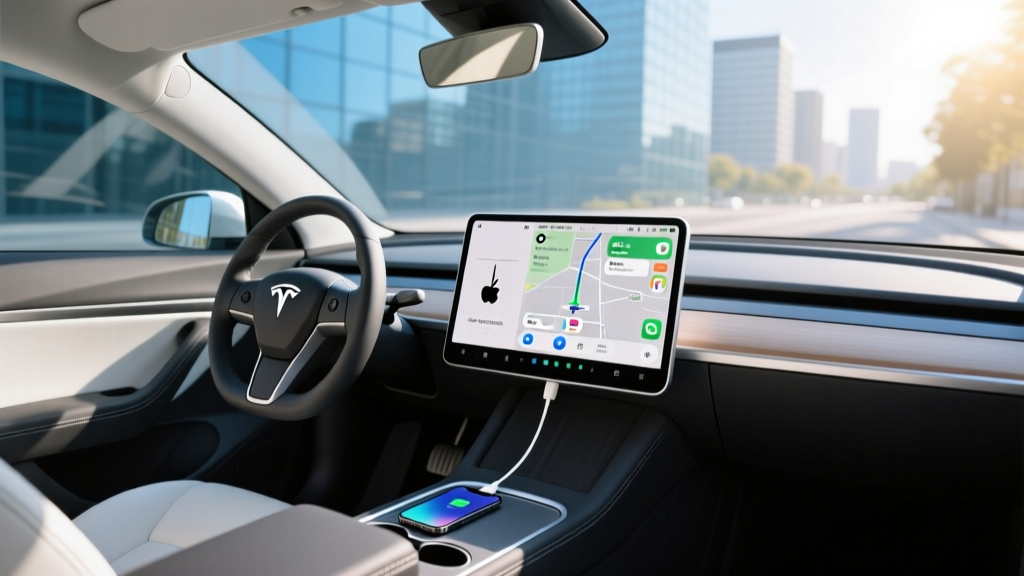
Before writing off Tesla over CarPlay, it's worth understanding what the native system actually delivers. As of the 2026 model year, Tesla's infotainment (running on the AMD Ryzen-powered MCU) includes:
- Native navigation with Supercharger routing: Automatically routes through Superchargers on long trips, displays real-time stall availability, and triggers battery preconditioning 10-30 minutes before arrival for optimal charge speeds.
- Spotify, Apple Music, Tidal, and TuneIn integration: Native apps with your full library and playlists—no phone required.
- Phone mirroring via Bluetooth: Calls, contacts, and text-to-speech messaging work seamlessly. You lose visual Maps and third-party audio apps not natively supported.
- Netflix, YouTube, Disney+, and gaming: Available while parked on the main display (and rear screens in Model S/X).
- Sentry Mode and dashcam: Integrated camera recording with USB export—something CarPlay cannot offer.
- Vehicle controls: Climate, mirrors, steering, regen, and Autopilot settings are all touchscreen-driven with no physical buttons.
For many owners, this system replaces CarPlay entirely. For others—particularly those deeply invested in Apple Maps, Waze, or specific podcast/audiobook apps—the gap is real.
Real-World Workarounds for CarPlay in a Tesla (2026 Methods)
Several aftermarket solutions have emerged to bridge the CarPlay gap. Here's what actually works in 2026:
1. Aftermarket CarPlay Adapters (Hansshow, Taptes, Carlinkit)
These $250-$400 devices connect to Tesla's hidden browser or a dedicated input and display a wireless CarPlay interface. Quality varies enormously:
- Latency: Most introduce 200-500ms of input lag, making maps feel sluggish.
- Resolution: Typically rendered at lower resolution than Tesla's native UI.
- Reliability: Software updates from Tesla can break compatibility for weeks until the adapter manufacturer patches it.
- Warranty risk: Tesla has been known to deny infotainment warranty claims on vehicles with aftermarket hardware connected to the vehicle bus.
2. Phone-as-Navigation (No Adapter Required)
The simplest workaround costs nothing: use Apple Maps or Waze on your phone mounted on a MagSafe vent mount, and route audio through Bluetooth. You lose the integrated display but retain full CarPlay-like navigation functionality. The downside is that your phone's navigation cannot precondition the Tesla battery, which can add 5-10 minutes to DC fast charging sessions in cold weather.
3. Dual-Screen Setups (DIY)
A small number of owners have installed secondary tablets or dedicated CarPlay head units on custom dashboard mounts. This is impractical for most buyers and introduces distraction and safety concerns.
Tesla Model Lineup: Quick Specs & Pricing (2026)
Since the CarPlay question applies across the entire Tesla lineup, here's a spec comparison of the current production models:
| Spec | Model 3 RWD | Model 3 Long Range AWD | Model Y Long Range AWD | Model S Dual Motor |
|---|---|---|---|---|
| EPA Range | 341 mi | 363 mi | 320 mi | 402 mi |
| Battery (usable) | ~60 kWh (LFP) | ~75 kWh (NMC) | ~75 kWh (NMC) | ~95 kWh (NMC) |
| 0-60 mph | 5.8 sec | 4.2 sec | 4.8 sec | 3.1 sec |
| Horsepower | 271 hp | 346 hp | 384 hp | 670 hp |
| Max DC Charge | 170 kW | 250 kW | 250 kW | 250 kW |
| 10-80% DCFC | ~28 min | ~25 min | ~27 min | ~30 min |
| Level 2 Home | 11.5 kW (~44 mi/hr) | 11.5 kW (~44 mi/hr) | 11.5 kW (~44 mi/hr) | 11.5 kW (~44 mi/hr) |
| MPGe (combined) | 132 MPGe | 125 MPGe | 117 MPGe | 122 MPGe |
| Cargo Volume | 23 cu ft | 23 cu ft | 76 cu ft (rear folded) | 28 cu ft + frunk |
| Base MSRP | $38,990 | $45,990 | $48,990 | $79,990 |
| Federal §30D Credit | $7,500* | $7,500* | $7,500* | Not eligible (MSRP cap) |
*Tax credit eligibility subject to buyer income caps ($150k single / $300k joint), MSRP caps ($55k sedans / $80k SUVs & trucks), and battery critical-mineral sourcing requirements per IRS §30D rules. Always verify eligibility with a tax professional before purchase.
How CarPlay Absence Affects the Ownership Experience
After thousands of miles in Tesla vehicles without CarPlay, here's where the gap is most felt—and where Tesla's native system actually outperforms:
Where You'll Miss CarPlay
- Apple Maps and Waze: If you rely on Waze for real-time police and hazard alerts, or prefer Apple Maps' UI, Tesla's native nav doesn't match the crowd-sourced data density. Tesla does display real-time traffic, but community-reported incidents are thinner.
- Podcasts and audiobooks: Tesla supports Apple Podcasts natively as of recent updates, but the interface is less refined than iOS. Audible integration exists but lacks the playlist granularity of the phone app. Libby/Overdrive users have no native option.
- Siri voice control: Tesla's voice commands ("Hey Tesla") handle navigation, climate, and basic functions but lack Siri's breadth for texting, calendar, and smart-home control while driving.
- Familiarity: The muscle memory of CarPlay's interface—especially for navigation—takes weeks to unlearn.
Where Tesla's System Is Genuinely Better
- Trip planning: Tesla's nav automatically routes through Superchargers and shows arrival SoC—something CarPlay cannot do for any EV.
- Battery preconditioning: Critical for fast charging in cold weather (see warning box above).
- Dashcam and Sentry Mode: Deeply integrated camera system with no third-party equivalent.
- OTA improvements: Tesla regularly adds features (new apps, UI improvements, Autopilot enhancements) that a CarPlay-dependent system could not receive independently.
Should the Lack of CarPlay Stop You From Buying a Tesla?
This is ultimately a personal calculus that depends on your usage patterns:
Buy the Tesla anyway if:
- You primarily use your car for commuting and road trips where Supercharger routing matters
- You're comfortable adopting Tesla's native apps for music (Spotify/Apple Music work well)
- You value battery preconditioning and integrated trip planning for DC fast charging
- You don't rely heavily on Waze or non-supported audio apps
Look at competitors with native CarPlay if:
- Waze is essential to your daily commute (heavy traffic areas, construction zones)
- You use niche audio apps not supported by Tesla (Libby, specific podcast players)
- Siri integration for texting, calendar, and smart home is a must-have while driving
- You prefer familiar interfaces over learning a new system
Competitors offering both competitive EV specs and native CarPlay include the Hyundai Ioniq 5 (303 mi range, 350 kW 800V charging, $42,500 base), Kia EV6 (310 mi, 350 kW, $43,000), Ford Mustang Mach-E (320 mi extended range, $44,000), and BMW i4 (307 mi, $52,000). All support wireless CarPlay and Android Auto.
Warranty, Safety, and Ownership Costs
Tesla's warranty coverage is competitive but not class-leading:
- Basic vehicle warranty: 4 years / 50,000 miles
- Battery & drive unit: 8 years / 100,000 miles (RWD) or 8 years / 120,000 miles (AWD/Long Range) with a minimum 70% capacity retention guarantee
- Safety: Model 3 and Model Y hold NHTSA 5-star overall ratings and IIHS Top Safety Pick+ awards (when equipped with acceptable headlights)
On insurance, Teslas carry higher-than-average premiums due to repair costs. Average annual insurance for a Model 3 runs $2,200-$2,800 depending on state and driver profile—roughly 15-25% above comparably priced EVs from legacy automakers.
Autopilot (basic) is standard and includes adaptive cruise and lane-keeping. Full Self-Driving (Supervised) remains a $8,000 add-on or $99/month subscription. FSD is SAE Level 2 driver assistance—not self-driving—and requires continuous driver supervision.
Frequently Asked Questions
Will Tesla ever add Apple CarPlay support?
There is no indication Tesla plans to support CarPlay. Elon Musk has publicly stated Tesla's native system is superior for EV-specific functions. Given Tesla's investment in its software stack and the data it collects, a reversal seems extremely unlikely.
Can I use my iPhone with a Tesla at all?
Yes. Tesla supports Bluetooth for calls, contacts, and text-to-speech messaging. You can also use your phone as a key (Phone Key), and Apple Music is available as a native app. You just can't mirror your phone's display or use Apple Maps on the car's screen.
Do aftermarket CarPlay adapters void my Tesla warranty?
Tesla's warranty language allows denial of claims related to aftermarket modifications. If an adapter causes an infotainment malfunction, Tesla could deny that specific repair. It would not void your battery or powertrain warranty, but the risk is real for the MCU and related electronics.
Does using Apple Maps on my phone affect Tesla charging speed?
Yes, indirectly. If you navigate to a Supercharger using Apple Maps on your phone instead of Tesla's built-in navigation, the car will not precondition the battery. In cold weather (below 50°F), this can reduce your peak charge rate significantly—sometimes from 250 kW to under 100 kW—until the battery warms up through use, adding 10-15 minutes to your charging stop.
Which Tesla models are eligible for the $7,500 federal tax credit?
For 2026, the Model 3 RWD and Long Range AWD, and the Model Y (all trims) qualify for the full $7,500 §30D credit at point of sale, provided the buyer meets income caps ($150,000 single / $300,000 joint AGI) and the vehicle meets battery critical-mineral and component sourcing thresholds. The Model S and Model X exceed the MSRP cap for sedans ($55,000) and SUVs ($80,000) respectively, making them ineligible. Always confirm current eligibility on IRS.gov before purchasing.
What's the best Tesla for someone who really wants CarPlay?
If CarPlay is a must-have, Tesla may not be the right brand for you. However, if you're willing to adapt, the Model 3 Long Range AWD offers the best balance of range (363 mi EPA), charging speed (250 kW peak, ~25 min 10-80%), and price ($45,990 before credit, ~$38,490 after) to justify the learning curve of Tesla's native system.