Why Tesla Still Doesn't Support Android Auto (or Apple CarPlay)
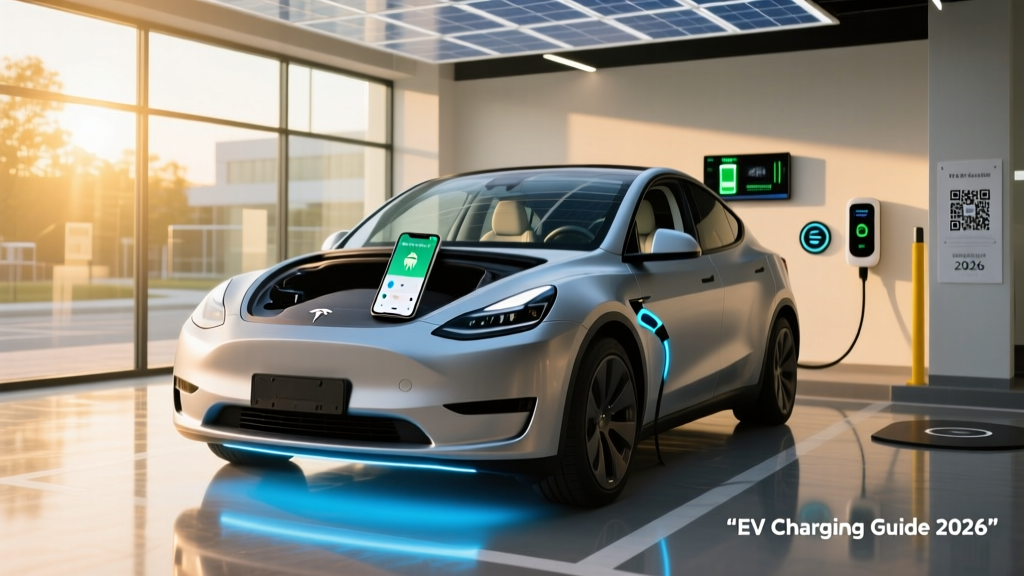
If you've searched for Android Auto for Tesla, you already know the answer is frustrating: it doesn't exist. As of the 2026 model year, no Tesla vehicle — Model 3, Model Y, Model S, Model X, or Cybertruck — supports Android Auto or Apple CarPlay, wired or wireless. Tesla CEO Elon Musk confirmed this stance years ago, and the company hasn't budged.
The reason is architectural. Tesla's infotainment system isn't a conventional head unit that hands over its display to a phone OS. Instead, Tesla runs a proprietary Linux-based stack that integrates navigation, media, vehicle controls, climate, Autopilot visualization, and over-the-air updates into a single tightly coupled interface. Allowing Android Auto to take over the center screen would mean ceding control of the very system Tesla considers its core differentiator.
For Android users evaluating a Tesla purchase in 2026, this is a real trade-off — not a dealbreaker for most, but one worth understanding in detail before you commit $40,000+ to a vehicle.
What Tesla's Native Infotainment Offers Instead
Rather than mirroring your phone, Tesla builds the apps directly into the car. The 2026 Tesla infotainment stack includes:
- Navigation: Tesla's own mapping with real-time Supercharger routing, traffic-aware ETA, and battery preconditioning for fast charging.
- Music streaming: Native Spotify, Apple Music, YouTube Music, Tidal, and TuneIn — all controllable by voice or steering wheel buttons.
- Phone integration: Bluetooth calling, contact sync, and SMS read-aloud/reply via voice dictation.
- Voice commands: "Hey Tesla" or steering-wheel button activation for navigation, media, climate, and phone calls.
- Calendar sync: Google Calendar integration that suggests navigation to your next meeting.
- Theater mode: Netflix, YouTube, Disney+, and Twitch streaming while parked on the 15.4-inch center display.
- Gaming: A library of in-car games using the steering wheel and touchscreen, plus Steam integration on newer hardware (HW4/Ryzen).
For many Android users, this covers 80-90% of what Android Auto provides. The gap is most noticeable in two areas: familiar UI muscle memory (you already know Google Maps) and third-party app breadth (Waze, Audible's full interface, specific podcast apps).
Workarounds: Bridging Your Android Phone to a Tesla
If native Tesla apps don't fully replace your Android Auto workflow, here are the practical workarounds owners actually use in 2026:
Bluetooth Audio + Phone Mount (Simplest)
Pair your Android phone via Bluetooth for calls and media. Use your phone's Google Maps for navigation on the phone screen, mounted with a vent or dashboard clip. Audio from Google Maps routes through the Tesla speakers. This is the lowest-friction solution and costs nothing beyond a $15 phone mount.
Third-Party Screen Mirroring Devices
Aftermarket devices like the Carlinkit Tbox and similar HDMI-based boxes can mirror your Android phone's screen to the Tesla display via the car's browser or a dedicated input. These cost $150-$300 and require setup. Caveats: they introduce latency, may break after Tesla OTA updates, and are not endorsed or supported by Tesla. Use at your own risk.
Tesla App as a Bridge
The official Tesla app on your Android phone handles remote climate control, charging status, location sharing, and trip planning. While it doesn't replace Android Auto on the car screen, it eliminates many of the phone-in-hand interactions that make CarPlay/Auto appealing.
Native Spotify / YouTube Music
Log into your Spotify or YouTube Music account directly on the Tesla. This removes the phone-as-media-source dependency entirely for most music listeners.
2026 Tesla Model 3 & Model Y: Specs at a Glance
Since the Android Auto question comes up most often for Tesla's volume sellers, here's a consolidated spec table for the current 2026 Model 3 and Model Y lineup. These are the vehicles most buyers are cross-shopping against Android Auto-equipped competitors like the Hyundai Ioniq 5, Kia EV6, and Ford Mustang Mach-E.
| Spec | Model 3 Long Range AWD | Model Y Long Range AWD |
|---|---|---|
| EPA Range | 341 miles | 320 miles |
| Battery (usable) | ~75 kWh (NMC) | ~75 kWh (NMC) |
| Drivetrain | Dual Motor AWD | Dual Motor AWD |
| Horsepower | ~346 hp | ~384 hp |
| 0-60 mph | 4.2 sec | 4.8 sec |
| Max DC Fast Charge | 250 kW | 250 kW |
| 10-80% DC Time | ~25 min | ~27 min |
| Level 2 Home Charge | 11.5 kW (~44 mi/hr) | 11.5 kW (~44 mi/hr) |
| MPGe (combined) | 132 MPGe | 122 MPGe |
| Efficiency | 25 kWh/100 mi | 28 kWh/100 mi |
| Cargo Volume | 23 cu ft (rear trunk + frunk) | 76 cu ft (rear seats folded + frunk) |
| Rear Legroom | 35.3 in | 41.6 in |
| Battery Warranty | 8 yr / 120,000 mi | 8 yr / 120,000 mi |
| Base MSRP | $47,740 | $48,240 |
Source: fueleconomy.gov and Tesla specifications. Specs reflect 2026 model year. Refresh / "Juniper" Model Y updates reflected.
Real-World Range: What the EPA Sticker Doesn't Tell You
Model 3 Long Range AWD: EPA 341 mi → Expect ~280-300 mi on a 75°F highway trip at 70 mph; ~230-260 mi in freezing (20°F) conditions with cabin heat.
Model Y Long Range AWD: EPA 320 mi → Expect ~265-285 mi highway (75°F); ~215-245 mi in freezing weather.
Tesla's NMC batteries experience measurable capacity loss in cold temperatures due to increased internal resistance and cabin heating load. Preconditioning the battery while plugged in recovers some of this range.
Tesla's efficiency remains among the best in the industry — the Model 3's 25 kWh/100mi is exceptional. But no EPA sticker accounts for sustained 80 mph driving, mountain passes, or January in Minnesota. Budget 15-20% below EPA for highway road trips and 25-30% below EPA in deep cold.
Charging Speed and Infrastructure
| Level | Power | Miles Added per Hour | Typical Use Case |
|---|---|---|---|
| Level 1 (120V) | ~1.4 kW | ~3-5 mi/hr | Overnight trickle; emergency top-up |
| Level 2 (240V, 48A) | 11.5 kW | ~44 mi/hr | Home Wall Connector; full charge in ~7-8 hours |
| DC Fast (Supercharger V3) | Up to 250 kW peak | ~1,000 mi/hr at peak | Road trips; 10-80% in ~25-27 min |
| DC Fast (Supercharger V4) | Up to 325 kW (future HW) | — | Announced for newer platforms; current 3/Y capped at 250 kW |
Charging curve reality: The 250 kW peak only holds between roughly 10-30% State of Charge. Above 50%, the rate tapers significantly — by 80%, you're at ~60-70 kW. This is why Tesla (and all EV makers) quote 10-80% times rather than 0-100%. Charging from 80-100% at a Supercharger can add 15-20 minutes for relatively few miles. On road trips, the optimal strategy is to charge to 80% and move on.
Tesla's Supercharger network remains the most reliable public charging infrastructure in the US, with over 20,000 stalls domestically. With the adoption of the NACS (North American Charging Standard) by Ford, GM, Rivian, and others in 2025-2026, Tesla's network is now open to non-Tesla EVs at select locations — but Tesla owners still get priority pricing and seamless plug-and-charge authentication.
Pricing, Trims, and Federal Tax Credit Eligibility
| Model / Trim | MSRP | §30D Credit (est.) | Effective Price |
|---|---|---|---|
| Model 3 RWD | $39,740 | Up to $7,500* | ~$32,240 |
| Model 3 Long Range AWD | $47,740 | Up to $7,500* | ~$40,240 |
| Model 3 Performance | $54,740 | Up to $7,500* | ~$47,240 |
| Model Y Long Range AWD | $48,240 | Up to $7,500* | ~$40,740 |
| Model Y Performance | $52,740 | Up to $7,500* | ~$45,240 |
*Federal tax credit eligibility under IRS §30D is subject to multiple requirements:
- MSRP cap: Sedans (Model 3) must be ≤$55,000; SUVs/trucks/vans (Model Y) must be ≤$80,000.
- Buyer income cap: Modified AGI ≤$150,000 (single), ≤$225,000 (head of household), ≤$300,000 (joint).
- Battery sourcing: Critical minerals and battery components must meet phased-in domestic/free-trade sourcing thresholds that tighten annually through 2029.
- Point-of-sale transfer: As of 2024+, you can transfer the credit to the dealer at purchase for an immediate price reduction, rather than waiting to claim it on your tax return.
Both the Model 3 and Model Y have historically qualified for the full $7,500 credit, but battery-sourcing rules are tightening. Always verify current eligibility on the IRS Clean Vehicle credit page or with a tax professional before purchase. Tesla's own checkout page typically displays credit eligibility for the specific configuration you've built.
Driving, Tech, and the Autopilot Question
The 2026 Model 3 ("Highland" refresh) and Model Y ("Juniper" refresh) feature improved ride quality, ventilated seats, ambient lighting, rear-seat touchscreen (Model 3), and a notably quieter cabin compared to pre-refresh models.
Autopilot and FSD (Supervised): Every Tesla ships with basic Autopilot — Traffic-Aware Cruise Control and Autosteer (lane centering). This is an SAE Level 2 driver-assistance system, meaning you must keep your hands on the wheel and eyes on the road at all times. Tesla's camera-only "Vision" approach handles most highway scenarios competently but can struggle with construction zones, faded lane markings, and heavy rain.
Tesla Autopilot and FSD (Supervised) are SAE Level 2 systems. They assist with steering and speed but require continuous driver supervision. They are not self-driving. Only Level 4 services like Waymo operate without a human driver — and only in geofenced areas. Never treat Tesla's driver-assist as a substitute for an attentive driver.
FSD (Supervised) costs $8,000 as a one-time purchase or $99/month as of 2026. It adds automatic lane changes, navigation-on-autopilot (highway exits and interchanges), traffic light/stop sign recognition, and enhanced city-street driving. Real-world performance has improved substantially through 2025-2026 neural net updates, but it still requires active supervision and occasional intervention. Most buyers are better served by the included basic Autopilot unless they do extensive highway commuting.
Is Tesla Worth It Without Android Auto? The Verdict
- Best-in-class efficiency (25-28 kWh/100mi)
- Supercharger network — most reliable DC charging in the US
- OTA updates continuously add features post-purchase
- Strong resale value relative to EV segment average
- Native Spotify, YouTube Music, and navigation eliminate most phone dependencies
- Excellent safety ratings (NHTSA 5-star; IIHS Top Safety Pick+)
- No Android Auto or Apple CarPlay — period
- No native Waze support (Tesla Maps only)
- Touchscreen-dependent controls (no physical buttons for climate, mirrors, glovebox)
- Repair costs and insurance premiums above segment average
- Panel gaps and interior material quality still trail legacy luxury brands
- Camera-only Autopilot/Vision can struggle in adverse weather
Who Should Buy a Tesla (and Who Should Look Elsewhere)
Choose Tesla if: You want access to the Supercharger network, value OTA software improvements, commute mostly on highways with basic Autopilot, and are comfortable using native apps instead of phone mirroring. The Model 3 is ideal for solo commuters and couples; the Model Y suits families needing cargo space and rear-seat comfort.
Look elsewhere if: Android Auto is a non-negotiable for your workflow (e.g., you rely on Waze daily, need specific podcast/audiobook app interfaces, or prefer Google Maps' UI). The Hyundai Ioniq 5, Kia EV6, and Ford Mustang Mach-E all offer wireless Android Auto, competitive range (270-320 mi EPA), and 800V fast charging — though their public charging networks are less reliable than Tesla's.
Frequently Asked Questions
Will Tesla ever add Android Auto support?
There is no indication Tesla plans to support Android Auto or Apple CarPlay. Tesla views its proprietary infotainment as a core product differentiator and has invested heavily in native app integrations, voice control, and the Tesla mobile app ecosystem. Third-party mirroring hacks exist but are unsupported and unreliable.
Can I use Google Maps on a Tesla's screen?
Not directly. Tesla uses its own navigation system powered by Mapbox and Tesla's routing algorithms. You can use Google Maps on your phone and route audio directions through the Tesla's speakers via Bluetooth, but the map itself won't appear on the car's touchscreen.
Does the Tesla Model 3 or Model Y qualify for the $7,500 federal tax credit in 2026?
Both models have historically qualified, but eligibility depends on your income (AGI caps), the vehicle's MSRP (under the §30D thresholds), and current battery-sourcing compliance. Check the IRS Clean Vehicle credit page and Tesla's own checkout for the latest status. The credit can now be transferred at point of sale for an instant price reduction.
What's the real-world range of the 2026 Model Y Long Range?
EPA-rated at 320 miles. In real-world highway driving at 70 mph in moderate temperatures, expect roughly 265-285 miles. In freezing conditions with cabin heat, plan for 215-245 miles. Preconditioning while plugged in helps mitigate cold-weather losses.
How fast does a Tesla charge at home?
With a Tesla Wall Connector on a 60A circuit (48A continuous), both the Model 3 and Model Y charge at up to 11.5 kW, adding roughly 44 miles of range per hour. A full charge from 10-100% takes about 7-8 hours — easily accomplished overnight. Installation typically costs $500-$2,000 depending on your electrical panel's capacity and the run length from panel to garage.
Is it worth buying a Tesla over the Hyundai Ioniq 5 or Kia EV6?
It depends on your priorities. Tesla wins on charging infrastructure (Supercharger network), software updates, and efficiency. The Ioniq 5 and EV6 win on Android Auto/CarPlay support, 800V ultra-fast charging (10-80% in ~18 min at compatible chargers), physical button layouts, and in some trims, lower pricing. If public charging reliability is your top concern, Tesla's ecosystem advantage is substantial. If phone integration and interior ergonomics matter more, the Korean alternatives deserve a serious test drive.