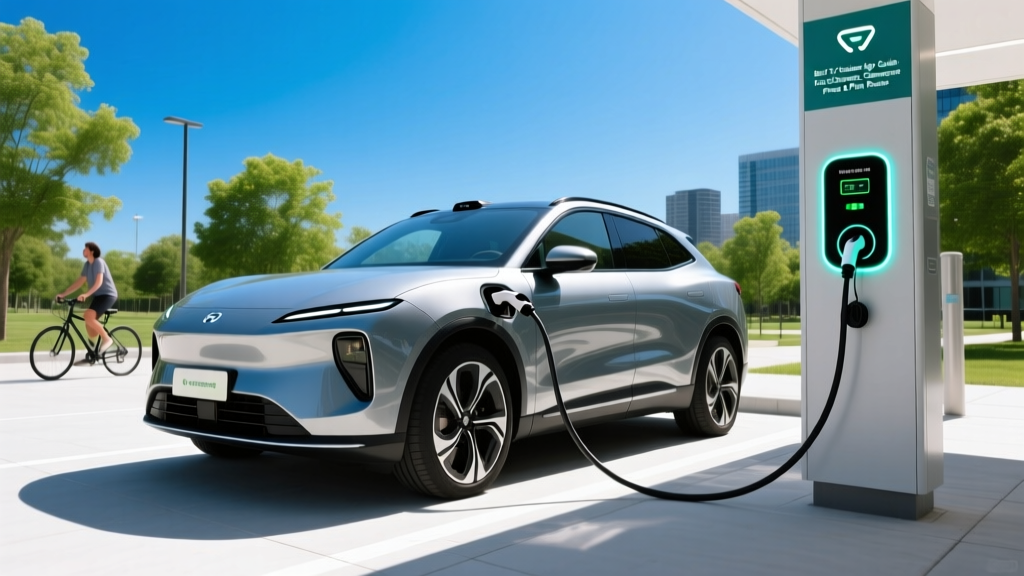
Few things frustrate an EV owner more than pulling up to a charger only to find it broken, occupied, or incompatible. The right EV stations app eliminates that guesswork by showing real-time availability, plug types, charging speeds (in kW), pricing, and user-reported status — all before you leave the house. Whether you rely on Tesla Superchargers, Electrify America, EVgo, or ChargePoint, a dedicated charging app is as essential to EV ownership as a gas station locator once was for ICE drivers.
Quick Answer: Which EV Stations App Should You Use?
There is no single best app — most EV owners need two or three to cover their typical driving. Use your vehicle's built-in navigation for route planning (it preconditions the battery for faster charging), a network-specific app like Tesla, Electrify America, or EVgo to activate and pay for sessions, and an aggregator like PlugShare or A Better Routeplanner (ABRP) to cross-check availability, read user reviews, and find chargers across all networks. In 2026, with the NACS connector becoming the dominant standard, network access has broadened, but app fragmentation remains a reality.
Why You Need a Dedicated EV Stations App in 2026
Your car's infotainment system can route you to chargers, but it typically only shows one network or prioritizes its own branded stations. A third-party EV stations app fills the gaps. Here's what a good app provides that your car's nav often doesn't:
- Real-time stall status: Whether a charger is in use, available, or offline — reported by users or network APIs.
- Connector and power details: NACS, CCS1, or CHAdeMO — and whether a station peaks at 50 kW, 150 kW, or 350 kW. This matters enormously: a 350 kW charger can add ~150 miles in 15 minutes to a capable vehicle, while a 50 kW unit might take 45+ minutes for the same gain.
- Pricing transparency: Per-kWh rates vary wildly — from $0.25/kWh at some ChargePoint stations to $0.58/kWh at peak-time Electrify America locations. Apps let you compare before you commit.
- User reviews and photos: Is the charger in a well-lit parking lot? Is it behind a locked gate after 10 PM? Are there restaurants nearby for a 20-minute charge stop? Community data answers these questions.
- Route planning with charge stops: Apps like ABRP factor in your specific vehicle's efficiency, battery state of charge (SoC), elevation changes, and even weather to estimate exactly where and how long you'll need to stop.
The Top EV Stations Apps Compared
Here's how the major apps stack up for real-world use. Most are free, though some offer premium tiers.
| App | Best For | Networks Covered | Real-Time Status | Route Planning | Cost |
|---|---|---|---|---|---|
| PlugShare | Finding any charger, anywhere | All major + many independent | Yes (user-reported + API) | Basic | Free (Premium: $24.99/yr) |
| A Better Routeplanner (ABRP) | Long-distance trip planning | All major networks | Yes (via network APIs) | Advanced (vehicle-specific) | Free (Premium: ~$5/mo) |
| Tesla App | Tesla owners + NACS-equipped non-Teslas | Supercharger + Destination | Yes (direct API) | Integrated with nav | Free |
| Electrify America | EA network users | Electrify America only | Yes (direct API) | None | Free (Pass+ plan: $4/mo for lower rates) |
| EVgo | Urban fast-charging | EVgo + partners | Yes (direct API) | None | Free |
| ChargePoint | Level 2 destination charging | ChargePoint network | Yes (direct API) | None | Free |
Our recommendation: Install PlugShare as your all-purpose directory, ABRP for road trips, and the native app for whichever fast-charging network is most common on your routes. If you own a Tesla or a vehicle with a NACS adapter (increasingly common on Ford, GM, Rivian, and Hyundai/Kia models in 2026), the Tesla app is essential — the Supercharger network now exceeds 70,000 stalls globally, with over 30,000 in North America, according to Tesla's Supercharger page.
How Charging Costs Compare: EV vs. Gas
One of the most common questions first-time EV buyers ask is whether charging actually saves money. The answer depends heavily on where you charge — and your EV stations app helps you find the cheapest options.
| Scenario | Cost per kWh / Gallon | Cost per 300 Miles | Annual Cost (12,000 mi) |
|---|---|---|---|
| Home Level 2 (national avg electricity: ~$0.17/kWh) | $0.17/kWh | ~$15.30 (at 3.5 mi/kWh) | ~$612 |
| Public DC Fast Charger (avg: ~$0.40/kWh) | $0.40/kWh | ~$34.30 | ~$1,372 |
| Electrify America (off-peak Pass+): ~$0.33/kWh | $0.33/kWh | ~$28.30 | ~$1,132 |
| Gas car (28 MPG combined, $3.40/gal avg) | $3.40/gal | ~$36.43 | ~$1,457 |
| Hybrid (50 MPG combined, $3.40/gal) | $3.40/gal | ~$20.40 | ~$816 |
The takeaway: Home charging is dramatically cheaper than gas — roughly 58% less per mile than a 28 MPG gas car. But if you rely exclusively on public DC fast charging, costs can approach or even exceed gas. A good EV stations app helps you locate cheaper Level 2 chargers at workplaces, grocery stores, or municipal lots, where rates often sit between $0.10–$0.25/kWh.
Efficiency varies by vehicle. A 2026 Hyundai Ioniq 6 SE achieves roughly 4.0 mi/kWh (140 MPGe combined per fueleconomy.gov), meaning 300 miles requires about 75 kWh. A heavier SUV like the Ford F-150 Lightning might achieve only 2.0–2.5 mi/kWh, doubling the energy cost for the same distance. Your EV stations app should let you input your vehicle model to estimate session cost.
What First-Time EV Buyers Should Know About Charging Apps
If you're transitioning from gas to electric, the charging ecosystem can feel fragmented. Here are the practical realities that no marketing brochure will tell you:
kW vs. kWh — The Critical Distinction
This is the single most common point of confusion. kW (kilowatts) measures power — how fast energy flows into your battery, like water pressure from a hose. kWh (kilowatt-hours) measures energy — the total amount stored, like gallons in a tank. A 150 kW charger delivers energy faster than a 50 kW charger, but the total energy your battery holds (say, 77 kWh usable in a 2026 Tesla Model Y) stays the same. Your EV stations app should display both the station's peak kW rating and the price per kWh.
Charging Speeds Aren't Constant — The Curve Tapers
A station labeled "350 kW" won't deliver that rate for your entire session. EV batteries accept charge fastest at low states of charge and slow down significantly above ~80% SoC to protect battery health. A typical session at a 250 kW Supercharger might look like this:
- 10%–40% SoC: ~240–250 kW (peak)
- 40%–60% SoC: ~170–200 kW
- 60%–80% SoC: ~100–130 kW
- 80%–90% SoC: ~50–70 kW (heavy taper)
This is why most road-trip strategies target 10%–80% charges. A 2026 Chevrolet Equinox EV with a ~85 kWh battery can charge from 10%–80% in roughly 22 minutes at a 150+ kW charger — but pushing to 100% could add another 30+ minutes. ABRP and other route-planning apps automatically account for this taper when estimating stop durations.
NACS vs. CCS: Connector Compatibility in 2026
The North American Charging Standard (NACS), originally Tesla's proprietary connector, has become the dominant plug for new EVs sold in the US. Ford, GM, Rivian, Hyundai, Kia, and others now ship with NACS ports or include adapters. CCS1 is still widely available but is being phased out at new installations. Your EV stations app must show connector type — pulling up to a CCS-only station with a NACS-only vehicle (without an adapter) means a wasted trip.
Real-World Ownership: When Apps Can't Save You
Even the best EV stations app can't overcome structural limitations. Honest ownership means acknowledging these realities:
| Myth | Fact |
|---|---|
| "There are chargers everywhere now." | Urban and interstate corridors are well-served, but rural areas — particularly in the Mountain West, Great Plains, and parts of the South — remain charging deserts. Always verify coverage on your specific routes. |
| "Fast charging takes just 15 minutes." | 15 minutes is realistic for 10%–60% at a 250+ kW charger with a preconditioned battery. Real-world 10%–80% stops average 20–30 minutes, plus time to park, plug in, and walk to amenities. |
| "EV range is the same year-round." | Cold weather (below 30°F) reduces range by 15%–30% due to battery chemistry limitations and cabin heating demands. A 310-mile EPA-rated EV may deliver only 220–260 miles in January in Minnesota. Apps like ABRP let you input temperature to adjust estimates. |
| "All public chargers work reliably." | Uptime varies. J.D. Power's 2025 EV Experience Index found that roughly 1 in 5 public charging attempts encounters an issue — screen malfunctions, payment failures, or hardware faults. Always have a backup station identified in your app. |
| "I don't need home charging." | Public DC fast charging costs 2–3× more than home Level 2 and adds wear to the battery from repeated high-power sessions. Without home or workplace charging, EV ownership becomes significantly more expensive and inconvenient. |
Home charging remains the foundation. A Level 2 home charger (240V, 32–48 amps) adds roughly 25–40 miles of range per hour of charging, meaning an overnight session easily replenishes a full day's driving. Installation costs range from $500–$2,500 depending on whether your electrical panel needs an upgrade (a 200-amp panel is typically required for a 48-amp charger). Check with a licensed electrician for your specific situation.
Decision Framework: Which App Setup Is Right for You?
If you mostly drive locally with home charging:
→ Install PlugShare to find occasional public Level 2 chargers at shopping centers or workplaces. You'll rarely need DC fast charging.
If you road-trip 3+ times per year:
→ Add A Better Routeplanner (ABRP) for trip planning. Input your exact vehicle, battery size, and starting SoC — it will calculate optimal charge stops, accounting for elevation, temperature, and charge-curve taper. Pair with your vehicle's native app for station activation.
If you own a Tesla or NACS-equipped vehicle:
→ The Tesla app is non-negotiable. Supercharger reliability consistently leads the industry, and the app provides real-time stall counts, pricing, and integrated navigation with battery preconditioning.
If you rely primarily on public charging (no home access):
→ Install apps for every network in your area — typically Electrify America, EVgo, and ChargePoint. Compare per-kWh pricing, subscribe to discount plans (like EA's Pass+ at $4/month for reduced rates), and always identify 2–3 backup stations near your home or commute route.
If you drive a fleet or commercial EV:
→ Fleet management platforms like ChargePoint Fleet or EVgo Fleet offer centralized billing, depot charging scheduling, and usage analytics.
Federal Tax Credits and Charging Incentives
While the EV stations app itself won't save you money on the vehicle purchase, understanding available incentives can offset your total cost of ownership. The federal §30D tax credit provides up to $7,500 for qualifying new EVs, but eligibility depends on multiple factors that change frequently:
- MSRP caps: Vans, SUVs, and trucks must be under $80,000; sedans and other vehicles under $55,000.
- Buyer income limits: Modified AGI must not exceed $150,000 (single), $225,000 (head of household), or $300,000 (joint).
- Battery sourcing requirements: Critical minerals and battery components must meet phased-in domestic/free-trade sourcing thresholds that tighten annually.
- Point-of-sale transfer: As of 2024, you can transfer the credit to the dealer for an immediate price reduction rather than waiting to claim it on your tax return.
Additionally, the Alternative Fuel Vehicle Refueling Property Credit (§30C) offers up to $1,000 for home charger installation, but only if you live in a qualifying census tract (typically rural or low-income areas). Always verify current rules on IRS.gov and consult a tax professional — eligibility is highly specific and subject to legislative changes.
Frequently Asked Questions
Do I need multiple EV stations apps, or will one work?
Most EV owners benefit from at least two: an aggregator like PlugShare for broad coverage and a network-specific app (Tesla, Electrify America, or EVgo) for activating and paying for sessions. No single app covers every network perfectly, and payment systems are often proprietary to each network.
Can my car's built-in navigation replace a third-party EV stations app?
For Tesla owners, the built-in navigation is excellent and largely sufficient — it routes through Superchargers, shows stall availability, and preconditions the battery. For non-Tesla vehicles, built-in routing has improved but often lacks the community-sourced reliability data (broken chargers, safety notes, photos) that apps like PlugShare provide. Use both for redundancy.
How accurate is real-time charger availability in EV stations apps?
Apps pulling directly from network APIs (Tesla, Electrify America, EVgo) are generally accurate within minutes. User-reported platforms like PlugShare depend on community check-ins, which may lag by hours or days in low-traffic areas. Always have a backup station identified within 5–10 miles of your primary destination.
Will an EV stations app tell me if a charger is compatible with my car?
Yes — most apps display connector type (NACS, CCS1, CHAdeMO) and maximum power output. Filter by your vehicle's connector before navigating. In 2026, with NACS becoming the standard for most new EVs, CCS-only stations are becoming less common at new installations but remain widespread at existing ones.
How much does public DC fast charging cost compared to home charging?
Public DC fast charging averages $0.35–$0.55/kWh depending on the network and time of day, while home electricity averages ~$0.17/kWh nationally. For a vehicle averaging 3.5 miles per kWh, that translates to roughly $0.11/mile on public fast chargers vs. $0.05/mile at home. Over 12,000 annual miles, the difference is approximately $720 per year — making home charging installation a high-return investment.
What happens if I arrive at a charger and it's not working?
This is more common than EV marketing suggests. Use your EV stations app to check recent user check-ins and comments before departing. If a charger is down, report it in the app for other users, and navigate to your pre-identified backup. On long road trips, ABRP can dynamically reroute you to the next viable station.