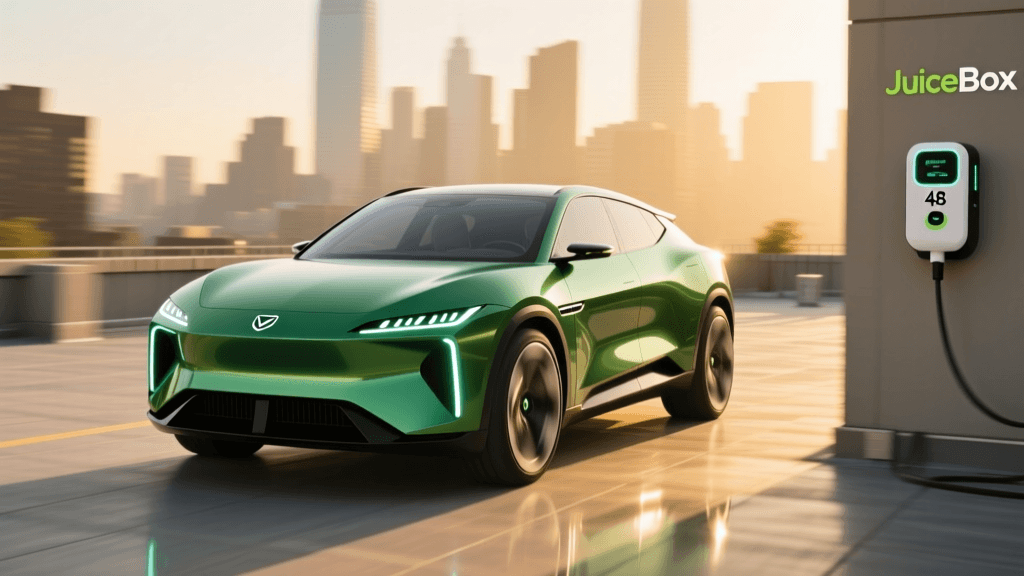
Introduction to the JuiceBox Pro 48
The JuiceBox Pro 48 has long been a staple in the residential Level 2 EV charging market. Delivering up to 48 amps and 11.5 kW of power on a 240-volt circuit, it promises to charge most modern electric vehicles from empty to full overnight. However, as EV adoption accelerates, a wave of misinformation has followed. Many new EV owners fall victim to common installation mistakes and misunderstandings regarding smart charging capabilities. In this comprehensive review, we are busting the most pervasive myths surrounding the JuiceBox Pro 48, ensuring you get the safest, fastest, and most efficient charging setup possible.
Myth 1: You Can Plug the 48-Amp JuiceBox into a NEMA 14-50 Outlet
One of the most dangerous and common mistakes EV owners make is assuming that any Level 2 charger can simply be plugged into a standard 240-volt NEMA 14-50 receptacle. While the JuiceBox Pro 40 (which draws 40 amps) can technically be plugged into a 50-amp NEMA 14-50 outlet, the JuiceBox Pro 48 cannot and should not be.
According to the National Electrical Code (NEC), a NEMA 14-50 outlet is rated for 50 amps total, but only 40 amps of continuous load (defined as a load expected to run for three hours or more). Because charging an EV easily exceeds three hours, a 48-amp charger exceeds the safe continuous limit of a plug-in receptacle. Furthermore, the U.S. Department of Energy strongly recommends hardwired installations for higher-amperage home chargers to prevent thermal runaway and melting receptacles. If you want the full 48-amp capability of the JuiceBox Pro 48, it must be hardwired directly into your electrical panel by a licensed electrician.
Myth 2: A 50-Amp Breaker is Sufficient for a 48-Amp Charger
Another pervasive myth stems from a fundamental misunderstanding of electrical load calculations. Many DIY enthusiasts and even some misinformed contractors believe that a 48-amp charger only requires a 50-amp circuit breaker. This is a severe code violation and a major fire hazard.
The NEC mandates the 125% rule for continuous loads. To calculate the correct breaker size, you must multiply the continuous amperage by 1.25. For the JuiceBox Pro 48, the math is straightforward: 48 amps x 1.25 = 60 amps. Therefore, you must install a dedicated 60-amp breaker. As outlined by the National Fire Protection Association (NFPA) NEC guidelines, this also dictates your wire gauge. A 60-amp breaker requires 6 AWG copper wire (or 4 AWG aluminum) to handle the thermal load safely. Attempting to run a 48-amp continuous draw on a 50-amp breaker will result in nuisance tripping at best, and an electrical fire at worst.
Myth 3: Smart Charging Features Are Just Unnecessary Gimmicks
A frequent criticism of premium chargers is that their accompanying smartphone apps are gimmicks designed to justify a higher price tag. Critics argue that plugging in the car is enough and that Wi-Fi connectivity is superfluous. In reality, the Enel X Way app transforms the JuiceBox Pro 48 from a simple power delivery device into an intelligent energy management system.
By utilizing the smart scheduling features, owners can align their charging sessions with off-peak hours. The U.S. Department of Energy notes that time-of-use (TOU) rate plans can drastically reduce electricity costs when charging is shifted away from peak evening demand. The JuiceBox Pro 48 allows you to set precise charge windows directly from your phone, ensuring your vehicle only draws power when rates are at their lowest. Additionally, the app provides granular energy tracking, allowing you to monitor exact kWh usage for tax credits, employer reimbursement programs, or personal budgeting. Far from a gimmick, these smart features pay for the price premium of the charger over time.
Myth 4: The JuiceBox Wi-Fi Connection Is Inherently Unreliable
Some user reviews complain about the JuiceBox Pro 48 dropping its Wi-Fi connection, leading to the myth that the internal network card is defective. The reality is almost always an environmental issue rather than a hardware flaw. The JuiceBox Pro 48 operates exclusively on the 2.4 GHz Wi-Fi band. While 2.4 GHz is excellent for penetrating solid walls, it is highly susceptible to interference from other garage appliances, baby monitors, and neighboring networks.
To ensure a rock-solid connection for your smart charging features, avoid placing your router behind multiple layers of drywall and insulation. If your garage is detached or far from your main router, invest in a dedicated Wi-Fi mesh node or a hardwired Wi-Fi extender in the garage. Once the 2.4 GHz signal is stabilized, the JuiceBox maintains a persistent connection, enabling reliable Amazon Alexa voice commands and remote start/stop functionality.
JuiceBox Pro 48 vs. The Competition
How does the JuiceBox Pro 48 stack up against other heavyweights in the Level 2 space when we look past the marketing and focus on hard specifications and installation requirements? Below is a structured comparison to help you evaluate your options.
| Feature | JuiceBox Pro 48 | ChargePoint Home Flex | Wallbox Pulsar Plus |
|---|---|---|---|
| Max Amperage | 48 Amps | 50 Amps | 48 Amps |
| Max Power Output | 11.5 kW | 12 kW | 11.5 kW |
| Connection Type | Hardwired Only | NEMA 14-50 or Hardwired | Hardwired Only |
| Required Breaker | 60 Amp | 40A to 60A (Adjustable) | 60 Amp |
| Cable Length | 24 Feet | 23 Feet | 25 Feet |
| Smart App / Wi-Fi | Enel X Way (2.4GHz) | ChargePoint App (2.4/5GHz) | myWallbox App (2.4/5GHz) |
| Dynamic Load Balancing | No | No | Yes (with Power Meter) |
While the ChargePoint Home Flex offers slightly more flexibility with its adjustable amperage and plug-in options, the JuiceBox Pro 48 remains a highly robust, dedicated hardwired solution that excels in software integration and TOU scheduling.
Actionable Installation & Setup Checklist
To avoid the mistakes outlined above, follow this checklist before and during your JuiceBox Pro 48 installation:
- Verify Panel Capacity: Ensure your home electrical panel has at least 60 amps of spare capacity. If not, you may need a panel upgrade or a smart circuit breaker.
- Demand Hardwiring: Explicitly instruct your electrician that the 48-amp unit must be hardwired. Do not accept a NEMA 14-50 pigtail adapter.
- Confirm Wire Gauge: Visually verify that the electrician is using 6 AWG copper or 4 AWG aluminum wire for the 60-amp circuit.
- Optimize Wi-Fi: Test your 2.4 GHz Wi-Fi signal in the exact spot the charger will be mounted using your smartphone before finalizing the mounting bracket.
- Configure the App First: Connect the JuiceBox to your Enel X Way app and set your TOU charging schedules before your vehicle arrives to ensure seamless plug-and-charge functionality.
Final Verdict
The JuiceBox Pro 48 is a phenomenal piece of hardware that delivers exceptional charging speeds and highly practical smart features. However, its full potential is only realized when installed correctly and paired with an optimized home network. By busting these common myths—specifically the dangerous misconception regarding NEMA 14-50 receptacles and 50-amp breakers—you can ensure a safe, code-compliant, and highly efficient EV charging experience. When hardwired to a 60-amp circuit and integrated with off-peak utility rates via the Enel X Way app, the JuiceBox Pro 48 remains one of the smartest investments you can make for your electric vehicle ecosystem.