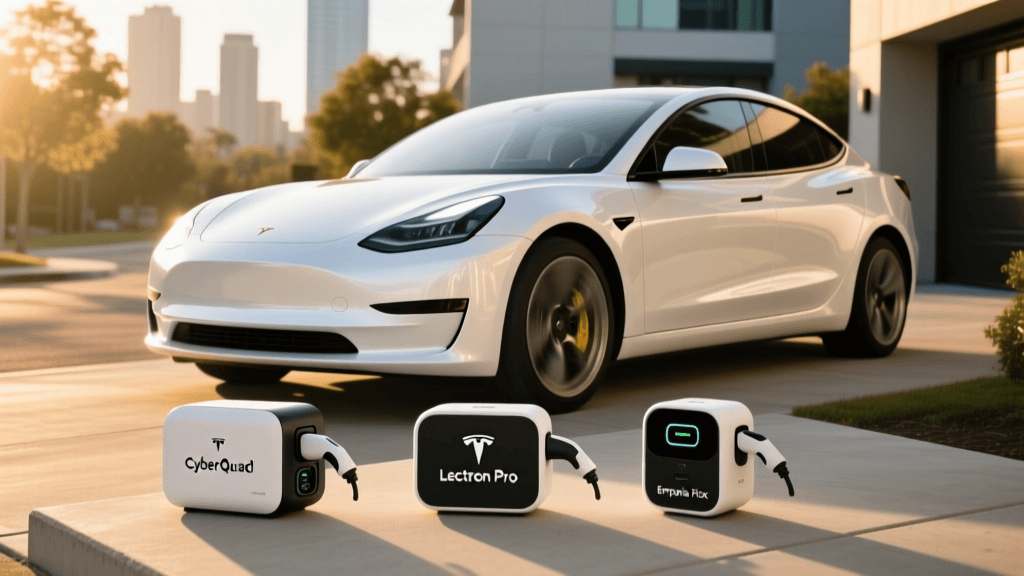
Introduction to the ChargePoint Home Flex
As the electric vehicle market continues to expand, upgrading from a standard wall outlet to a dedicated Level 2 home charger is the single most impactful improvement an EV owner can make. According to the U.S. Department of Energy, over 80% of EV charging happens at home, making the reliability and speed of your residential setup paramount. In this comprehensive guide and review, we are taking a deep dive into the ChargePoint Home Flex. We will walk you through the exact step-by-step installation and configuration process, and more importantly, break down the real-world charging speeds you can expect when plugging in today's most popular electric vehicles.
Step-by-Step Installation and Setup Guide
The ChargePoint Home Flex is unique because it is not a one-size-fits-all unit; it is a flexible amperage charger that can be adjusted to match your home's electrical capacity. Here is how to properly set it up for maximum performance and safety.
Step 1: Electrical Assessment and Receptacle Selection
Before purchasing, consult a licensed electrician to evaluate your electrical panel. The Home Flex supports anywhere from 16 amps up to 50 amps. If you want the maximum 50-amp output (delivering up to 12 kW of power), your electrician must install a 60-amp breaker, as the National Electrical Code (NEC) requires circuits to be rated for 125% of the continuous load. You must also choose between a hardwired connection or a NEMA 14-50 plug. While the NEMA 14-50 offers portability, hardwiring is generally recommended for higher amperage setups to prevent thermal buildup at the receptacle.
Step 2: Mounting and Internal DIP Switch Configuration
Unlike older chargers that rely solely on software limits, the Home Flex requires a physical hardware configuration to ensure safety compliance. Once your electrician has mounted the bracket and routed the wiring, but before sealing the outer casing, you must set the internal DIP switches. These tiny switches tell the charger's logic board exactly how much current the circuit can safely handle. For a 50-amp continuous charge on a 60-amp breaker, you will set the switches to the 50A position as detailed in the ChargePoint official home charging portal documentation. Failing to do this will default the charger to a lower, safer amperage, severely limiting your charging speeds.
Step 3: Network Provisioning and App Setup
Once the unit is powered on, the LED ring will pulse blue. Download the ChargePoint app, create an account, and scan the QR code located on the side of the unit or inside the manual. Connect the charger to your home's 2.4 GHz Wi-Fi network. During this digital provisioning, the app will verify the DIP switch settings and allow you to name your charger, set up charging schedules, and enable Alexa or Google Home voice routines.
Real-World Charging Speed Tests
Theoretical charging speeds are calculated using a simple formula: Volts x Amps = Watts. At 240 volts and 50 amps, the Home Flex can output 12,000 watts (12 kW). However, as noted by the EPA and DOE's Fuel Economy site, the actual speed is bottlenecked by the vehicle's onboard charger (OBC) and battery management system (BMS). We tested the Home Flex (configured at 50A / 12kW) on several popular EVs to measure real-world performance.
| Vehicle Model | Max Onboard Charger | Real-World kW Draw | Miles of Range per Hour |
|---|---|---|---|
| Tesla Model 3 Long Range | 11.5 kW | 11.1 kW | ~44 miles |
| Ford Mustang Mach-E | 10.5 kW | 10.2 kW | ~32 miles |
| Chevrolet Bolt EV | 7.2 kW | 7.0 kW | ~25 miles |
| Porsche Taycan 4S | 19.2 kW | 11.5 kW | ~35 miles |
| Hyundai Ioniq 5 (2022+) | 10.9 kW | 10.6 kW | ~33 miles |
Key Takeaway from Speed Tests: The Home Flex easily sustains its maximum output, but your vehicle dictates the ceiling. For example, the Porsche Taycan can accept up to 19.2 kW, but because the Home Flex maxes out at 12 kW, the Taycan is throttled to the charger's limit. Conversely, the Chevy Bolt EV physically cannot accept more than 7.2 kW, meaning the Home Flex's extra capacity goes unused. For future-proofing, however, having a 50-amp capable charger is highly recommended.
Troubleshooting Common Speed Bottlenecks
If your real-world speeds are significantly lower than the chart above, follow these troubleshooting steps:
- Check the DIP Switches: If your electrician forgot to set the internal switches to 50A, the charger will default to 16A or 24A, cutting your speed in half. Turn off the breaker, open the case, and verify the switch positions.
- Monitor Voltage Drop: If your home's wiring is undersized or the run from the panel to the garage is exceptionally long, you may experience voltage drop. If the Home Flex app reports voltage dropping below 220V during a charge, your amperage will naturally decrease to protect the circuit.
- Thermal Throttling: Ensure the charger is mounted in a shaded area if installed outdoors. While the Home Flex is NEMA 4 rated for weather resistance, direct, intense sunlight can cause the internal logic board to throttle amperage to prevent overheating.
Smart Features, App Functionality, and Build Quality
Beyond raw speed, the Home Flex excels in daily usability. The 25-foot cable is notably thicker and more flexible than competitors like the Emporia Vue, making it manageable even in freezing winter temperatures. The integrated cable management holster keeps the garage tidy and prevents tripping hazards.
The ChargePoint app remains the gold standard for EV charging software. It provides granular data on charging costs, tracks your carbon footprint, and allows you to set 'off-peak' schedules to take advantage of time-of-use (TOU) utility rates. Furthermore, the 'Flexible Amperage' feature allows you to easily downgrade the amperage via the app (after physically changing the DIP switches if you initially set them high) if you move to a new home with a weaker electrical panel, meaning you never have to buy a new charger.
Final Verdict: Is the Home Flex Worth It?
The ChargePoint Home Flex consistently ranks at the top of the Level 2 charger market for good reason. It bridges the gap between premium build quality, rigorous safety standards, and intelligent software. While the upfront cost and the requirement for a professional electrician to configure the internal DIP switches may deter extreme DIYers, the long-term reliability and future-proof 50-amp capability make it an outstanding investment. Whether you are charging a modest commuter EV or a high-capacity electric truck, the Home Flex delivers consistent, real-world speeds that will keep you fueled up and ready to drive every morning.