The JuiceBox in 2026: Smart Charging or Smart Frustration?
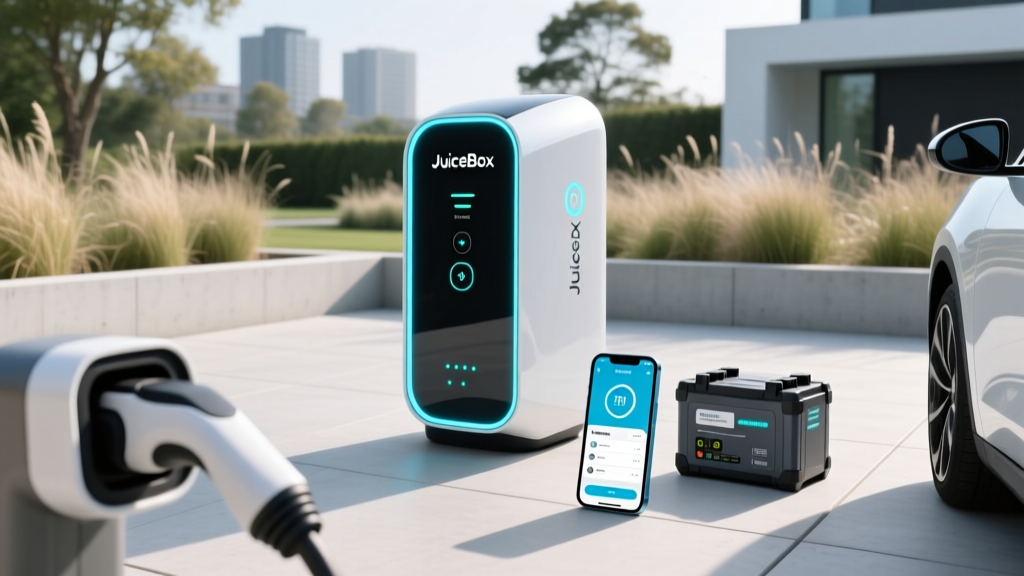
If you've been researching Level 2 home chargers, you've likely encountered the JuiceBox — Enel X Way's Wi-Fi-connected smart charger that promises scheduling, energy tracking, and remote control via the JuiceBox EV charger app. But a series of corporate shakeups (Enel X Way's North American operations were restructured in late 2024, with JuiceBox manufacturing and support transferred to a new entity) have left many buyers wondering: is the JuiceBox still a safe bet in 2026?
This guide evaluates the current JuiceBox hardware lineup, the app experience as it stands today, real-world charging performance, and what installation actually costs. We'll also compare it head-to-head with the ChargePoint Home Flex and Tesla Wall Connector so you can decide whether the JuiceBox deserves a spot on your garage wall — or whether a competitor better serves your needs.
Understanding Charging Levels: What Speed Are You Actually Getting?
Before evaluating any specific charger, you need to understand the three charging tiers available to EV owners. The critical distinction: kW (kilowatts) measures power — how fast energy flows into your car. kWh (kilowatt-hours) measures energy — the total capacity of your battery. A 48A JuiceBox delivers up to 11.5 kW of power; an 84 kWh battery holds 84 kWh of energy. Never confuse the two.
| Level | Voltage | Max Power (kW) | Miles of Range Added per Hour | Typical Use Case |
|---|---|---|---|---|
| Level 1 | 120V AC | 1.4 kW | 3–5 miles/hr | Overnight top-ups, PHEVs, emergency |
| Level 2 | 240V AC | 7.2–19.2 kW | 20–60 miles/hr | Daily home/work charging |
| DC Fast Charge | 400–900V DC | 50–350 kW | 150–1,200 miles/hr | Road trips, highway corridors |
For context, a JuiceBox Pro 48 (11.5 kW output on a 60A circuit) adds roughly 35–44 miles of range per hour to a typical mid-size SUV like the Hyundai IONIQ 5 or Tesla Model Y. That means a full overnight session (10 hours) replenishes 350–440 miles — more than enough for any daily commute and most weekend road-trip recovery.
JuiceBox Hardware Lineup: Specs, Power Output, and Pricing
As of 2026, the JuiceBox lineup includes two primary hardwired/wall-plug models aimed at residential buyers. Here's how they break down:
JuiceBox Pro 40
- Max Output: 9.6 kW (40A on a 50A circuit)
- Connector: J1772 (NACS adapter available separately, ~$150)
- Cable Length: 25 ft
- Smart Features: Wi-Fi, app scheduling, energy monitoring
- Price: ~$549 MSRP
- Best For: Homes with 50A available circuits; PHEVs and smaller-battery BEVs
JuiceBox Pro 48
- Max Output: 11.5 kW (48A on a 60A circuit)
- Connector: J1772 (NACS adapter available separately, ~$150)
- Cable Length: 25 ft
- Smart Features: Wi-Fi, app scheduling, energy monitoring, load sharing (2 units on 1 circuit)
- Price: ~$649 MSRP
- Best For: Larger-battery BEVs (100+ kWh), faster overnight recovery
Key hardware note: Both models ship with a J1772 connector. If you own a Tesla (NACS port), you'll need either a J1772-to-NACS adapter or you should consider the Tesla Wall Connector, which includes a native NACS cable. By 2026, most non-Tesla automakers have begun transitioning to NACS ports (Ford, GM, Rivian, Hyundai/Kia on newer models), so check your vehicle's charge port before ordering.
The JuiceBox EV Charger App: Features, Reliability, and Pain Points
The JuiceBox EV charger app (available on iOS and Android) is the primary interface for the charger's smart features. Here's what it offers in its current iteration:
- Charge scheduling: Set charging windows to align with off-peak utility rates (critical for time-of-use plans where electricity can drop to $0.05–0.08/kWh overnight vs. $0.25–0.40/kWh during peak hours)
- Real-time monitoring: View current kW draw, session kWh delivered, and estimated cost
- Energy history: Track daily, weekly, and monthly charging consumption in kWh
- Remote start/stop: Initiate or halt a session from anywhere via cellular/Wi-Fi
- Notifications: Alerts for charge completion, disconnection, or power interruptions
The honest assessment: The app's feature set is competitive, but user reviews throughout 2024–2025 documented intermittent Wi-Fi connectivity drops, delayed push notifications, and periods where the Enel X Way cloud backend experienced downtime. Following the corporate restructuring, app server reliability has reportedly improved, but long-term software support remains a question mark compared to Tesla's tightly integrated ecosystem or ChargePoint's well-resourced platform. If smart scheduling is essential to your utility-rate strategy, the app works — but have a backup plan (your car's built-in scheduler) in case connectivity falters.
Home Installation: Electrical Requirements, Panel Upgrades, and Real Costs
This is where most buyers underestimate the investment. The charger hardware is only part of the equation; the electrical work to support it often costs more than the unit itself.
Electrical Requirements
- JuiceBox Pro 40: Requires a dedicated 50A, 240V circuit (NEMA 14-50 outlet or hardwired)
- JuiceBox Pro 48: Requires a dedicated 60A, 240V circuit (hardwired recommended; NEMA 14-60 outlet optional)
- Wire gauge: 6 AWG copper for 50A; 4 AWG copper for 60A (longer runs may require 3 AWG)
- GFCI protection: NEC 2020+ requires GFCI breakers for receptacle-installed EV chargers; hardwired installations may be exempt depending on local code
Panel Capacity: The $1,500–$4,000 Gotcha
Most modern homes with 200A electrical service can accommodate a 50A or 60A EV circuit without a panel upgrade — if you have sufficient spare capacity. A licensed electrician will perform a load calculation per NEC Article 220 to determine this. Homes with older 100A or 150A panels, or those already running high-draw appliances (electric range, dryer, HVAC, tankless water heater), may need:
- Panel upgrade to 200A: $1,500–$3,000
- Full service upgrade to 200A+ with new meter: $2,500–$5,000+
- Smart load-management device (e.g., Emporia Span panel): $500–$1,500 as an alternative to a full upgrade
Installation Cost Breakdown
| Component | Cost Range | Notes |
|---|---|---|
| JuiceBox Pro 48 unit | $649 | MSRP; sales occasionally drop to ~$550 |
| Permit fees | $50–$250 | Varies by municipality |
| Electrician labor (standard install) | $400–$1,200 | Short run from panel to garage; no panel upgrade |
| Electrician labor (long run/conduit) | $1,200–$2,500 | Panel on opposite side of house, trenching, or finished-wall fishing |
| Panel upgrade (if needed) | $1,500–$4,000 | 100A→200A or adding sub-panel |
| Utility rebate (if available) | –$200 to –$800 | Check your local utility's EV make-ready programs |
| Total (no panel upgrade) | $1,100–$2,100 | Most common scenario |
| Total (with panel upgrade) | $2,600–$6,100 | Older homes, high-load panels |
Federal tax credit note: The IRS §30D alternative fuel vehicle refueling property credit covers up to 30% of home charger hardware and installation costs (capped at $1,000) — but only if you live in a qualifying census tract and meet specific requirements. Check current eligibility at irs.gov. This credit is separate from the vehicle purchase credit and has its own sourcing and location rules.
Connector Compatibility: Will the JuiceBox Fit Your EV?
The JuiceBox ships with a J1772 connector — the legacy North American standard. Here's how compatibility breaks down by vehicle brand in 2026:
| Connector Type | Vehicle Brands (2026 Models) | JuiceBox Compatibility |
|---|---|---|
| J1772 (native) | Older Chevrolet Bolt, Nissan LEAF, some VW ID.4, BMW i4 (pre-NACS transition) | Plug and play — no adapter needed |
| NACS (Tesla port) | Tesla (all), Ford (2025+), GM (2025+), Rivian (2025+), Hyundai/Kia (2026+ models) | Requires J1772-to-NACS adapter (~$100–$180) or buy a NACS-native charger |
| CCS1 (legacy fast-charge port) | Most non-Tesla EVs through 2024 model year (home L2 uses J1772 upper portion) | Plug and play — CCS1 includes J1772 for AC charging |
| CHAdeMO | Nissan LEAF (older), Mitsubishi Outlander PHEV | Plug and play — CHAdeMO vehicles use J1772 for AC Level 2 |
Bottom line: For Level 2 home charging, virtually every EV sold in North America can accept J1772 AC power — either natively or via an adapter. The real question is whether you'd rather manage an adapter every time you plug in, or invest in a NACS-native charger (like the Tesla Wall Connector) if your vehicle has already switched to NACS.
Cost to Charge: Home vs. Public vs. Gas
One of the strongest economic arguments for home Level 2 charging is the per-mile cost advantage. Here's how it breaks down with real 2026 electricity and fuel prices:
| Scenario | Rate | Vehicle Efficiency | Cost per Mile |
|---|---|---|---|
| Home (off-peak TOU rate) | $0.08/kWh | 3.0 mi/kWh (typical EV) | $0.027/mi |
| Home (national avg. residential) | $0.17/kWh | 3.0 mi/kWh | $0.057/mi |
| Public Level 2 (ChargePoint/EVgo) | $0.30–$0.45/kWh | 3.0 mi/kWh | $0.10–$0.15/mi |
| DC Fast Charge (Electrify America, Tesla Supercharger) | $0.35–$0.55/kWh | 3.0 mi/kWh | $0.12–$0.18/mi |
| Gasoline (28 MPG combined, $3.40/gal) | $3.40/gal | 28 mi/gal | $0.121/mi |
| Gasoline (22 MPG combined, $3.40/gal) | $3.40/gal | 22 mi/gal | $0.155/mi |
At off-peak home rates, charging a JuiceBox is roughly 4–5x cheaper per mile than fueling an average gas car. Even at national average residential electricity rates, you're cutting fuel costs by more than half. The math only flips if you rely exclusively on premium-priced DC fast chargers — which is why home Level 2 is the economic backbone of EV ownership.
Charging time example: A Hyundai IONIQ 5 (84 kWh usable battery, ~310 miles EPA range) charging from 10% to 80% on a JuiceBox Pro 48 (11.5 kW) takes approximately 5 hours and 5 minutes. On a JuiceBox Pro 40 (9.6 kW), the same session takes about 6 hours and 5 minutes. Both easily complete overnight.
JuiceBox vs. ChargePoint Home Flex vs. Tesla Wall Connector
The JuiceBox doesn't exist in a vacuum. Here's how it compares to the two other dominant home chargers in 2026:
| Feature | JuiceBox Pro 48 | ChargePoint Home Flex | Tesla Wall Connector |
|---|---|---|---|
| Max Output | 11.5 kW (48A) | 12.0 kW (50A, configurable) | 11.5 kW (48A) |
| Connector | J1772 | J1772 | NACS (native Tesla) |
| Cable Length | 25 ft | 23 ft | 24 ft |
| Wi-Fi / App | Yes / JuiceBox app | Yes / ChargePoint app | Yes / Tesla app |
| Load Sharing (2 units, 1 circuit) | Yes | Yes | Yes (Power Sharing) |
| NACS Native Option | No (adapter required) | No (adapter required) | Yes (built-in) |
| Price (MSRP) | ~$649 | ~$699 | ~$475 |
| Outdoor Rated | Yes (NEMA 4) | Yes (NEMA 4) | Yes (NEMA 4) |
| Warranty | 3 years | 3 years | 4 years |
Decision Framework
Choose the JuiceBox Pro 48 if: You want competitive pricing, robust load-sharing for a two-EV household, and you're comfortable with the J1772 connector (or willing to use an adapter for NACS vehicles).
Choose the ChargePoint Home Flex if: You value the most mature app ecosystem, configurability (dip-switch adjustable from 16A to 50A to match your circuit), and ChargePoint's extensive public-charging network integration.
Choose the Tesla Wall Connector if: You own a Tesla or NACS-equipped vehicle and want the lowest price, native NACS cable (no adapter), and seamless integration with the Tesla app and vehicle software.
Safety, Code, and Installation Best Practices
EV chargers draw sustained high current for hours — this is not the same as plugging in a dryer for 45 minutes. Follow these non-negotiable safety guidelines:
- Dedicated circuit: Your JuiceBox must be on its own dedicated breaker — never shared with other appliances.
- Hardwired vs. plug-in: Hardwired installations avoid GFCI nuisance trips (a common complaint with NEMA 14-50 receptacles on EV circuits) and are generally preferred for 48A+ chargers.
- Permit and inspection: Virtually all jurisdictions require an electrical permit for new 240V circuits. Skipping this risks insurance denial in the event of a fire and may violate local code.
- Outdoor rating: Both JuiceBox models carry a NEMA 4 rating (splash-resistant), suitable for outdoor mounting. Ensure the cable and connector are stored off the ground to prevent water ingress and physical damage.
- Surge protection: Consider a whole-home surge protector ($150–$300 installed) to safeguard your charger and vehicle's onboard charger from grid transients.
Frequently Asked Questions
How much does it cost to install a home EV charger?
For a JuiceBox Pro 48 on a standard installation (no panel upgrade, moderate wire run), expect to spend $1,100–$2,100 total including the unit, electrician labor, and permit. If your home needs a panel upgrade from 100A to 200A, total costs can reach $2,600–$6,100. Always get at least two quotes from licensed electricians and confirm they have EV charger installation experience.
How fast will each charging level add range?
Level 1 (120V) adds 3–5 miles per hour — sufficient only for PHEVs with small batteries or emergency top-ups. Level 2 (240V, like the JuiceBox) adds 20–44 miles per hour depending on amperage and your vehicle's onboard charger capacity. DC fast charging adds 150–1,200+ miles per hour at peak rates, though charge curves taper significantly above 80% state of charge.
Which connector/charger is compatible with my EV?
Every EV sold in North America accepts J1772 AC charging — either natively or via the J1772-to-NACS adapter included with most NACS-equipped vehicles (Tesla, Ford, GM, Rivian). The JuiceBox's J1772 connector will work with any EV you can buy today. For DC fast charging, connector type varies (CCS1, NACS, or CHAdeMO), but that's irrelevant for home Level 2.
How much does charging cost per mile vs. gas?
Home charging at off-peak rates costs roughly $0.03/mile; at average residential rates, about $0.06/mile. Gasoline at $3.40/gallon in a 28 MPG vehicle costs $0.12/mile. Home Level 2 charging is consistently 2–4x cheaper than gasoline on a per-mile basis. Public DC fast charging narrows the gap to near parity with gas, which is why home charging is the economic foundation of EV ownership.
What electrical upgrades might I need?
The most common upgrade is a panel capacity increase if your existing electrical service can't support an additional 50A or 60A continuous load. Homes with 200A service and moderate appliance loads typically need no upgrade. Homes with 100A or 150A service, or those with multiple high-draw electric appliances, may require a panel upgrade ($1,500–$4,000) or a smart load-management system. A licensed electrician's load calculation is the definitive answer.
Is the JuiceBox app reliable enough for daily use?
The JuiceBox EV charger app provides all essential smart-charging features — scheduling, monitoring, remote control. However, it has historically received mixed reviews for Wi-Fi connectivity stability and occasional backend downtime. If you're on a time-of-use electricity plan and depend on precise scheduling, program your charge schedule in both the JuiceBox app and your vehicle's built-in scheduler as a redundancy. The charger will still deliver power without the app; smart features are a convenience layer, not a requirement for charging.
Sources: U.S. Department of Energy alternative fuels data (afdc.energy.gov), IRS alternative fuel refueling property credit (irs.gov), EPA fuel economy data (fueleconomy.gov).