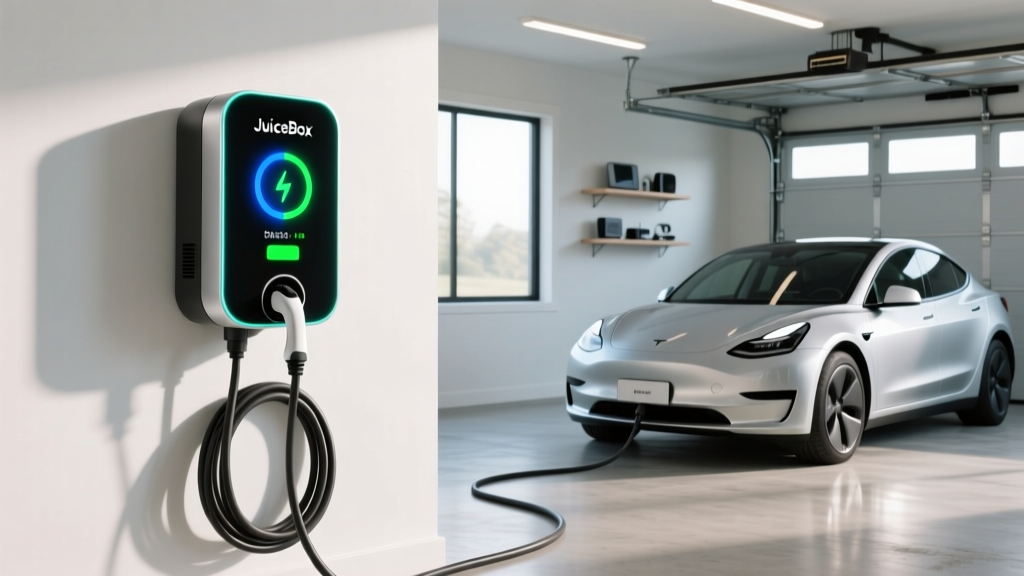
If you've narrowed your home Level 2 EV charger search to a handful of smart chargers, the JuiceBox charger lineup from Enel X Way likely made your shortlist. Long a favorite among EV owners for its app connectivity, energy management, and competitive pricing, the JuiceBox series occupies a middle ground between budget dumb-chargers and premium wall units like the ChargePoint Home Flex or Tesla Wall Connector.
But does the JuiceBox actually deliver where it counts — sustained charge rate, reliability, connector flexibility, and installation practicality? This guide breaks down the current JuiceBox models, what your home's electrical panel will need, real-world charging times, and how the per-mile cost stacks up against gasoline.
JuiceBox Models Compared: Pro 40 vs. Pro 48
Enel X Way currently offers two main JuiceBox variants for residential use. Both are hardwired or plug-in (NEMA 14-50) Level 2 chargers with Wi-Fi connectivity and the Enel X Way app for scheduling and energy monitoring. Here's how they compare:
| Spec | JuiceBox Pro 40 | JuiceBox Pro 48 |
|---|---|---|
| Max Power Output | 9.6 kW (40A) | 11.5 kW (48A) |
| Voltage | 240V | 240V |
| Connector | J1772 (NACS adapter available) | J1772 (NACS adapter available) |
| Cable Length | 25 ft | 25 ft |
| Smart Features | Wi-Fi, app scheduling, energy tracking | Wi-Fi, app scheduling, energy tracking, load sharing |
| Indoor/Outdoor | Both (NEMA 4 rated) | Both (NEMA 4 rated) |
| Approx. Price | $549 | $649 |
| Warranty | 3 years | 3 years |
The Pro 48's extra 1.9 kW matters most for EVs with larger batteries. On a 91 kWh battery (like the Ford F-150 Lightning Extended Range), the Pro 48 recovers roughly 37 miles of range per hour versus 31 on the Pro 40. For a 75 kWh pack (Tesla Model Y Long Range), the difference is smaller but still noticeable: about 8.5 hours from 10–100% on the Pro 48 versus 10+ hours on the Pro 40.
Key distinction on power vs. energy: The charger's kW rating (9.6 or 11.5) is the rate of energy delivery — think of it as the speed of water flowing through a hose. Your battery's kWh capacity is the total volume of the tank. A 9.6 kW charger delivers 9.6 kWh of energy per hour of charging.
Charging Levels Explained: How Fast Does Each Add Range?
Before sizing your JuiceBox install, it helps to understand where Level 2 fits in the broader charging ecosystem.
| Level | Voltage | Power (kW) | Miles of Range Added Per Hour | Typical Use Case |
|---|---|---|---|---|
| Level 1 | 120V | 1.0–1.4 kW | 3–5 mi/hr | Overnight trickle, PHEVs, emergencies |
| Level 2 (Home) | 240V | 7.2–11.5 kW | 22–45 mi/hr | Daily home charging, JuiceBox category |
| DC Fast Charging | 400–800V DC | 50–350 kW | 150–1,000+ mi/hr (peak) | Road trips, public stations |
A JuiceBox Pro 48 at 11.5 kW will add roughly 35–45 miles of range per hour depending on the vehicle's efficiency. A highly efficient sedan like the Hyundai Ioniq 6 SE (4.0 mi/kWh) gains about 46 miles per hour. A heavier SUV like the Rivian R1S (2.4 mi/kWh) gains closer to 28 miles per hour on the same charger.
DC fast charging operates in an entirely different category. At a 250 kW station, a vehicle like the Hyundai Ioniq 5 can charge from 10–80% in approximately 18 minutes. But DC chargers are public infrastructure — not something you install at home.
Home Installation: Electrical Requirements, Costs, and Gotchas
The JuiceBox Pro 40 requires a dedicated 50-amp circuit breaker (delivering 40A continuous). The Pro 48 requires a dedicated 60-amp breaker (48A continuous). The National Electrical Code requires that continuous loads not exceed 80% of the circuit breaker rating, which is why a 48A charger needs a 60A breaker — not a 48A one.
What Your Panel Needs
Most modern homes with a 200-amp electrical panel can accommodate a 50A or 60A EV circuit without a panel upgrade. However, if your home has a 100-amp panel (common in homes built before the 1990s), or if your panel is already near capacity with existing loads (electric range, dryer, HVAC), you may need a panel upgrade to 200A — a significant added cost.
A licensed electrician will perform a load calculation to determine whether your panel has headroom. Don't skip this step: an overloaded panel is a fire hazard, and your permitting inspector will check.
Installation Cost Breakdown
| Cost Component | Low End | High End | Notes |
|---|---|---|---|
| JuiceBox unit (Pro 40/48) | $549 | $649 | Direct from Enel X or retailers |
| Electrician labor (standard install) | $400 | $1,200 | Varies by run length, wall type, conduit |
| Materials (wire, conduit, breaker) | $100 | $400 | Longer runs = more copper cost |
| Electrical permit | $50 | $200 | Required in most jurisdictions |
| Panel upgrade (if needed) | $1,500 | $4,000 | 100A → 200A service upgrade |
| Total (no panel upgrade) | $1,099 | $2,449 | |
| Total (with panel upgrade) | $2,599 | $6,449 |
The single biggest variable is the distance from your electrical panel to the charger location. A garage install where the panel is on the same wall might cost $400–$600 in labor. Running 60+ feet of 6 AWG copper through walls, attic, or underground conduit to a detached garage can push labor and materials past $1,500.
Federal incentive note: The §30D alternative fuel vehicle refueling property credit covers up to 30% of home charger equipment and installation costs (capped at $1,000). However, eligibility depends on whether your census tract qualifies as a non-urban or low-income area per IRS guidelines. Check your eligibility before counting on this credit.
Connector Compatibility: Will a JuiceBox Work With Your EV?
JuiceBox chargers ship with a J1772 connector — the standard Level 2 plug used by every EV sold in the U.S. except Tesla vehicles. Here's what that means depending on what you drive:
| EV Brand | Native Connector | JuiceBox Compatibility | Adapter Needed? |
|---|---|---|---|
| Ford, Hyundai, Kia, BMW, VW, Rivian (pre-2025) | J1772 / CCS1 | Direct plug-in (Level 2) | No |
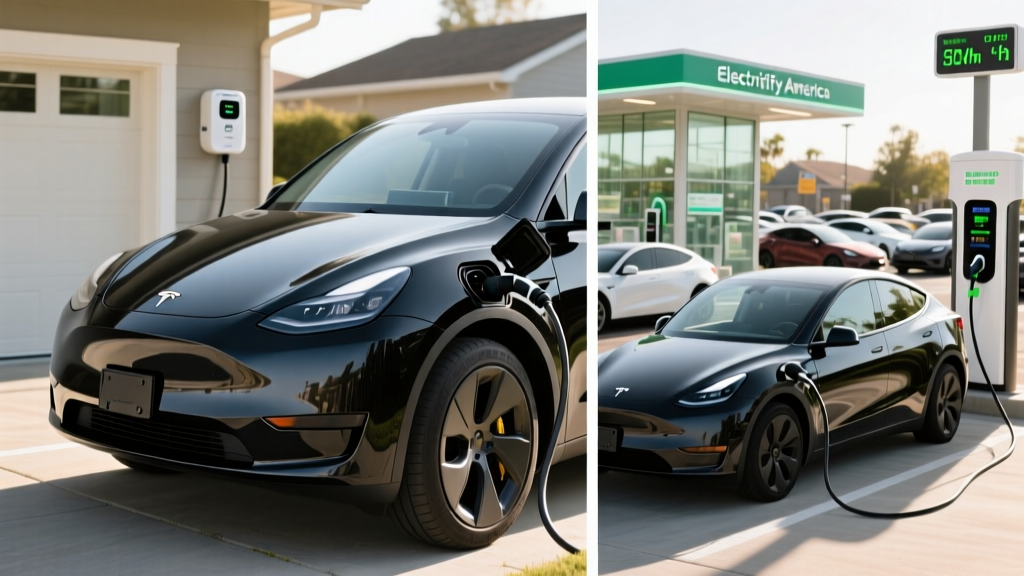
| Tesla (all models) | NACS | Requires J1772-to-NACS adapter | Yes (~$50–$100) |
| Ford F-150 Lightning, newer Ford/Kia/Hyundai (2025+) | NACS (native) | Requires J1772-to-NACS adapter | Yes |
| Nissan Leaf (older) | J1772 / CHAdeMO | Direct plug-in (Level 2) | No |
The North American Charging Standard (NACS) is rapidly becoming the dominant connector. As of 2025–2026, most automakers have transitioned to NACS ports on new vehicles. If you drive a newer NACS-equipped EV, you'll need a J1772-to-NACS adapter to use a JuiceBox. Tesla sells an official adapter, and third-party options from brands like Lectron and A2Z are widely available.
For DC fast charging in public, connector type matters even more — but that's separate from your home JuiceBox setup, which is Level 2 only.
Real-World Charging Times: 10–80% on a JuiceBox
Here's how long common EVs take to charge from 10% to 80% State of Charge (SoC) on the JuiceBox Pro 48 (11.5 kW). We use 10–80% because charging above 80% slows dramatically on most EVs to protect battery health — the vehicle's battery management system tapers the charge rate significantly.
| Vehicle | Battery (kWh usable) | 10–80% Energy Needed | Time on JuiceBox Pro 48 | Time on JuiceBox Pro 40 |
|---|---|---|---|---|
| Tesla Model Y Long Range | 75 kWh | 52.5 kWh | ~4.5 hours | ~5.5 hours |
| Hyundai Ioniq 5 (Std Range) | 58 kWh | 40.6 kWh | ~3.5 hours | ~4.2 hours |
| Ford F-150 Lightning (Ext Range) | 131 kWh | 91.7 kWh | ~8.0 hours | ~9.6 hours |
| Chevrolet Equinox EV | 85 kWh | 59.5 kWh | ~5.2 hours | ~6.2 hours |
| Toyota bZ4X | 64 kWh | 44.8 kWh | ~3.9 hours | ~4.7 hours |
For most daily driving scenarios — where you plug in at 30–40% SoC and need to reach 80% by morning — a JuiceBox Pro 48 finishes the job in 2–3 hours. Overnight charging (8–10 hours available) is more than sufficient for even the largest battery packs.
Cost to Charge: JuiceBox at Home vs. Gas vs. Public DC
One of the strongest arguments for home Level 2 charging is cost. Here's a breakdown using 2026 average electricity and gasoline prices:
| Scenario | Rate | Cost per kWh | Cost per Mile (250 Wh/mi EV) |
|---|---|---|---|
| Home off-peak (utility time-of-use) | $0.09–$0.13/kWh | $0.11 avg | $0.028 |
| Home standard rate | $0.14–$0.18/kWh | $0.16 avg | $0.040 |
| Public Level 2 (ChargePoint, etc.) | $0.25–$0.49/kWh | $0.35 avg | $0.088 |
| DC Fast Charging (Electrify America, etc.) | $0.35–$0.55/kWh | $0.48 avg | $0.120 |
| Gasoline (25 MPG avg, $3.40/gal) | $3.40/gal | — | $0.136 |
At home off-peak rates, charging a JuiceBox costs roughly $0.03 per mile — about one-quarter the cost of gasoline at $3.40/gallon in a 25 MPG vehicle. Even at standard residential rates, you're paying $0.04/mile versus $0.136/mile for gas. Over 12,000 miles of annual driving, that's a savings of roughly $1,150 per year with home off-peak charging.
Public DC fast charging narrows the gap considerably. At $0.48/kWh, DC charging costs nearly as much per mile as gasoline. This is why a home JuiceBox isn't just convenient — it's the economic foundation of EV ownership. Per fueleconomy.gov, EVs charged primarily at home deliver the lowest cost-per-mile of any vehicle category.
Safety, Code Compliance, and Installation Best Practices
The JuiceBox carries a NEMA 4 rating (suitable for indoor and outdoor use, protected against splashing water and dust). It's UL-listed, which your electrical inspector will require. Here are the critical installation requirements:
- Dedicated circuit required: The JuiceBox must be on its own dedicated 50A (Pro 40) or 60A (Pro 48) breaker — it cannot share a circuit with other appliances.
- GFCI protection: The 2023 NEC update requires GFCI protection for outdoor EV receptacles. If you're installing a plug-in JuiceBox (NEMA 14-50) outdoors, your electrician must use a GFCI breaker. Hardwired installations may have different requirements depending on your local jurisdiction.
- Wire gauge: A 48A charger on a 60A circuit requires 6 AWG copper wire for runs up to ~100 feet. Longer runs may require 4 AWG to minimize voltage drop.
- Permit and inspection: Most municipalities require an electrical permit for EV charger installation. Don't skip this — it protects you, ensures code compliance, and matters for insurance claims.
- Wi-Fi signal: The JuiceBox requires Wi-Fi for smart features (scheduling, energy monitoring, firmware updates). Test your garage Wi-Fi signal before mounting. A Wi-Fi extender or mesh node may be needed.
For outdoor installations, ensure the charger is mounted at least 18 inches above grade and positioned where the cable won't create a tripping hazard. The 25-foot cable on both JuiceBox models is generous, but plan your parking orientation so the charge port is on the same side as the mounted unit.
Should You Buy a JuiceBox? Pros, Cons, and Alternatives
Pros
- Competitive pricing at $549–$649
- 25-foot cable (longer than many competitors)
- Robust app with energy tracking and scheduling
- NEMA 4 outdoor rating
- Available in both plug-in (NEMA 14-50) and hardwired configurations
- Energy management features for homes with limited panel capacity
Cons
- Ships with J1772 — NACS EV owners need a separate adapter
- No built-in cable management holster (sold separately)
- App connectivity occasionally drops (reported user issue)
- Not eligible for the §30D vehicle tax credit — charger credit is separate (§30C alternative fuel refueling property credit, with geographic restrictions)
- 3-year warranty is shorter than ChargePoint's limited lifetime warranty
If you drive a J1772-equipped EV (most non-Tesla EVs through 2024) and want a reliable smart charger without paying premium prices, the JuiceBox Pro 48 is a strong pick. The 11.5 kW output covers virtually every overnight charging need, and the 25-foot cable provides installation flexibility.
If you drive a NACS-equipped Tesla or newer Ford/Hyundai/Kia, factor in the $50–$100 adapter cost. And if you need a longer warranty or built-in cable management, the ChargePoint Home Flex ($699) or Tesla Wall Connector ($475, native NACS) are worth comparing.
JuiceBox Charger FAQ
How much does it cost to install a JuiceBox charger at home?
Total installed cost typically ranges from $1,099 to $2,449 (including the JuiceBox unit, electrician labor, materials, and permit) for homes that don't need a panel upgrade. If your home requires a 100A-to-200A panel upgrade, add $1,500–$4,000. Get at least two quotes from licensed electricians — prices vary significantly by region and install complexity.
How fast will a JuiceBox add range to my EV?
The JuiceBox Pro 40 (9.6 kW) adds roughly 30–40 miles of range per hour depending on your vehicle's efficiency. The Pro 48 (11.5 kW) adds roughly 35–45 miles per hour. A typical overnight charge of 8 hours can add 240–360 miles — more than enough for any daily driving pattern.
Is the JuiceBox compatible with Tesla and NACS vehicles?
The JuiceBox uses a J1772 connector. Tesla owners and drivers of newer NACS-equipped vehicles (2025+ Ford, Hyundai, Kia, Rivian) will need a J1772-to-NACS adapter, available for $50–$100. The adapter adds a small amount of bulk but works reliably for Level 2 charging.
Does the JuiceBox qualify for any tax credits?
The JuiceBox itself does not qualify for the §30D new vehicle tax credit — that applies to EV purchases. However, the §30C Alternative Fuel Vehicle Refueling Property Credit may cover up to 30% of charger equipment and installation costs (capped at $1,000) if you live in an eligible census tract. Check the IRS §30C guidelines for geographic eligibility.
Can I install a JuiceBox outdoors?
Yes. Both the JuiceBox Pro 40 and Pro 48 carry a NEMA 4 rating, meaning they're rated for outdoor installation and can withstand rain, snow, and dust. Ensure your electrician uses a GFCI breaker if installing a plug-in (NEMA 14-50) version outdoors, per current NEC requirements.
What happens if my Wi-Fi goes down?
The JuiceBox will still charge your vehicle without Wi-Fi — the charger defaults to delivering full power when plugged in. You'll lose app-based scheduling, energy monitoring, and remote start/stop features until connectivity is restored.
Do I need a panel upgrade for a JuiceBox?
Not necessarily. Homes with a 200-amp panel and moderate existing loads typically have sufficient headroom for a 50A or 60A EV circuit. Homes with a 100-amp panel or heavy existing loads (electric heat, electric range, dryer) may need an upgrade. Your electrician's load calculation will determine this — don't guess.