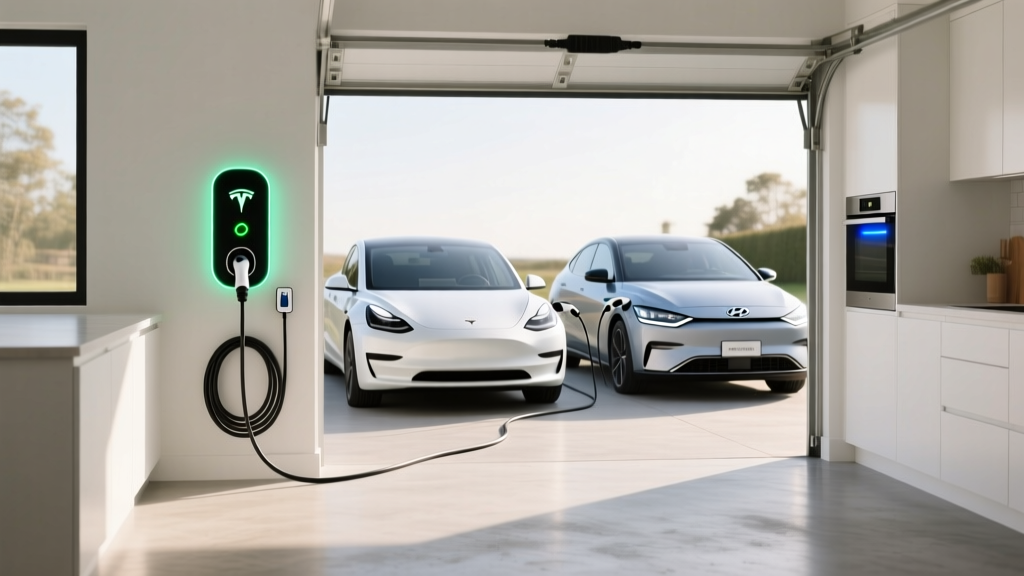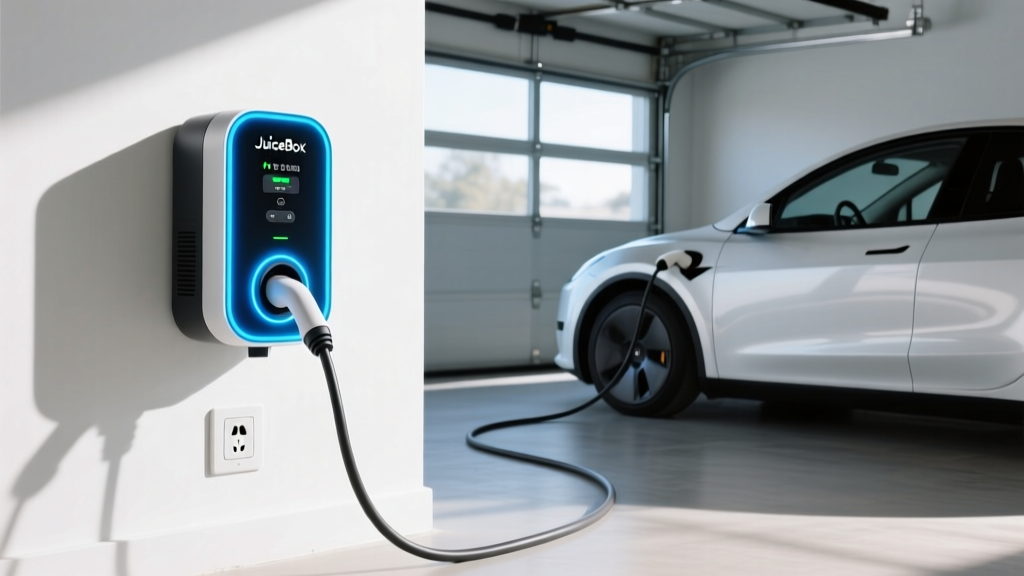
If you've narrowed your home Level 2 EV charger search to a short list, the JuiceBox charger from Enel X Way has almost certainly appeared on it. Long a staple of residential and commercial charging, the JuiceBox line offers Wi-Fi-enabled smart charging, load management, and a rugged build. But with the North American Charging Standard (NACS) now dominating new EVs and competitors like the Tesla Wall Connector and ChargePoint Home Flex pushing hard, does the JuiceBox still earn its spot on your garage wall in 2026?
This guide breaks down the current JuiceBox lineup, real-world charging speeds, installation requirements and costs, connector compatibility across every major EV brand, and how the total cost of home charging compares to gasoline. We'll also cover the electrical upgrades that can quietly double your install budget — so you can plan before you buy.
Understanding EV Charging Levels: What Speed Are You Actually Getting?
Before evaluating any specific charger, you need the three charging levels straight. The critical distinction: kW (kilowatts) measures power — how fast energy flows into your car. kWh (kilowatt-hours) measures energy — the total capacity of your battery. A 48-amp JuiceBox delivers up to 11.5 kW of power; an 84 kWh battery holds 84 kWh of energy. Confusing these two is the single most common mistake new EV owners make.
| Level | Voltage | Max Power (kW) | Miles of Range Added per Hour | Typical Use Case |
|---|---|---|---|---|
| Level 1 | 120V AC | 1.2–1.9 kW | 3–5 mi/hr | Overnight trickle; PHEVs; emergency |
| Level 2 | 240V AC | 3.3–19.2 kW | 12–70 mi/hr | Home daily charging; workplace; public L2 |
| DC Fast (Level 3) | 200–900V DC | 50–350+ kW | 150–1,200+ mi/hr | Road trips; highway corridors; 10–80% in 18–40 min |
A Level 2 home charger like the JuiceBox is where most EV owners do 85–95% of their charging. DC fast chargers are for road trips and are not installed at residences — they require dedicated utility infrastructure and cost $40,000–$150,000+ per unit.
JuiceBox Charger Lineup: 2026 Models and Specs
Enel X Way currently sells two main residential JuiceBox models. Both share the same physical platform, smart features, and app ecosystem — the difference is amperage and resulting power output.
JuiceBox Pro 40
- Amperage: 40A (requires 50A dedicated circuit)
- Max Power: 9.6 kW at 240V
- Connector: J1772 (NACS adapter required for Tesla and post-2025 NACS-native EVs)
- Cable Length: 25 ft (standard)
- Smart Features: Wi-Fi, app scheduling, energy tracking, Alexa integration, load sharing with second unit
- Enclosure: NEMA 4 rated (indoor/outdoor)
- Price: ~$549
- Best For: Homes with 100A panels or limited spare capacity; PHEVs with smaller batteries
JuiceBox Pro 48
- Amperage: 48A (requires 60A dedicated circuit)
- Max Power: 11.5 kW at 240V
- Connector: J1772 (NACS adapter required for Tesla and post-2025 NACS-native EVs)
- Cable Length: 25 ft (standard)
- Smart Features: Identical to Pro 40 — Wi-Fi, app, scheduling, load sharing
- Enclosure: NEMA 4 rated (indoor/outdoor)
- Price: ~$649
- Best For: BEV owners with 200A+ panels who want the fastest practical home charge
What about a 80A JuiceBox? Enel X previously offered a JuiceBox Pro 80 (19.2 kW), but it has been discontinued for the residential market. Most home electrical panels cannot support a 100A dedicated circuit without a costly service upgrade, and most EVs' onboard chargers max out between 11.5 kW and 19.2 kW anyway — making the 48A unit the practical ceiling for most homes.
Real-World Charging Times: What to Expect from a JuiceBox
Charge time depends on two bottlenecks: the charger's output and the vehicle's onboard charger (OBC). The OBC converts AC power from your JuiceBox into DC for the battery. If your car's OBC maxes out at 7.7 kW (like many PHEVs and older BEVs), plugging into a 48A/11.5 kW JuiceBox won't charge it any faster than a 32A/7.7 kW unit.
| Vehicle Example | Battery (usable kWh) | OBC Limit | 0–100% Time | 10–80% Time |
|---|---|---|---|---|
| Tesla Model Y Long Range (2026) | 75 kWh | 11.5 kW | ~6.5 hrs | ~4.5 hrs |
| Hyundai Ioniq 5 (2026) | 84 kWh | 10.9 kW | ~7.7 hrs | ~5.3 hrs |
| Ford F-150 Lightning Std Range | 98 kWh | 11.3 kW | ~8.7 hrs | ~6.0 hrs |
| Toyota RAV4 Prime (PHEV) | 14.9 kWh | 6.6 kW | ~2.3 hrs | ~1.5 hrs |
| Chevrolet Equinox EV (2026) | 85 kWh | 11.5 kW | ~7.4 hrs | ~5.1 hrs |
Connector Compatibility: Will a JuiceBox Plug Into Your EV?
The JuiceBox ships with a J1772 connector — the legacy North American standard. Here's how that maps to today's EV landscape:
| EV Brand / Model | Native Connector | JuiceBox Compatible? | Adapter Needed? |
|---|---|---|---|
| Tesla (all models) | NACS | Yes, with adapter | J1772-to-NACS (~$150–250) |
| Ford (2025+ Mach-E, F-150 Lightning) | NACS | Yes, with adapter | J1772-to-NACS |
| GM (2025+ Ultium vehicles) | NACS | Yes, with adapter | J1772-to-NACS |
| Rivian (2025+) | NACS | Yes, with adapter | J1772-to-NACS |
| Hyundai / Kia (2025+ Ioniq, EV6, EV9) | NACS | Yes, with adapter | J1772-to-NACS |
| Older CCS1 vehicles (pre-2025) | CCS1 / J1772 | Yes, native | None for AC charging |
| Nissan Leaf (all years) | CHAdeMO / J1772 | Yes, native | None for AC charging |
| BMW, VW, Volvo (pre-2025) | CCS1 / J1772 | Yes, native | None for AC charging |
Key takeaway: Every EV sold in North America can charge on a J1772 Level 2 charger — either natively or with a J1772-to-NACS adapter. The adapter adds a small step each time you plug in, but it costs $150–250 and fits in your glovebox. If you drive a NACS-native vehicle and want a seamless plug-in experience, the Tesla Wall Connector ($420, 48A, native NACS) eliminates the adapter step — though you lose the JuiceBox's more granular app features.
Home Installation: Electrical Requirements and Real Costs
The JuiceBox Pro 40 requires a dedicated 50A, 240V circuit. The Pro 48 requires a dedicated 60A, 240V circuit. This is not optional — the National Electrical Code (NEC) requires continuous loads (like EV charging, which runs for 3+ hours) to use only 80% of the circuit's rated capacity. A 48A charger on a 50A breaker is a code violation and a fire risk.
Here's what the install actually costs, broken down honestly:
| Component | Simple Install (panel near garage) | Complex Install (long run, older home) |
|---|---|---|
| JuiceBox Pro 48 unit | $649 | $649 |
| Electrician labor (2–4 hrs simple / 6–10 hrs complex) | $400–$800 | $1,200–$2,500 |
| Materials (wire, conduit, 60A breaker, junction box) | $150–$300 | $400–$800 |
| Permit and inspection | $50–$150 | $50–$200 |
| Panel upgrade (if needed — 100A → 200A) | $0 | $1,500–$3,500 |
| Total | $1,249–$1,899 | $3,800–$7,649 |
What Electrical Upgrades Might You Need?
Beyond the panel itself, watch for:
- Conduit fill: If existing conduit between your panel and garage is already packed, your electrician may need to run a new conduit — adding $300–$1,000.
- GFCI breaker requirement: The 2023 NEC (adopted by most states by 2026) requires GFCI protection for 240V EV outlets. A 60A GFCI breaker costs $100–$180 more than a standard breaker.
- Hardwired vs. plug: The JuiceBox can be hardwired (no outlet needed, slightly cheaper install) or plugged into a NEMA 14-50 receptacle (allows portability, but requires the GFCI breaker). Hardwired installs avoid the GFCI requirement in some jurisdictions.
- Outdoor rating: The JuiceBox is NEMA 4 rated, so outdoor mounting is fine — but your electrician must use weatherproof conduit fittings.
Cost to Charge: JuiceBox at Home vs. Gas vs. Public Charging
The economics of home charging are where EVs deliver their biggest ownership advantage. Here's how the numbers break down with a JuiceBox on a residential rate plan:
| Scenario | Rate | Cost per kWh | Cost per Mile (at 3 mi/kWh) |
|---|---|---|---|
| Home — off-peak utility rate | Time-of-use plan | $0.08–$0.14 | $0.03–$0.05 |
| Home — standard flat rate | Average US residential | $0.16–$0.20 | $0.05–$0.07 |
| Public Level 2 (ChargePoint, etc.) | Per-session pricing | $0.25–$0.49 | $0.08–$0.16 |
| DC Fast Charging (Electrify America, etc.) | Per-kWh pricing | $0.35–$0.65 | $0.12–$0.22 |
| Gasoline (25 MPG combined, $3.40/gal) | US avg regular | — | $0.14 |
At the US average residential electricity rate of ~$0.17/kWh (per EIA data), and an efficient EV achieving roughly 3 miles per kWh, you're paying about $0.06 per mile at home — less than half the cost of gasoline at $3.40/gallon in a 25 MPG vehicle.
Over 15,000 miles per year, that's roughly $900 for home electricity vs. $2,040 for gasoline — a $1,140 annual fuel savings. The JuiceBox pays for itself in fuel savings alone within the first year for most drivers.
Safety, Code Compliance, and Smart Features
The JuiceBox is UL-listed (UL 2594 for EV charging equipment), which is required by most local building codes and necessary for any insurance coverage of charging-related incidents. Key safety and code points:
- Dedicated circuit: NEC Article 625 requires a dedicated branch circuit for EV charging — you cannot share the circuit with other appliances.
- NEMA 4 enclosure: Rated for rain, sleet, and hose-directed water. Suitable for uncovered outdoor mounting in any US climate.
- Load sharing: If you install two JuiceBox units on a single circuit (e.g., a two-car garage), the built-in load-sharing feature dynamically splits available amperage between them — avoiding the need for a second dedicated circuit and potentially saving a panel upgrade.
- Energy monitoring: The JuiceBox app tracks kWh delivered per session and cumulatively, useful for tax reporting, employer reimbursement, or solar-production matching.
- Firmware updates: Over-the-air updates via Wi-Fi keep the unit current with safety and feature improvements.
JuiceBox vs. the Competition: How It Stacks Up
| Feature | JuiceBox Pro 48 | Tesla Wall Connector | ChargePoint Home Flex |
|---|---|---|---|
| Max Amperage | 48A (11.5 kW) | 48A (11.5 kW) | 50A (12 kW) |
| Required Circuit | 60A | 60A | 60A |
| Connector | J1772 | NACS (native) or J1772 | J1772 |
| Cable Length | 25 ft | 24 ft | 23 ft |
| Smart App | Yes (Enel X Way) | Yes (Tesla app) | Yes (ChargePoint) |
| Load Sharing (2 units) | Yes | Yes (Power Sharing) | No |
| Outdoor Rating | NEMA 4 | NEMA 4 | NEMA 4 |
| Price | ~$649 | ~$420 | ~$699 |
| Energy Star Certified | Yes | No | Yes |
- Choose the JuiceBox Pro 48 if: You want detailed energy tracking, load sharing for a two-EV household, or need Energy Star certification for a utility rebate. It's the strongest all-around smart charger for mixed-fleet garages.
- Choose the Tesla Wall Connector if: You own a Tesla or NACS-native EV and want the lowest price with a native NACS plug — no adapter needed. The trade-off is a less detailed app and no Energy Star certification.
- Choose the ChargePoint Home Flex if: You value a slightly higher 50A/12 kW output and prefer the ChargePoint ecosystem for public charging integration. Best if you already use ChargePoint's public network regularly.
Frequently Asked Questions
How much does it cost to install a JuiceBox charger at home?
A straightforward JuiceBox Pro 48 installation — with your electrical panel close to the garage and adequate spare capacity — typically runs $1,250–$1,900 all-in (unit + electrician + materials + permit). If you need a panel upgrade from 100A to 200A service, expect $3,800–$7,600 total. Always get a site assessment from a licensed electrician before purchasing.
How fast will a JuiceBox add range to my EV?
The JuiceBox Pro 48 delivers up to 11.5 kW, adding roughly 30–44 miles of range per hour depending on your vehicle's efficiency (measured in miles per kWh). A highly efficient sedan like the Hyundai Ioniq 6 (~4.0 mi/kWh) gains about 44 mi/hr, while a heavier truck like the F-150 Lightning (~2.0 mi/kWh) gains about 23 mi/hr. The JuiceBox Pro 40 adds about 25–38 mi/hr at 9.6 kW.
Is the JuiceBox compatible with Tesla and NACS vehicles?
Yes, but with a J1772-to-NACS adapter ($150–250). Every NACS-equipped vehicle (Tesla, Ford, GM, Rivian, Hyundai, Kia, and most others from 2025 onward) can charge on a J1772 Level 2 charger using this adapter. For DC fast charging on the road, NACS vehicles use NACS Superchargers natively — the adapter is only needed for AC Level 2.
How much does charging at home cost per mile compared to gas?
At the US average residential electricity rate (~$0.17/kWh) and a typical EV efficiency of 3 mi/kWh, home charging costs about $0.06 per mile. A comparable gas car at 25 MPG with $3.40/gallon fuel costs $0.14 per mile — more than double. Over 15,000 miles/year, that's roughly $1,140 in annual fuel savings with home EV charging.
What electrical upgrades might I need for a JuiceBox?
The most common upgrade is a panel capacity increase (100A to 200A service), needed in older homes without enough spare breaker slots or amperage. You may also need new conduit runs, a GFCI breaker (required by 2023 NEC for receptacle installs), or a sub-panel in a detached garage. Your electrician will assess these during a site visit.
Does the JuiceBox qualify for any tax credits or rebates?
The federal Alternative Fuel Vehicle Refueling Property Credit (IRC §30C) covers up to 30% of charger equipment and installation costs, capped at $1,000 for residential use — but only if you live in a qualifying census tract (generally non-urban or low-income areas). Many utility companies also offer rebates of $200–$500 for smart Level 2 chargers; check with your local provider. Eligibility rules vary — consult a tax professional and the IRS for your specific situation.
Can I use the JuiceBox outdoors in winter?
Yes. The JuiceBox carries a NEMA 4 rating, meaning it's sealed against rain, snow, ice, and hose-directed water. It operates in temperatures from -22°F to 122°F (-30°C to 50°C). In extreme cold, your EV's battery management system will precondition the battery before accepting a full charge — this is normal and managed automatically by the vehicle, not the charger.