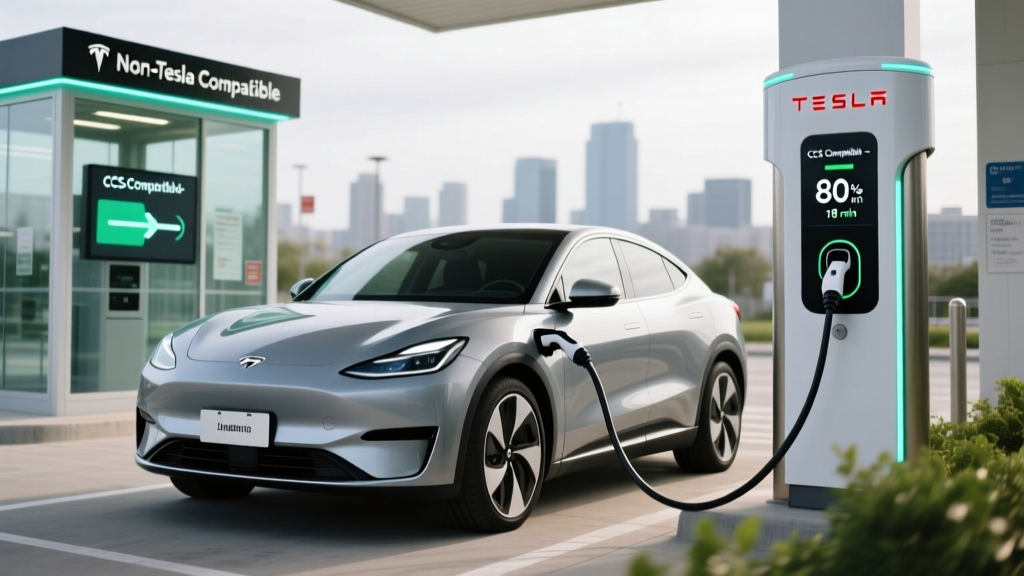
The Tesla Supercharger network, long exclusive to Tesla owners, now welcomes non-Tesla EVs at thousands of stations across the United States. If you drive a Ford Mustang Mach-E, Hyundai Ioniq 5, Rivian R1T, or virtually any modern EV, you can now tap into the most reliable DC fast-charging network in North America — but the process isn't always obvious. This guide explains exactly how to charge non-Tesla EVs at Superchargers, what adapters you need, what it costs, and what charging speeds to expect in real-world conditions.
The NACS Standard: Why Tesla's Connector Won
Starting in late 2022, Tesla opened its proprietary charging connector to the industry, renaming it the North American Charging Standard (NACS). By 2025, nearly every major automaker — Ford, GM, Hyundai, Kia, Rivian, BMW, Mercedes-Benz, Volvo, and more — had adopted NACS as the standard charging port on new vehicles. By 2026, NACS is the de facto DC fast-charging connector in North America, replacing CCS1 for new models.
If your EV was built in 2025 or later, there's a strong chance it already has a native NACS port. If you drive an older CCS-equipped vehicle, you'll need an adapter. Here's the compatibility landscape:
| Vehicle Connector | Supercharger Access Method | Adapter Needed | Adapter Cost (Approx.) |
|---|---|---|---|
| NACS (native, 2025+ models) | Direct plug-in via Tesla app | None | $0 |
| CCS1 (2020–2024 models) | Tesla-approved CCS-to-NACS adapter + Tesla app | CCS-to-NACS adapter | $150–$250 |
| CHAdeMO (Nissan Leaf, older) | Limited; requires CHAdeMO-to-NACS adapter | CHAdeMO-to-NACS adapter | $300–$500 |
| Magic Dock stations (select) | Built-in CCS adapter at the stall | None (adapter built into stall) | $0 |
How to Actually Start a Charging Session at a Supercharger
Tesla Superchargers don't have screens or credit card readers like Electrify America or EVgo stations. Authentication happens entirely through the Tesla app. Here's the step-by-step process for non-Tesla owners:
- Download the Tesla app (iOS or Android) and create an account — no Tesla vehicle required.
- Enable "Charge Your Non-Tesla" in the app settings and add a payment method.
- Locate an open Supercharger using the app's map. Not all stalls at every station support non-Tesla vehicles — the app will indicate which specific stall numbers are available.
- Pull up to the indicated stall, select the stall number in the app, and tap "Start Charging."
- Connect the cable. If using a Magic Dock station, the CCS adapter is integrated into the holster — simply pull the cable and plug it into your CCS port. If using a standard NACS stall, attach your CCS-to-NACS adapter to the cable first, then plug into your vehicle.
- Monitor the session in the app. You'll see real-time kW delivery, kWh added, and cost.
Cable reach warning: Tesla Supercharger cables are notoriously short — roughly 4 feet. If your EV's charge port is on the rear driver's side (like the Ford Mach-E), you may need to park at an angle or back in. Vehicles with rear-quarter or front-fender ports (Hyundai Ioniq 5, Rivian R1T) typically reach without issue.
Supercharger Speeds: What Non-Tesla EVs Actually See
Tesla's V3 Superchargers deliver up to 250 kW, and V4 stalls (rolling out through 2025–2026) can deliver up to 350 kW. However, your actual charging speed depends on your vehicle's onboard charge acceptance, battery state of charge (SoC), and battery temperature.
| Level | Power (kW) | Voltage/Current | Miles of Range Added Per Hour | Typical Use Case |
|---|---|---|---|---|
| Level 1 (120V) | 1.0–1.4 kW | 120V / 12A | 3–5 mi/hr | Emergency / overnight trickle |
| Level 2 (240V) | 7.2–19.2 kW | 240V / 30–80A | 25–70 mi/hr | Home daily charging, workplace |
| DC Fast Charge (V3 Supercharger) | Up to 250 kW | 400–800V DC | 500–1,000+ mi/hr (peak) | Road trips, rapid top-ups |
| DC Fast Charge (V4 Supercharger) | Up to 350 kW | 400–1,000V DC | 800–1,500+ mi/hr (peak) | Next-gen fast charging |
Here's what 10–80% DC fast-charging looks like for popular non-Tesla EVs at a V3 Supercharger (250 kW stall):
- Hyundai Ioniq 5 (84 kWh, NMC): ~18 minutes (peak ~240 kW, thanks to 800V architecture)
- Ford Mustang Mach-E Extended Range (91 kWh usable, NMC): ~32 minutes (peak ~150 kW)
- Rivian R1T Dual-Motor Large Pack (128.9 kWh, NMC): ~40 minutes (peak ~200 kW)
- Kia EV6 GT-Line (77.4 kWh, NMC): ~18 minutes (peak ~240 kW, 800V architecture)
- Nissan Ariya (87 kWh, NMC): ~35 minutes (peak ~130 kW)
Cost Breakdown: Supercharger Pricing vs. Home Charging vs. Gas
Tesla prices Supercharger sessions for non-Tesla vehicles differently than for Tesla owners. In 2026, non-Tesla rates typically range from $0.35 to $0.55 per kWh depending on location, time of day, and local utility rates. Tesla owners often pay $0.25–$0.40/kWh at the same stations.
| Charging Scenario | Cost per kWh | Vehicle Efficiency (kWh/mi) | Cost Per Mile |
|---|---|---|---|
| Home Level 2 (off-peak utility rate) | $0.08–$0.14 | 0.28–0.35 | $0.02–$0.05 |
| Home Level 2 (standard rate) | $0.13–$0.18 | 0.28–0.35 | $0.04–$0.06 |
| Supercharger (Tesla owner rate) | $0.25–$0.40 | 0.28–0.35 | $0.07–$0.14 |
| Supercharger (non-Tesla rate) | $0.35–$0.55 | 0.28–0.35 | $0.10–$0.19 |
| Electrify America / EVgo DC fast | $0.40–$0.60 | 0.28–0.35 | $0.11–$0.21 |
| Gasoline ($3.50/gal, 28 MPG combined) | — | — | $0.125 |
| Gasoline ($3.50/gal, 22 MPG combined) | — | — | $0.159 |
Even at non-Tesla Supercharger rates, most EVs still cost less per mile than a 22–28 MPG gas vehicle. But the real savings come from home charging: at off-peak utility rates, you're paying roughly one-quarter the per-mile cost of gasoline. A driver covering 12,000 miles/year saves $1,000–$1,600 annually by charging primarily at home versus fueling a 25 MPG gas car at $3.50/gallon.
Home Charging Setup: What You Need for Level 2
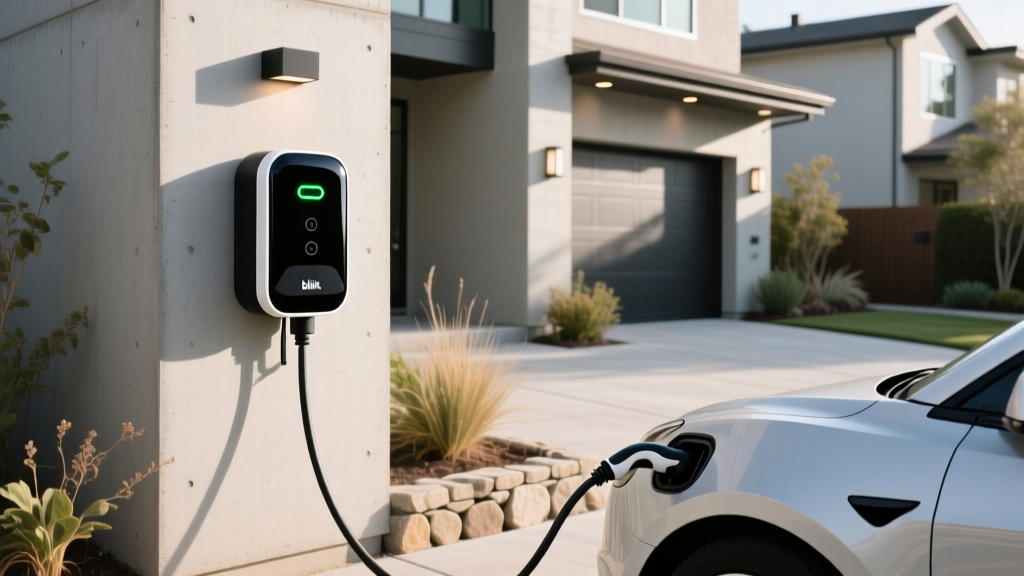
Public DC fast charging is essential for road trips, but 80–90% of EV charging happens at home. A Level 2 home charger on a 240V circuit is the backbone of practical EV ownership. Here's what's involved.
Electrical Requirements
A typical Level 2 home charger requires a 240V dedicated circuit with a breaker rated for 125% of the charger's continuous amperage draw. Common configurations:
- 32A charger (7.7 kW): Requires a 40A breaker, 8 AWG wire
- 40A charger (9.6 kW): Requires a 50A breaker, 6 AWG wire
- 48A charger (11.5 kW): Requires a 60A breaker, 4 AWG wire
- 80A charger (19.2 kW): Requires a 100A breaker, 3 AWG wire (rare; most home panels can't support this)
Panel upgrade reality: If your home has a 100A main electrical panel (common in homes built before 1990), adding a 40–60A EV circuit may exceed your panel's capacity, especially if you run electric HVAC, a dryer, and an oven simultaneously. Upgrading to a 200A panel typically costs $1,500–$3,500 and is a non-negotiable safety requirement if your load calculation demands it. Always have a licensed electrician perform a load calculation before installation.
Installation Cost Breakdown
| Cost Component | Simple Install (panel nearby, no upgrade) | Complex Install (long run, panel upgrade) |
|---|---|---|
| Level 2 charger equipment | $350–$700 | $350–$700 |
| Electrical permit | $50–$200 | $50–$200 |
| Electrician labor (2–4 hrs simple / 6–12 hrs complex) | $300–$800 | $800–$2,500 |
| Wire, conduit, breaker, hardware | $100–$300 | $300–$800 |
| Panel upgrade (if needed) | $0 | $1,500–$3,500 |
| Total | $800–$2,000 | $3,000–$7,700 |
According to the U.S. Department of Energy, most straightforward home Level 2 installations fall in the $1,000–$2,500 range when no panel upgrade is required. Homes with modern 200A panels and garages close to the electrical panel often land on the lower end.
Safety and Code Requirements
The National Electrical Code (NEC Article 625) governs EV charging installations. Key requirements include:
- Dedicated circuit: Your EV charger must have its own dedicated breaker — no sharing with other appliances.
- GFCI protection: NEC 2020 and later requires GFCI (ground-fault circuit interrupter) protection for all EV charging outlets. Many hardwired chargers include built-in GFCI; receptacle-based installations require a GFCI breaker.
- Outdoor rating: If installing outdoors, the charger must carry a NEMA 4 or IP55+ weatherproof rating. Most reputable chargers meet this standard.
- Proper wire gauge: Undersized wire creates fire risk. Your electrician will size wire per NEC Table 310.16 based on circuit amperage and run length.
- Permit and inspection: Nearly all jurisdictions require an electrical permit and post-installation inspection. Never skip this — it protects you and is required for insurance claims.
Recommended Level 2 Home Chargers for 2026
Here are proven Level 2 chargers suited for daily EV ownership, selected for reliability, safety certifications, and real-world performance:
Tesla Wall Connector (Gen 4)
- Power: Up to 11.5 kW (48A on 60A circuit)
- Connector: NACS native
- Cable length: 24 feet
- Smart features: Wi-Fi, OTA updates, load sharing, Tesla app integration
- Price: ~$475
- Best for: Tesla owners and NACS-native EVs; excellent power output for the price
ChargePoint Home Flex
- Power: Up to 12 kW (50A adjustable, on 60A circuit)
- Connector: NACS or J1772 (configurable)
- Cable length: 23 feet
- Smart features: Wi-Fi, ChargePoint app, Alexa, scheduling, energy tracking
- Price: ~$599
- Best for: CCS/J1772 vehicles needing a versatile, well-supported smart charger
Emporia Level 2 EV Charger
- Power: Up to 11.5 kW (48A on 60A circuit)
- Connector: J1772 (CCS-compatible with adapter)
- Cable length: 24 feet
- Smart features: Wi-Fi, Emporia app, energy monitoring, solar integration
- Price: ~$399
- Best for: Budget-conscious buyers wanting full smart features and energy tracking
For non-Tesla EVs with CCS ports, the ChargePoint Home Flex or Emporia charger paired with a quality CCS-to-NACS adapter gives you full home and Supercharger flexibility. The ChargePoint Home Flex is UL-listed and Energy Star certified, providing peace of mind for long-term daily use.
Adapter Guide: Which One Do You Need?
As the industry transitions from CCS1 to NACS, adapters are a temporary but essential accessory. Here's what's available and what to watch for:
| Adapter | Max Power Rating | Price | Notes |
|---|---|---|---|
| Tesla CCS Adapter (official) | 250 kW | ~$200 (via Tesla app/shop) | Best compatibility; designed for Tesla Supercharger protocol handshake |
| Lectron NACS-to-CCS Adapter | 250 kW | ~$160–$200 | UL-listed; widely available; solid third-party option |
| A2Z NACS-to-CCS Adapter | 200 kW | ~$140–$180 | Budget option; verify firmware updates for new vehicles |
Critical compatibility note: Not all CCS-to-NACS adapters work at every Supercharger stall. Tesla's official adapter is most reliable because it properly handles the communication protocol between the Supercharger and non-Tesla vehicles. Third-party adapters may require firmware updates as Tesla updates its charging software. Always verify adapter compatibility with your specific vehicle make and model year before purchasing.
Frequently Asked Questions
How much does it cost to install a home EV charger?
A straightforward Level 2 installation on an existing 200A panel typically costs $800–$2,000, including the charger, permit, electrician labor, and materials. If your home needs a panel upgrade from 100A to 200A, total costs can reach $3,000–$7,700. Always get a load calculation from a licensed electrician before committing.
How fast will each charging level add range?
Level 1 (120V) adds 3–5 miles per hour — essentially overnight trickle charging. Level 2 (240V, 40A) adds 25–35 miles per hour, fully replenishing most EVs overnight. DC fast charging at a Tesla V3 Supercharger (250 kW peak) can add 150–200 miles in 15–20 minutes, depending on your vehicle's charge acceptance rate and battery size.
Which connector is compatible with my EV at a Supercharger?
If your 2025–2026 EV has a native NACS port (Ford, GM, Hyundai, Kia, Rivian, and others now ship with NACS), you plug directly into any Supercharger stall. If your EV has a CCS1 port, you need a CCS-to-NACS adapter. CHAdeMO vehicles (older Nissan Leafs) have very limited Supercharger compatibility and are better served by Electrify America or EVgo networks.
How much does charging cost per mile compared to gas?
At home on off-peak electricity ($0.10/kWh), most EVs cost $0.03–$0.05 per mile. At a Supercharger non-Tesla rate ($0.40/kWh), it's roughly $0.11–$0.16 per mile. A comparable 25 MPG gas car at $3.50/gallon costs $0.14 per mile. Home charging is significantly cheaper; public DC fast charging is roughly cost-competitive with gas but offers the convenience of fast top-ups.
What electrical upgrades might I need for a home charger?
The most common upgrade is a panel replacement from 100A to 200A service ($1,500–$3,500) if your existing panel lacks capacity for a dedicated 40–60A EV circuit. You may also need a new conduit run from the panel to your garage or driveway ($10–$30 per linear foot for long runs), a GFCI breaker ($50–$150), and a permit ($50–$200). An electrician's load calculation will identify exactly what's needed.
Does Tesla charge non-Tesla EVs more than Tesla owners?
Yes. Non-Tesla vehicles typically pay a premium of $0.05–$0.15/kWh over Tesla owners at the same station. Tesla also offers a monthly membership ($7.99/month in most markets) that reduces non-Tesla rates closer to Tesla-owner pricing — worth it if you Supercharge more than twice a month.
Can I precondition my battery before Supercharging?
Tesla vehicles automatically precondition the battery when a Supercharger is set as the navigation destination. For non-Tesla EVs, preconditioning depends on your vehicle's built-in software. The Hyundai Ioniq 5 and Kia EV6, for example, offer battery preconditioning when a charging stop is entered in the native navigation system. Preconditioning warms the battery to optimal temperature, enabling faster charge acceptance — especially important in cold weather, where un-preconditioned batteries can see charge speeds reduced by 30–50%.