If you own or use a Blink Network EV charger — whether at home, at work, or in a public parking garage — you have probably encountered a blinking LED pattern or an error code on the screen and wondered what it means. "Blink code charging" is one of the most searched troubleshooting queries among EV owners who rely on Blink hardware, and for good reason: Blink units are deployed across thousands of commercial, municipal, and residential locations in the United States.
This guide decodes the most common Blink charger status indicators and error codes, explains what each level of EV charging actually delivers in real-world miles, and walks you through the full picture of home charger installation — from electrical panel requirements to total cost. Whether you are trying to fix a blinking red light on a Blink HQ200 or deciding whether to install a Blink Gen 3 at home, this is the reference you need.
Blink Charger Status Lights and Error Codes: What They Mean
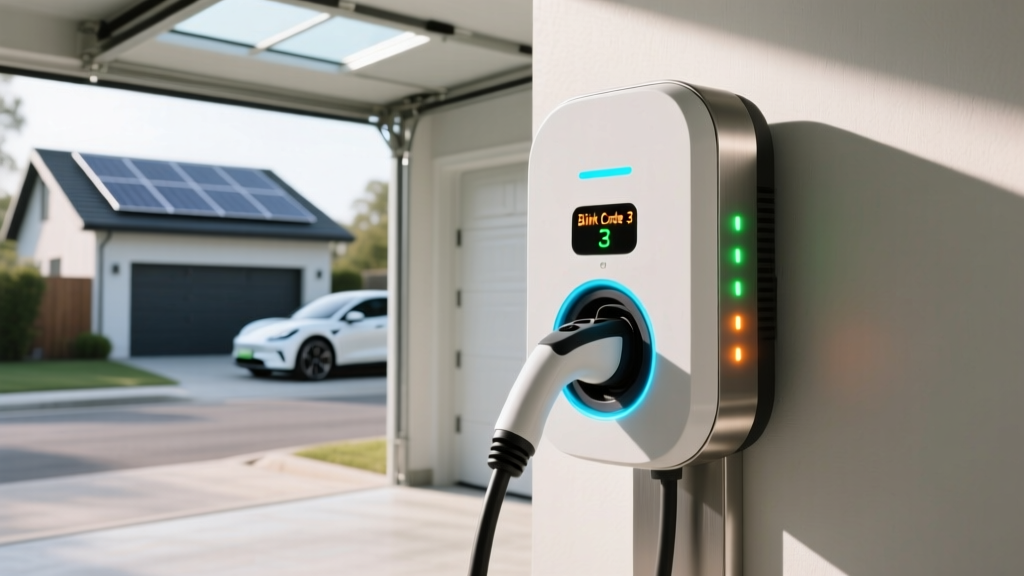
Blink chargers use LED indicator patterns and on-screen codes to communicate their state. Understanding the difference between a normal status indication and a fault condition can save you an unnecessary service call. Here are the most frequently encountered signals across Blink's residential (HQ 100, HQ 200, Gen 3) and commercial (IQ 200) product lines:
| Indicator | Color / Pattern | Meaning | Action Required |
|---|---|---|---|
| Ready / Idle | Solid green | Charger powered and available | Plug in to begin charging |
| Charging Active | Pulsing green | Energy is flowing to the vehicle | None — normal operation |
| Charging Complete | Solid blue (some models) | Vehicle has reached its charge limit | Unplug when ready |
| Wi-Fi / Network Fault | Blinking amber | Charger cannot reach Blink network | Check router; charger may still deliver power in offline mode |
| Ground Fault (GFCI Trip) | Blinking red (3 flashes) | Ground fault detected — safety cutoff | Unplug, inspect cable for damage, reset breaker, retry |
| Over-Temperature | Blinking red (5 flashes) | Internal temperature exceeds safe limit | Allow unit to cool; check for direct sun exposure or enclosure |
| Communication Error (Code E01–E03) | Red with alphanumeric code | Vehicle-charger handshake failure (J1772/NACS protocol) | Re-seat connector; try a different vehicle or adapter |
| Overcurrent / Breaker Trip (Code E04) | Red with code | Current draw exceeded circuit rating | Verify dedicated circuit amperage; consult electrician |
| Voltage Out of Range (Code E05) | Red with code | Input voltage below 208V or above 264V | Contact utility or electrician — possible grid issue |
The Three Levels of EV Charging: Speeds, Power, and Real-World Range
Before troubleshooting a Blink code or choosing a home charger, you need clarity on what each charging level actually delivers. The most critical distinction in EV charging literacy is this: kW (kilowatts) measures power — the rate of energy delivery, like water pressure from a hose. kWh (kilowatt-hours) measures energy — the total amount stored in your battery, like gallons in a tank. Never use them interchangeably.
| Charging Level | Voltage | Power (kW) | Miles of Range Added Per Hour | Typical Use Case |
|---|---|---|---|---|
| Level 1 (120V) | 120V AC | 1.0–1.4 kW | 3–5 miles | Overnight trickle; PHEVs; emergency backup |
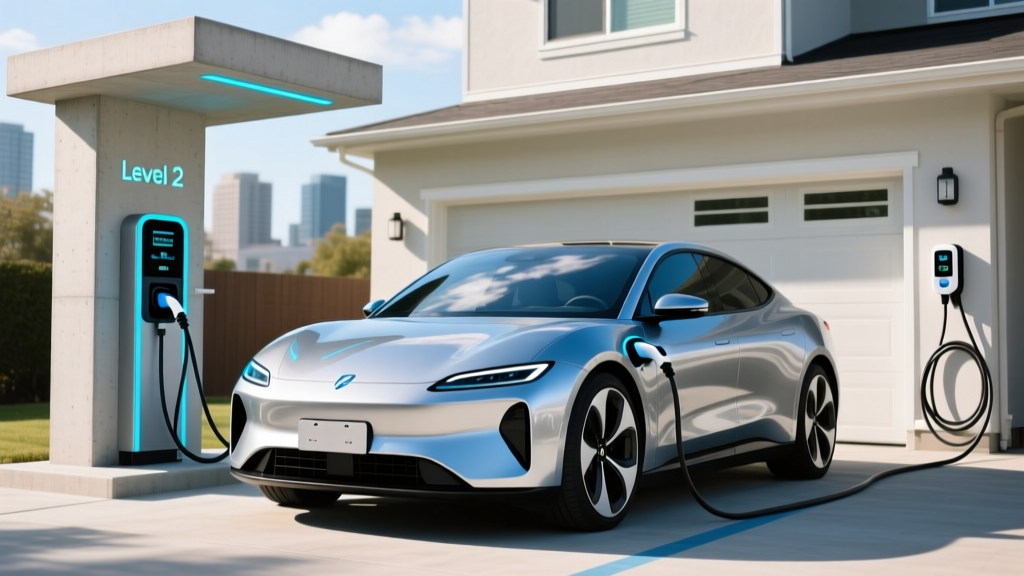
| Level 2 (240V) | 208–240V AC | 3.3–19.2 kW | 12–75 miles | Home daily charging; workplace; Blink HQ 200 |
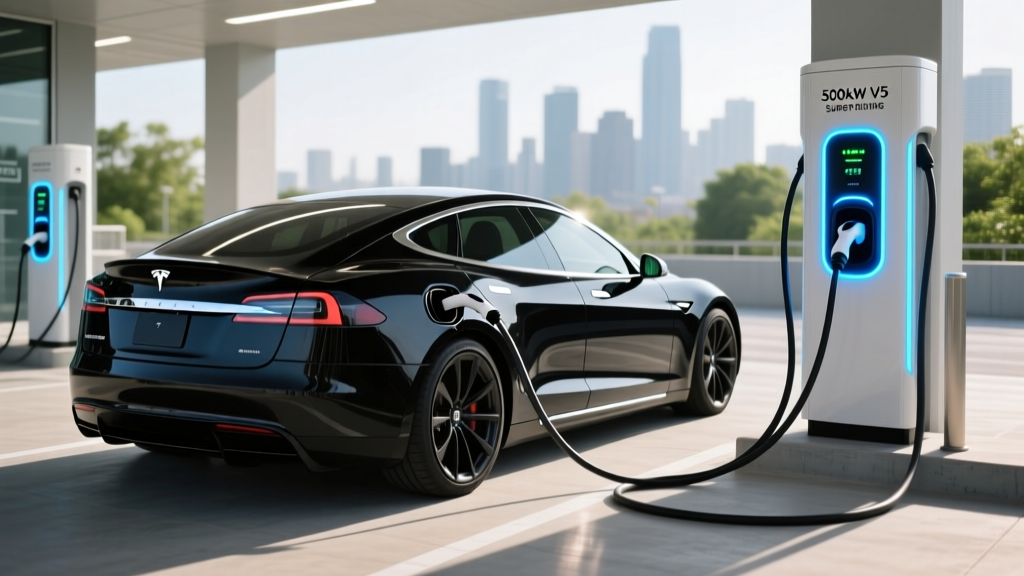
| DC Fast Charging | 400–800V DC | 50–350 kW | 150–1,000+ miles (peak) | Road trips; highway corridors; 10–80% in 15–40 min |
For context, a Blink HQ 200 hardwired at 240V/48A delivers up to 11.5 kW. That adds roughly 35–45 miles of range per hour of charging for a vehicle like the Hyundai Ioniq 5 (which averages about 3.5 miles/kWh). A full 10–80% charge on an Ioniq 5's 77.4 kWh battery at that rate takes approximately 4.5–5 hours. On a DC fast charger, the same 10–80% session takes about 18 minutes at a peak of 240 kW — though the charge curve tapers significantly above 80%, which is why we measure DC fast sessions to 80%, not 100%.
Home Charger Installation: Electrical Requirements and True Costs
Installing a Level 2 home charger is one of the smartest EV ownership moves you can make, but the cost varies enormously depending on your home's electrical infrastructure. Here is what the installation process actually involves and what you should budget.
Electrical Requirements
A typical Level 2 charger like the Blink Gen 3 or ChargePoint Home Flex requires a 240V dedicated circuit. The National Electrical Code (NEC) requires that continuous loads (which EV charging qualifies as, since sessions exceed 3 hours) be limited to 80% of the circuit breaker rating. This means:
- A 40A circuit supports up to 32A continuous charging (7.7 kW)
- A 50A circuit supports up to 40A continuous charging (9.6 kW)
- A 60A circuit supports up to 48A continuous charging (11.5 kW)
If your home has a 100A or 150A main service panel that is already near capacity (common in homes built before 1990), you may need a panel upgrade to 200A before adding a dedicated EV circuit. This is the single biggest cost variable in home charger installation and one that many online guides gloss over.
Installation Cost Breakdown
| Cost Component | Simple Install (panel nearby, no upgrade) | Complex Install (long run, panel upgrade) |
|---|---|---|
| Level 2 Charger Equipment | $300–$700 | $300–$700 |
| Electrical Permit | $50–$200 | $100–$300 |
| Electrician Labor (2–4 hrs simple / 6–12 hrs complex) | $300–$800 | $800–$2,500 |
| Wiring, Conduit, Breaker | $100–$300 | $300–$800 |
| Panel Upgrade (if needed) | $0 | $1,500–$4,000 |
| Total Estimated Cost | $750–$2,000 | $3,000–$8,300 |
Connector Compatibility: NACS, CCS1, and CHAdeMO
The connector landscape in 2026 is far simpler than it was even two years ago, but it still trips up buyers. Here is what you need to know for both home Level 2 and public DC fast charging.
| Connector | Charging Type | Compatible Brands (2026 Models) | Adapter Needed? |
|---|---|---|---|
| NACS (J3400) | Level 2 AC + DC Fast | Tesla (all), Ford, GM, Rivian, Volvo, Polestar, Fisker, Mercedes-Benz, BMW (newer models) | CCS-to-NACS adapters available from Tesla and third parties (~$200–$300) |
| CCS1 (Combo) | Level 2 AC + DC Fast | Hyundai, Kia, Volkswagen, BMW (older), Stellantis, Subaru, Honda (Prologue/e:Nyone) | NACS-to-CCS adapters available; some OEMs include free adapters |
| CHAdeMO | DC Fast only | Nissan Leaf (legacy); being phased out at most networks | No viable adapter to NACS/CCS; use CHAdeMO stations directly |
| J1772 | Level 2 AC only | All non-Tesla EVs (universal AC connector) | Tesla vehicles use included J1772-to-NACS adapter |
For Blink charger owners specifically: the Blink HQ 200 and Gen 3 ship with a J1772 connector, which is the universal Level 2 AC standard. This means every EV sold in the US (including Teslas, using the included adapter) can plug into a Blink home charger. If you own a newer NACS-native vehicle, you will simply use your Tesla-supplied J1772-to-NACS adapter — no Blink-side modification needed.
Cost to Charge: Home vs. Public vs. Gas
One of the strongest arguments for home Level 2 charging is cost. Here is a realistic comparison using national average electricity rates and a representative EV.
| Charging Scenario | Average $/kWh | Cost to Add 200 Miles (at 3.5 mi/kWh) | Cost Per Mile |
|---|---|---|---|
| Home (off-peak utility rate) | $0.08–$0.14 | $4.57–$8.00 | $0.023–$0.040 |
| Home (standard residential rate) | $0.14–$0.20 | $8.00–$11.43 | $0.040–$0.057 |
| Public Level 2 (Blink network, typical) | $0.25–$0.49 | $14.29–$28.00 | $0.071–$0.140 |
| DC Fast Charging (Electrify America, EVgo) | $0.35–$0.55 | $20.00–$31.43 | $0.100–$0.157 |
| Gasoline vehicle (25 MPG combined, $3.40/gal) | — | $27.20 | $0.136 |
The numbers make it clear: home charging at off-peak rates is roughly one-quarter to one-third the cost per mile of gasoline. Even public DC fast charging is often competitive with gas on a per-mile basis, though it varies by network and region. Blink's public Level 2 network pricing varies by host location — some municipalities offer free Blink charging, while commercial hosts set rates between $0.25 and $0.49/kWh.
Equipment Recommendations: Best Home Level 2 Chargers for 2026
If you are considering a home installation — whether to replace a Blink unit or install your first charger — these are the top options based on power output, reliability, smart features, and value:
Blink Gen 3 (Residential)
- Power: Up to 11.5 kW (48A at 240V, hardwired) or 7.7 kW (32A, NEMA 14-50 plug)
- Connector: J1772 (25-foot cable)
- Smart Features: Wi-Fi scheduling, Blink app energy tracking, Alexa integration
- Price: ~$449 (plug-in) / ~$549 (hardwired)
- Best For: Existing Blink ecosystem users; commercial hosts adding home units
ChargePoint Home Flex
- Power: Up to 12 kW (50A at 240V, hardwired); adjustable down to 16A
- Connector: J1772 or NACS (23-foot cable)
- Smart Features: Wi-Fi, ChargePoint app, Alexa/Google, flexible amperage
- Price: ~$599–$699
- Best For: Flexibility across electrical panel capacities; NACS-native option
Tesla Wall Connector
- Power: Up to 11.5 kW (48A at 240V, hardwired)
- Connector: NACS native (24-foot cable); J1772 adapter included
- Smart Features: Wi-Fi, power sharing between two units, OTA updates
- Price: ~$450
- Best For: Tesla owners; excellent value for hardwired NACS charging
Emporia Level 2 EV Charger
- Power: Up to 11.5 kW (48A at 240V, hardwired)
- Connector: J1772 (24-foot cable)
- Smart Features: Wi-Fi, Emporia energy monitoring integration, solar-aware scheduling
- Price: ~$399
- Best For: Budget-conscious buyers; homes with Emporia whole-home energy monitors
Safety, Code, and Installation Best Practices
EV chargers draw significant continuous current — often for 6 to 10 hours at a time. Proper installation is not optional; it is a safety requirement governed by NEC Article 625 (Electric Vehicle Charging System Equipment). Here is what your installation must include:
- Dedicated circuit: Your EV charger must be on its own breaker — not shared with an outlet, dryer, or HVAC system.
- GFCI protection: NEC 2023 and later require GFCI (Ground Fault Circuit Interrupter) protection for all EV charging outlets. Hardwired units typically have built-in ground fault detection; plug-in units require a GFCI breaker.
- Outdoor rating: If your charger is installed outdoors, the unit must carry a NEMA 4 or NEMA 4X rating for weather resistance. All chargers listed above meet this standard.
- Permit and inspection: Virtually all jurisdictions require an electrical permit for a new 240V circuit. The inspection ensures the breaker sizing, wire gauge, and grounding meet code. Do not skip this — unpermitted work can void homeowner's insurance claims.
- Wire gauge: A 50A circuit requires 6 AWG copper wire; a 60A circuit requires 4 AWG. Your electrician will size this based on run length and local code.
Charging Time Examples: 10–80% by Battery Size and Charger
Charge times depend on both the charger's output and the vehicle's onboard charger capacity (for Level 2) or DC fast-charge acceptance rate. Here are real-world estimates for common scenarios:
| Vehicle (Battery Size) | Level 1 (1.4 kW) | Level 2 @ 7.7 kW (32A) | Level 2 @ 11.5 kW (48A) | DC Fast (peak kW, 10–80%) |
|---|---|---|---|---|
| Tesla Model Y (75 kWh) | ~38 hrs | ~7 hrs | ~4.8 hrs | ~18 min (250 kW peak) |
| Hyundai Ioniq 5 (77.4 kWh) | ~39 hrs | ~7.2 hrs | ~5 hrs | ~18 min (240 kW peak) |
| Ford F-150 Lightning (131 kWh ext.) | ~66 hrs | ~12.2 hrs | ~8.5 hrs | ~41 min (150 kW peak) |
| Chevy Equinox EV (85 kWh) | ~43 hrs | ~8 hrs | ~5.5 hrs | ~24 min (150 kW peak) |
| Toyota RAV4 Prime PHEV (18.1 kWh) | ~9 hrs | ~2 hrs | ~1.3 hrs | N/A (no DC fast) |
Note that DC fast charging times reflect the charge curve taper — the vehicle charges fastest between 10–50% SoC, then progressively slows above 60% to protect battery health. This is why 10–80% is the standard measurement. Charging from 80–100% on a DC fast charger can take as long as the 10–80% session itself, which is why road-trippers typically charge to 80% and move on.
Frequently Asked Questions
How much does it cost to install a home EV charger?
A straightforward Level 2 installation with an existing 200A panel and a short wire run typically costs $750–$2,000 all-in (equipment, permit, electrician). If your home needs a panel upgrade from 100A/150A to 200A, total costs can reach $3,000–$8,300. Always get multiple quotes from licensed electricians and verify they include permit and inspection fees.
How fast will each charging level add range?
Level 1 (120V) adds 3–5 miles per hour. Level 2 (240V) adds 12–75 miles per hour depending on amperage (32A ≈ 25 mi/hr; 48A ≈ 40 mi/hr). DC fast charging adds 150–1,000+ miles per hour at peak, but sessions are measured in minutes (10–80% in 15–40 minutes) because the charge curve tapers above 80%.
Which connector or charger is compatible with my EV?
For Level 2 home charging, every EV sold in the US accepts a J1772 connector — either natively or via a J1772-to-NACS adapter (included with Tesla vehicles). Blink chargers ship with J1772 connectors, making them universally compatible. For DC fast charging, check whether your vehicle uses NACS, CCS1, or the legacy CHAdeMO standard, and plan your road-trip stops accordingly.
How much does charging cost per mile vs. gas?
Home charging at off-peak rates costs approximately $0.02–$0.04 per mile — roughly one-quarter the cost of gasoline at $0.14/mile (assuming 25 MPG and $3.40/gallon). Public Level 2 charging ranges from $0.07–$0.14/mile, and DC fast charging from $0.10–$0.16/mile. Even at public rates, EV charging is generally cost-competitive with or cheaper than gas.
What electrical upgrades might I need?
The most common upgrade is a panel capacity increase from 100A or 150A to 200A, costing $1,500–$4,000. You may also need a new dedicated breaker, appropriately gauged wiring (6 AWG for 50A, 4 AWG for 60A), and a GFCI breaker if using a plug-in (NEMA 14-50) configuration. Homes with solar panels or battery storage may benefit from a smart charger that coordinates charging with renewable generation.
Why is my Blink charger showing a blinking red light?
A blinking red LED on a Blink charger typically indicates a fault condition — most commonly a ground fault (GFCI trip), over-temperature condition, or voltage irregularity. Unplug the vehicle, check the cable and connector for visible damage, reset the circuit breaker, and retry. If the fault persists, note the specific blink pattern (number of flashes) and contact Blink support with that code.
For official Blink troubleshooting documentation, refer to the Blink support portal. For electrical code requirements, consult the NFPA National Electrical Code and always hire a licensed electrician for installation work.