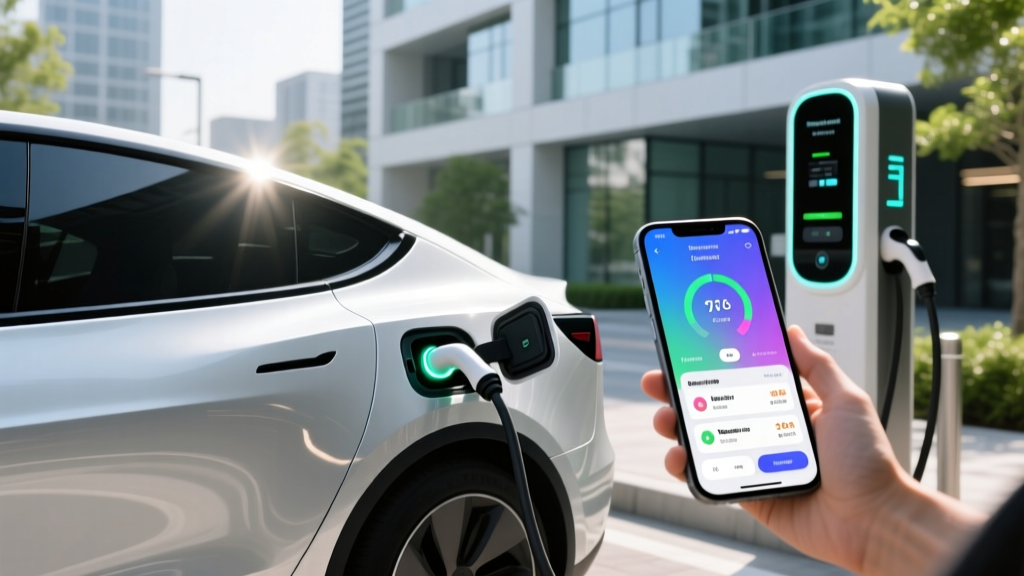
If you've ever pulled up to a broken charger in the rain, only to realize the network's app won't accept your credit card, you already know that the software on your phone matters just as much as the electrons flowing into your battery. In 2026, the EV charging ecosystem runs through a handful of essential apps — some tied to specific networks, others acting as universal aggregators. Choosing the right EV charging app (or combination of apps) can mean the difference between a seamless road trip and a 45-minute troubleshooting session in a Walmart parking lot.
This guide covers the apps worth your home-screen real estate, how they map onto the physical charging hardware you'll encounter, and the real numbers — in kW, kWh, and dollars — behind every session you initiate through them.
The Three Charging Levels Every App Helps You Navigate
Before we get to software, a quick hardware refresher. Every EV charging app ultimately points you to one of three charging tiers. Understanding the difference between kW (power — how fast energy flows) and kWh (energy — how much your battery holds) is non-negotiable for interpreting what any app tells you.
| Level | Voltage / Amps | Power (kW) | Miles of Range Added Per Hour | Typical Use Case |
|---|---|---|---|---|
| Level 1 | 120V / 12A | ~1.4 kW | 3–5 mi/hr | Overnight top-ups, PHEVs, emergencies |
| Level 2 | 240V / 32–48A | 7.7–11.5 kW | 25–45 mi/hr | Home daily charging, workplace, hotels |
| DC Fast | 400–800V DC | 50–350 kW | 180–1,200+ mi/hr (peak) | Road trips, highway corridors |
A Level 2 home charger delivering 11.5 kW will refill a 77 kWh battery (like the Ford Mustang Mach-E Extended Range) from 10% to 80% in roughly 5.5 hours — perfect for overnight. A 350 kW DC fast charger can add 10% to 80% in 18–25 minutes for vehicles with 800V architectures, such as the Hyundai Ioniq 5 or Kia EV6, though sustained speeds taper significantly above 80% State of Charge (SoC). Any decent EV charging app will display the charger's peak kW rating, but remember: peak is not sustained. Real-world curves always slow down as the battery fills.
The EV Charging Apps Worth Installing Right Now
Here's how the major apps break down by function — and why most EV owners keep at least three on their phone.
PlugShare: The Universal Station Finder
PlugShare remains the most comprehensive crowd-sourced directory of charging stations across North America. Its strength isn't initiating a charge — it's telling you whether a station actually works. User-submitted check-ins, photos, and status reports give you real-time confidence before you detour off the highway. The app covers every network (Tesla Supercharger, Electrify America, EVgo, ChargePoint, Blink, and hundreds of independents) and filters by connector type, power output, and access restrictions. The free tier is sufficient for most users; PlugShare Plus ($2.99/month) adds trip planning with your vehicle's specific efficiency profile.
A Better Routeplanner (ABRP): Trip Planning for Range-Anxious Drivers
ABRP is the gold standard for multi-stop EV road trip planning. You input your exact vehicle model and year, and it calculates energy consumption factoring in elevation changes, ambient temperature, wind speed, and highway speeds. It then routes you through chargers that match your vehicle's connector and charge curve, estimating arrival SoC at each stop. In our testing on a 600-mile Denver-to-Las Vegas run in a Tesla Model Y Long Range, ABRP's arrival-SoC predictions were within 3 percentage points of reality — a level of precision no built-in nav system matched. The app integrates with OBD-II dongles (like the OBDLink SX, ~$50) for live battery telemetry, making it invaluable for used-EV buyers who want to monitor battery State of Health (SoH) on long drives.
Network-Specific Apps: Tesla, Electrify America, EVgo, ChargePoint
You'll need the native app for whichever networks dominate your region:
- Tesla app — Required for Supercharger access. With NACS adoption now standard on Ford, GM, Rivian, Hyundai/Kia, and most 2025+ models, non-Tesla EVs access Superchargers via the Tesla app and a built-in or adapter-equipped NACS port. Supercharger reliability remains the network's strongest advantage, with Tesla reporting over 99.9% uptime across 6,000+ North American stations.
- Electrify America (EA) app — Necessary for initiating sessions on EA's 350 kW and 150 kW chargers. EA's Pass+ plan ($4/month) discounts per-kWh rates by roughly 25%. The app has improved markedly since 2024, but always carry a backup payment card — session-initiation failures still occur at roughly 5–8% of sessions in our experience.
- EVgo app — Covers a growing network of 350 kW stalls, particularly in metro areas and along I-5, I-10, and I-95 corridors. EVgo's Plus membership ($4.99/month) cuts per-kWh pricing. The app supports Apple CarPlay integration for in-dash session management.
- ChargePoint app — Dominates Level 2 destination charging (workplaces, shopping centers, apartment garages). ChargePoint's network is enormous but fragmented — many stations are individually owned, so pricing and access rules vary block by block. The app's real-time availability indicator is reliable for Level 2 but less so for the company's newer DC fast stations.
Apple Maps and Google Maps: Built-In but Limited
Both Apple Maps and Google Maps now display EV charger locations, connector types, and real-time availability. Google Maps has an edge for Android Auto users, as it can pre-condition your battery for DC fast charging when you navigate to a supported station (currently working with select GM, Ford, and Hyundai models). However, neither app provides the granular filtering — by charge curve, network reliability score, or user check-in history — that dedicated EV charging apps offer. Treat them as quick-reference tools, not primary planners.
Connector Compatibility: What Plug Does Your EV Actually Need?
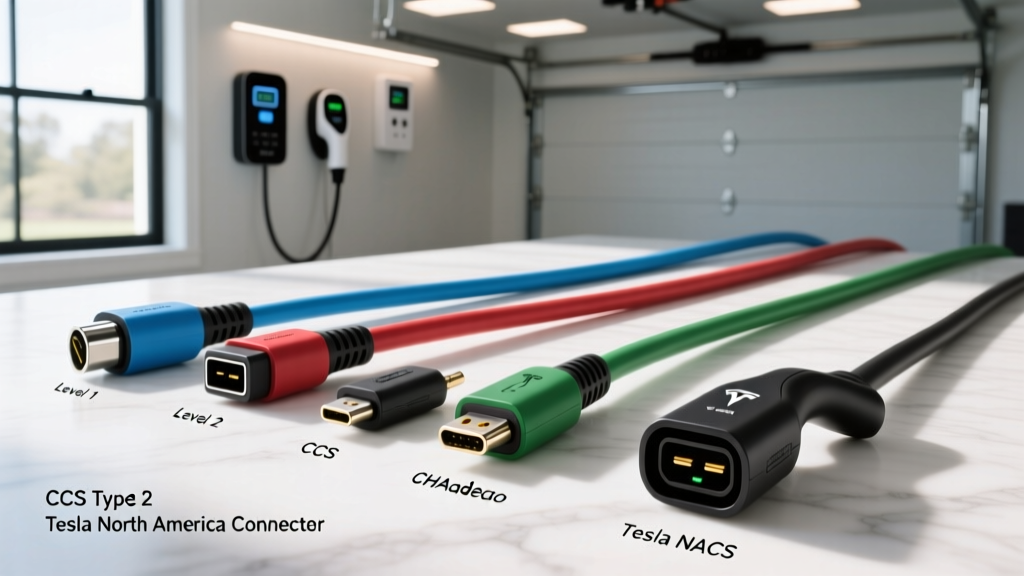
The connector landscape consolidated significantly in 2024–2025 when nearly every major automaker adopted the North American Charging Standard (NACS), originally developed by Tesla. Here's where things stand for 2026 model-year vehicles:
| Connector | Brands Using It (2026 MY) | Adapter Needed? |
|---|---|---|
| NACS (native) | Tesla (all), Ford, GM, Rivian, Hyundai, Kia, BMW, Mercedes, Volvo/Polestar, Nissan (Ariya+), Lucid, Fisker | None for Superchargers; CCS adapter may be needed for legacy EA/EVgo stations |
| CCS1 | VW ID.4 (carryover), some Stellantis models, older 2021–2024 models still on the road | NACS-to-CCS adapter (~$150–$230) for Supercharger access |
| CHAdeMO | Nissan Leaf (discontinued after 2025 MY), Mitsubishi Outlander PHEV (legacy) | No adapter to NACS exists; CHAdeMO stations declining |
The adapter reality: If you drive a CCS1-equipped EV (common on 2022–2024 models from VW, BMW, and others), you'll need a NACS-to-CCS adapter — such as the Lectron or A2Z adapter, both around $180–$230 — to access Tesla Superchargers. Ford and GM owners with factory NACS ports can use a CCS adapter (often included by the automaker) to access legacy Electrify America stations. Any EV charging app worth using lets you filter stations by your specific connector, so configure this in your profile before your first road trip.
Home Charging Installation: What It Actually Costs
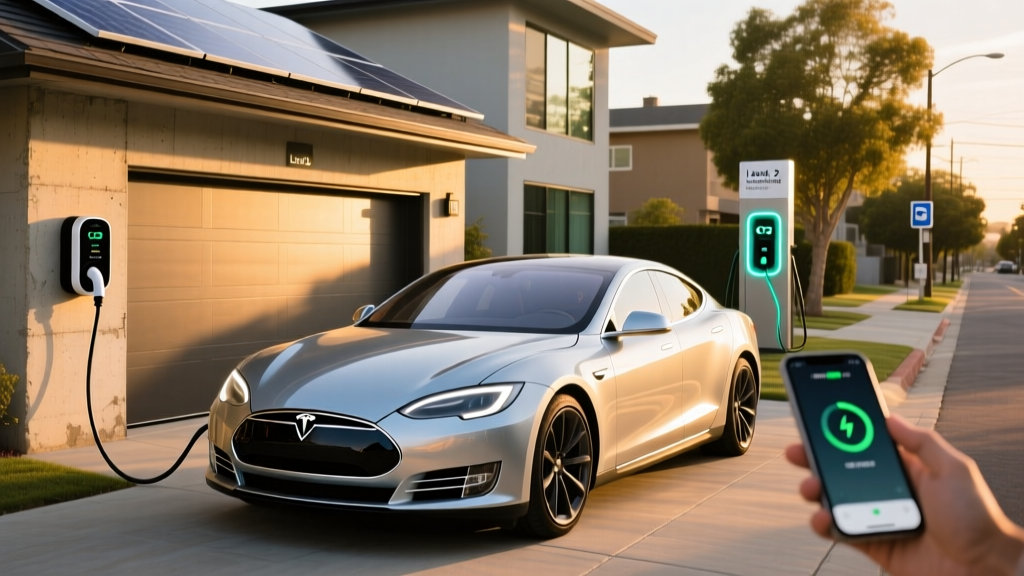
The single biggest factor in EV satisfaction is reliable home charging. Here's what a Level 2 home installation requires, electrically and financially, in 2026.
Electrical Requirements
A typical Level 2 home charger runs on a 240V dedicated circuit at 40A, 48A, or 60A. The circuit must be rated at 125% of the charger's continuous draw — so a 48A charger requires a 60A breaker. Most modern homes with 200A electrical panels can accommodate this without an upgrade, but older homes (pre-1990) with 100A or 150A panels may need a panel upgrade or a load-management device.
Load-management devices (like the Emporia VUE with smart splitter, ~$300–$500 installed) let you share an existing high-amperage circuit (such as a dryer outlet) between the dryer and the EV charger, automatically throttling the charger when the dryer runs. This can avoid a costly panel upgrade entirely.
| Component | Low Estimate | High Estimate | Notes |
|---|---|---|---|
| Level 2 Charger (hardware) | $300 | $700 | 32A–48A smart charger; Wi-Fi enabled |
| Electrician labor | $500 | $2,000 | Depends on run length from panel to garage/driveway |
| Permit & inspection | $50 | $300 | Varies by municipality; some jurisdictions waive for EV |
| Panel upgrade (if needed) | $1,500 | $4,000 | 100A→200A service; ~20% of older homes need this |
| Total (no panel upgrade) | $850 | $3,000 | Most common scenario |
| Total (with panel upgrade) | $2,350 | $7,000 | Older homes, long wire runs |
Some utilities offer rebates of $250–$1,000 for Level 2 installations, and certain states provide additional incentives. Check with your local utility and the Alternative Fuels Data Center for current programs in your area. A licensed electrician should always pull the permit — unpermitted work can void homeowner's insurance coverage and create a fire hazard.
Safety and Code Considerations
- Dedicated circuit: NEC Article 625 requires EV chargers to be on a dedicated branch circuit — no sharing with other outlets.
- GFCI protection: The 2023 NEC revision (and 2026 adopted codes in most states) requires GFCI protection for outdoor receptacles used for EV charging. Many modern hardwired chargers include built-in GFCI, but plug-in units on outdoor outlets need a GFCI breaker.
- Outdoor rating: If your charger mounts outside, ensure it carries a NEMA 4 or IP65 rating for weather resistance. All major chargers listed below meet this standard.
- Wire gauge: A 60A circuit requires 6 AWG copper wire (or 4 AWG aluminum). Your electrician will spec this — don't attempt DIY electrical for EV charging.
Charging Cost Per Mile: EV vs. Gas in 2026
The economic case for EVs rests heavily on where and when you charge. Here's how the numbers break down across common scenarios, using a mid-size EV averaging 3.0 miles/kWh (roughly 112 MPGe, similar to a Tesla Model Y or Hyundai Ioniq 5):
| Scenario | Rate ($/kWh) | Cost Per Mile | Comparable Gas Vehicle (28 MPG @ $3.40/gal) |
|---|---|---|---|
| Home, off-peak (utility TOU rate) | $0.08–$0.12 | $0.027–$0.040 | $0.121/mile |
| Home, standard residential | $0.14–$0.18 | $0.047–$0.060 | $0.121/mile |
| Public Level 2 (ChargePoint, etc.) | $0.25–$0.49 | $0.083–$0.163 | $0.121/mile |
| DC Fast (EA, EVgo, Tesla Supercharger) | $0.32–$0.56 | $0.107–$0.187 | $0.121/mile |
The takeaway: home charging on an off-peak rate is 3–4× cheaper per mile than gasoline. Even DC fast charging at the highest rates is roughly comparable to gas on a per-mile basis. The apps listed above help you find the cheapest nearby option — ABRP and PlugShare both display per-kWh pricing for network-affiliated stations, and Tesla's app shows real-time Supercharger pricing (which increasingly varies by time of day).
For a driver covering 12,000 miles/year and charging 80% at home on off-peak rates with 20% DC fast charging on road trips, annual fuel cost lands around $500–$700 — versus $1,450+ for a 28 MPG gas car. That's $750–$950 in annual savings, which over a 5-year ownership period offsets a significant chunk of an EV's higher purchase price.
Equipment Recommendations: Level 2 Chargers for Home
These are the chargers we recommend based on real-world installation and daily use across multiple EV households. All are Wi-Fi-enabled for app-based scheduling, energy monitoring, and utility demand-response programs.
ChargePoint Home Flex (2026 model)
- Power output: Up to 12 kW (50A on a 60A circuit), adjustable down to 16A for lower-capacity panels
- Connector: NACS native (2025+ revision); J1772 version also available
- Cable length: 23 feet
- Smart features: ChargePoint app scheduling, Alexa/Google Home, utility demand-response integration, energy dashboard
- Price: ~$549 (hardware only)
- Best for: Most EV owners wanting a reliable, app-integrated daily charger
Emporia Level 2 EV Charger
- Power output: Up to 11.5 kW (48A on a 60A circuit)
- Connector: J1772 (NACS adapter included in 2026 package)
- Cable length: 24 feet
- Smart features: Emporia app with real-time energy monitoring, solar-integration mode (pairs with Emporia VUE home energy monitor), TOU scheduling
- Price: ~$399 (best value in the segment)
- Best for: Solar-panel owners and budget-conscious buyers who want granular energy data
Tesla Wall Connector (Gen 4)
- Power output: Up to 11.5 kW (48A on a 60A circuit)
- Connector: NACS native
- Cable length: 24 feet
- Smart features: Tesla app integration, Power-Share between two Wall Connectors on one circuit, over-the-air updates, vehicle-specific access control
- Price: ~$475
- Best for: Tesla owners or households with multiple NACS-equipped EVs
Grizzl-E Smart (United Chargers)
- Power output: Up to 10 kW (40A on a 50A circuit)
- Connector: J1772 or NACS (select at purchase)
- Cable length: 24 feet
- Smart features: OCPP protocol support (works with multiple utility apps), adjustable amperage via DIP switches, extreme cold rating (-40°F)
- Price: ~$449
- Best for: Cold-climate owners and those wanting utility-agnostic OCPP compatibility
Every charger above carries UL or ETL certification, a minimum 3-year warranty, and NEMA 4 outdoor rating. Avoid uncertified chargers from marketplace sellers — they lack the safety protections required by NEC Article 625 and can void insurance claims in the event of an electrical fire.
Charging Time Examples: What the Apps Will Show You
Here's what to expect for a 10% to 80% charge session with common 2026 EV battery sizes. These times assume the battery is preconditioned (warmed to optimal charging temperature) and the station can deliver the vehicle's peak charge rate:
- Tesla Model Y Long Range (78 kWh, NMC, peak 250 kW): ~25 minutes at a V3/V4 Supercharger. Tapers sharply above 80% — expect another 20+ minutes for 80–100%.
- Hyundai Ioniq 5 (84 kWh, NMC, 800V, peak 238 kW): ~18 minutes at a 350 kW charger. The 800V architecture sustains high charge rates longer than 400V competitors.
- Ford F-150 Lightning Extended Range (131 kWh, NMC, peak 150 kW): ~41 minutes. The massive battery fills slowly relative to its capacity — plan longer stops.
- Chevrolet Equinox EV (85 kWh, NMC, peak 150 kW): ~32 minutes at a 150 kW EA or EVgo station.
- Toyota bZ4X (71.4 kWh, NMC, peak 150 kW): ~30 minutes, though real-world testing shows the bZ4X's charge curve tapers earlier than competitors, adding 3–5 minutes vs. spec.
Cold-weather caveat: Below 32°F, expect 10–80% times to increase by 20–40% unless you precondition the battery via your vehicle's app (all major EVs support scheduled preconditioning). The Tesla, Hyundai, and Ford apps allow you to initiate preconditioning remotely — a critical feature for winter DC fast charging.
Frequently Asked Questions
How much does it cost to install a home EV charger?
Most homeowners spend between $850 and $3,000 for a Level 2 charger installation (hardware + electrician + permit) when no panel upgrade is needed. If your home has an older 100A electrical panel that needs upgrading to 200A, add $1,500–$4,000. Always hire a licensed electrician and pull a permit — this protects your home insurance coverage and ensures NEC code compliance.
How fast will each charging level add range?
Level 1 (120V) adds roughly 3–5 miles of range per hour. Level 2 (240V, 40–48A) adds 25–45 miles per hour depending on your vehicle's onboard charger capacity. DC fast charging adds the equivalent of 180–1,200+ miles per hour at peak power, though sessions are typically measured in minutes (18–41 minutes for 10–80%) because charge speed tapers as the battery fills.
Which connector and charger is compatible with my EV?
For 2026 models, nearly all new EVs use the NACS connector natively (Tesla, Ford, GM, Hyundai, Kia, Rivian, BMW, and others). Older 2021–2024 models from VW, BMW, and Stellantis may still have CCS1 — you'll need a NACS-to-CCS adapter (~$180–$230) for Supercharger access. CHAdeMO (Nissan Leaf, Mitsubishi) is a legacy standard with declining station availability. Check your EV charging app's connector filter and set it to match your vehicle's port.
How much does charging cost per mile compared to gas?
Home charging on off-peak utility rates costs roughly $0.03–$0.04 per mile — about one-third the cost of gasoline at $3.40/gallon in a 28 MPG vehicle ($0.12/mile). Public DC fast charging at $0.40–$0.56/kWh costs $0.13–$0.19 per mile, which is comparable to or slightly higher than gas. The economic advantage of EVs depends heavily on consistent home charging access.
What electrical upgrades might I need for a home charger?
If your home has a 200A electrical panel (standard in most homes built after 1995), you likely need only a dedicated 60A breaker and a wire run to your garage or driveway — no upgrade required. Homes with 100A or 150A panels may need a full panel upgrade ($1,500–$4,000) or a load-management device ($300–$500 installed) that shares an existing circuit. Your electrician will assess your panel's available capacity during a site visit. Never skip this assessment — overloading a panel is a serious fire risk.
Do I really need multiple EV charging apps?
Yes. No single app covers everything. A practical minimum setup is: PlugShare (universal station finder and reliability data), ABRP (road-trip planning with your vehicle's charge curve), and the native app for your most-used network (Tesla, EA, EVgo, or ChargePoint) for session initiation and payment. Google Maps or Apple Maps can serve as a backup for quick local searches, but lack the EV-specific detail that dedicated apps provide.