Why Your Cybertruck Says 'AC Charging Unavailable'
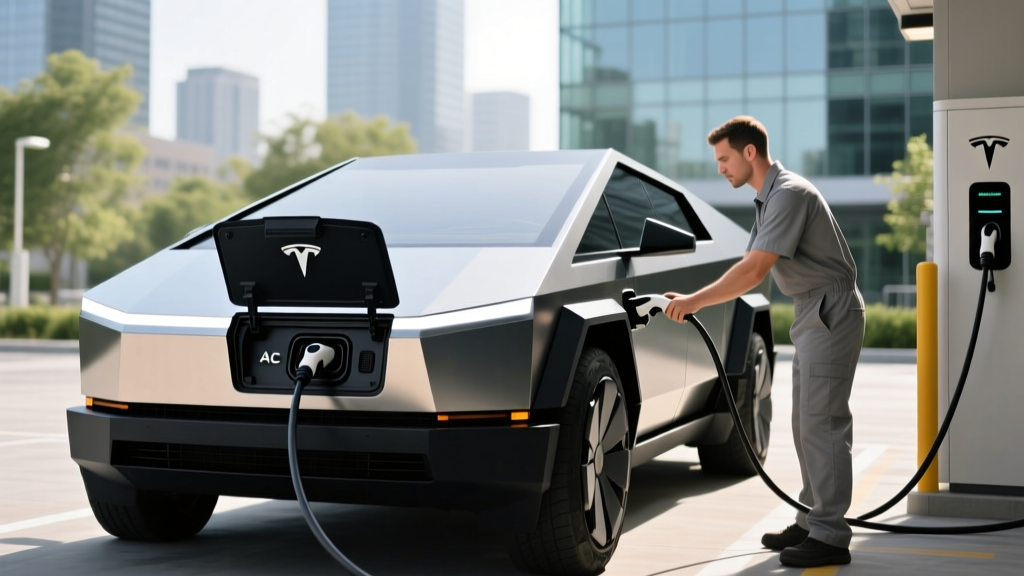
If you've plugged your Tesla Cybertruck into a Level 2 home charger or public AC station and been greeted with an "AC charging unavailable" message on the touchscreen, you're not alone. This error has appeared for Cybertruck owners since the vehicle's late-2023 launch and continues to surface in 2026 firmware builds. The message means the truck's onboard charger isn't recognizing or accepting alternating current (AC) power from the connected source — effectively blocking Level 1 and Level 2 charging, though DC fast charging at Superchargers typically still works.
Before we get into fixes, let's clarify a critical distinction: kW (kilowatts) measures power — how fast energy flows into your battery. kWh (kilowatt-hours) measures energy — the total capacity stored in your battery pack. Your Cybertruck's battery holds roughly 123 kWh of usable energy (depending on the dual- or tri-motor variant), and AC charging delivers power at a much lower kW rate than DC fast charging. When AC charging is unavailable, you're cut off from the slower but essential home and destination charging infrastructure.
Step-by-Step Fixes for the AC Charging Unavailable Error
Work through these in order before scheduling a Tesla service appointment:
- Power-cycle the Cybertruck. Go to Controls > Safety > Power Off. Wait 2 full minutes without touching the brake or opening a door. Tap the brake to wake it back up. This resets the charge controller and resolves the majority of handshake failures.
- Try a different AC charger or cable. If you're using a third-party J1772 charger with the Tesla J1772 adapter, try a Tesla Wall Connector directly. If the Wall Connector fails, try a known-working Supercharger (DC) to confirm the charge port itself is functional.
- Check for firmware updates. Tesla has issued patches addressing AC charging handshake bugs in multiple Cybertruck OTA updates. Go to Controls > Software and install any pending update.
- Reset the charge port latch. Open the Tesla app > your Cybertruck > Controls > Charge Port. Toggle the latch open and closed. Inspect the port for debris or moisture.
- Inspect your home charger's output. Use a multimeter or your charger's diagnostic screen to confirm it's delivering 240V on a dedicated circuit. A charger outputting below expected voltage can trigger the unavailable message.
- Schedule service. If none of the above works, the onboard AC charger module (which converts AC grid power to DC for the battery) may have a hardware fault. Tesla mobile service can often diagnose this remotely via telemetry.
Cybertruck Charging Levels Explained: Speeds and Real-World Times
Understanding what each charging level delivers helps you plan around the error and know what you're missing when AC is down. The Cybertruck's ~123 kWh battery is one of the largest in any consumer EV, making charging speed especially important.
| Level | Power (kW) | Miles of Range per Hour | 10–80% Time (est.) | Typical Use |
|---|---|---|---|---|
| Level 1 (120V) | ~1.4 kW | 3–4 mi/hr | ~60+ hours | Emergency / trickle |
| Level 2 (240V, 48A) | ~11.5 kW | 28–32 mi/hr | ~9–10 hours | Home overnight |
| Level 2 (240V, 80A) | ~19.2 kW | 45–50 mi/hr | ~5.5–6 hours | Tesla Wall Connector max |
| DC Fast (V3 Supercharger) | Peak ~250 kW | ~150+ mi in 15 min | ~28–35 minutes | Road trips |
| DC Fast (V4 Supercharger) | Peak ~325 kW | ~200 mi in 15 min | ~22–28 minutes | Newest Supercharger stalls |
When AC charging is unavailable, you're forced to rely on DC fast charging. That's viable for road trips but impractical for daily use — frequent DC-only charging accelerates battery degradation slightly and costs significantly more per kWh than home AC power.
Home Charger Installation: Electrical Requirements and Costs
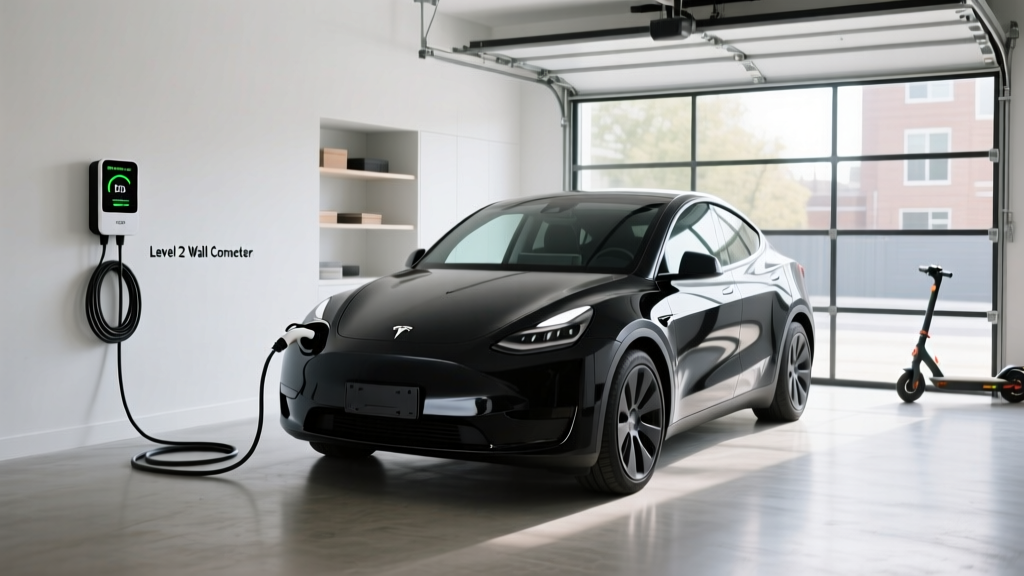
If you're setting up home charging for a Cybertruck (or troubleshooting an install that's triggering the error), here's what a proper Level 2 setup requires:
Electrical specifications:
- Voltage: 240V dedicated circuit (split-phase residential)
- Amperage: 60A breaker for a 48A continuous charge (NEC requires a 125% safety margin — a 48A load needs a 60A breaker). For the full 80A Tesla Wall Connector output, you need a 100A breaker.
- Wire gauge: 6 AWG copper for 60A; 3 AWG copper for 100A
- Panel capacity: Your main service panel must have enough spare capacity. A 200A panel serving a home with electric HVAC, dryer, and oven may need a panel upgrade to 400A or a load-management device to add a 60–100A EV circuit.
| Item | Cost Range | Notes |
|---|---|---|
| Level 2 charger (hardware) | $400–$750 | Tesla Wall Connector ~$475; Emporia ~$400; ChargePoint ~$700 |
| Electrician labor (run circuit, mount, wire) | $600–$2,000 | Depends on distance from panel to garage/driveway |
| Permit and inspection | $50–$300 | Required in most jurisdictions; varies by locality |
| Panel upgrade (if needed) | $1,500–$4,000 | 200A→400A; not always required |
| TOTAL (no panel upgrade) | $1,050–$3,050 | Most common scenario |
| TOTAL (with panel upgrade) | $2,550–$7,050 | Older homes with 100–150A panels |
Important: Always hire a licensed electrician. DIY electrical work on 240V circuits is dangerous and will void your homeowner's insurance in the event of a fire. Your electrician will pull the permit and schedule the inspection — don't skip this step.
Connector Compatibility: NACS, CCS, and Adapters
The Cybertruck ships with the NACS (North American Charging Standard) connector — Tesla's proprietary plug, now adopted industry-wide. Here's how compatibility breaks down:
| Connector | Cybertruck Native? | Adapter Needed? | Where You'll Find It |
|---|---|---|---|
| NACS (Tesla) | Yes — native | None | Tesla Superchargers, Tesla Wall Connector, newer public stations |
| J1772 (AC Level 2) | No | Tesla J1772 adapter (included with vehicle) | Most public Level 2 stations, non-Tesla home chargers |
| CCS1 (DC fast) | No | Tesla CCS adapter (~$250) | Electrify America, EVgo, non-Tesla DC stations |
| CHAdeMO | No | No adapter available from Tesla | Legacy stations (phasing out) |
By 2026, the majority of new public DC fast chargers in the U.S. include NACS connectors alongside CCS1. Networks like Electrify America and EVgo have been retrofitting stalls with NACS cables. However, if you encounter a CCS-only station, the Tesla CCS adapter (available from the Tesla shop) will let you charge — just confirm the adapter is compatible with the Cybertruck's current firmware build, as early firmware versions had CCS adapter handshake issues similar to the AC charging unavailable bug.
Cost to Charge: Home vs. Public vs. Gas
One of the strongest arguments for fixing your AC charging and setting up home Level 2 power is cost. Let's break down what charging the Cybertruck actually costs per mile:
| Scenario | Price | Cost per Mile | Full 0–100% Cost (~123 kWh) |
|---|---|---|---|
| Home Level 2 (off-peak utility rate) | $0.12/kWh | $0.043 | $14.76 |
| Home Level 2 (standard rate) | $0.18/kWh | $0.065 | $22.14 |
| Public Level 2 (ChargePoint, etc.) | $0.25–$0.49/kWh | $0.090–$0.177 | $30.75–$60.27 |
| Tesla Supercharger (V3/V4) | $0.28–$0.40/kWh | $0.101–$0.145 | $34.44–$49.20 |
| Gas equivalent (Ford F-150, 20 MPG, $3.40/gal) | $3.40/gallon | $0.170 | N/A |
At home off-peak rates, the Cybertruck costs roughly $0.04 per mile to fuel — about a quarter of what a comparable gas F-150 costs. Even at Supercharger prices, you're matching or beating gas. But if you're stuck DC-only because AC charging is unavailable, you're paying 2–4× more per mile than you would at home.
The Cybertruck consumes approximately 48–52 kWh per 100 miles (about 2.0–2.1 kWh/mi) in mixed driving, per EPA data. That's thirstier than a Model Y (~28 kWh/100mi) but competitive with other full-size electric trucks.
Recommended Home Chargers for the Cybertruck
Once your AC charging issue is resolved, here are the Level 2 chargers best suited to the Cybertruck's large battery:
Tesla Wall Connector (Gen 3)
- Power output: Up to 11.5 kW (48A) on a 60A circuit; up to 19.2 kW (80A) on a 100A circuit
- Connector: NACS native — no adapter needed
- Cable length: 24 ft
- Smart features: Wi-Fi firmware updates, power-sharing between two units, Tesla app integration, load management
- Price: ~$475
- Best for: Cybertruck owners who want maximum AC charge speed without adapters
Emporia Vue Level 2 Charger
- Power output: Up to 11.5 kW (48A)
- Connector: J1772 (use Tesla adapter) or NACS version available
- Cable length: 24 ft
- Smart features: Energy monitoring, solar integration, scheduling, app control, load management with Emporia panel monitor
- Price: ~$399
- Best for: Homes with solar panels or those wanting detailed energy tracking
ChargePoint Home Flex (NACS)
- Power output: Up to 12 kW (50A) on a 60A circuit
- Connector: NACS (2025+ models) or J1772
- Cable length: 23 ft
- Smart features: Alexa integration, scheduling, charging history, flexible amperage setting (16–50A)
- Price: ~$699
- Best for: Multi-EV households with non-Tesla vehicles
For the Cybertruck specifically, the Tesla Wall Connector at 80A is the strongest pick — it delivers ~19.2 kW, adding roughly 45–50 miles of range per hour and filling the 123 kWh battery from 10–80% in about 5.5–6 hours overnight. No other consumer AC charger matches this speed for a NACS-native vehicle.
Safety, Code, and Permit Essentials
A safe installation protects your home, your Cybertruck, and your insurance coverage:
- Dedicated circuit: Your Level 2 charger must be on its own dedicated breaker — never shared with other appliances. The NEC (National Electrical Code) requires this for continuous loads.
- GFCI protection: The 2023 NEC update requires GFCI (Ground Fault Circuit Interrupter) protection for outdoor EV charging outlets. Hardwired Wall Connectors may not require a GFCI breaker depending on jurisdiction — your electrician will confirm. Note: some early Cybertruck owners reported GFCI nuisance tripping causing the "AC charging unavailable" error; Tesla firmware updates have largely resolved this.
- Outdoor rating: If mounting outdoors, ensure the charger is NEMA 4 rated (weatherproof). The Tesla Wall Connector and ChargePoint Home Flex both carry this rating.
- Permit and inspection: Most municipalities require an electrical permit for a new 240V circuit. The inspection confirms proper wire gauge, breaker sizing, grounding, and GFCI compliance. Skipping this can void your homeowner's insurance and create a fire hazard.
- Load management: If your panel is near capacity, a load-management device (like the Emporia Smart Load Center or Tesla's built-in power-sharing) can dynamically reduce charger amperage when other high-draw appliances are running, avoiding a costly panel upgrade.
Frequently Asked Questions
How much does it cost to install a home EV charger for a Cybertruck?
Expect $1,050–$3,050 for a standard Level 2 installation (charger + electrician + permit) if your panel has capacity. If you need a panel upgrade from 100/150A to 200/400A, add $1,500–$4,000. The Tesla Wall Connector hardware itself costs about $475.
How fast will each charging level add range to the Cybertruck?
Level 1 (120V): ~3–4 miles per hour. Level 2 at 48A (11.5 kW): ~28–32 miles per hour. Level 2 at 80A (19.2 kW): ~45–50 miles per hour. DC fast charging at V3 Superchargers: up to 250 kW peak, adding ~150 miles in 15 minutes, though the charge curve tapers significantly above 80% State of Charge.
Which connector and charger is compatible with the Cybertruck?
The Cybertruck uses the NACS connector natively. The Tesla Wall Connector is the ideal home charger — no adapter required. For public J1772 Level 2 stations, use the J1772-to-NACS adapter included with the truck. For non-Tesla DC fast chargers with CCS1 plugs, the optional Tesla CCS adapter (~$250) is required.
How much does charging the Cybertruck cost per mile vs. a gas truck?
At home off-peak rates ($0.12/kWh), the Cybertruck costs about $0.043/mile. A comparable gas F-150 at 20 MPG and $3.40/gallon costs $0.17/mile — roughly 4× more. Even at Tesla Supercharger rates ($0.28–$0.40/kWh), the Cybertruck costs $0.10–$0.15/mile, still beating gas.
What electrical upgrades might I need for a Cybertruck home charger?
At minimum, you need a dedicated 240V circuit with a 60A breaker (for 48A charging) or 100A breaker (for 80A charging). If your main service panel lacks spare capacity — common in older homes with 100A or 150A service — you may need a panel upgrade to 200A or 400A, costing $1,500–$4,000. A load-management device can sometimes avoid this expense.
Can the "AC charging unavailable" error damage my Cybertruck's battery?
No. The error itself doesn't cause battery damage — it simply means the onboard AC charger isn't accepting power. However, relying exclusively on DC fast charging for daily use (because AC is broken) will slightly accelerate long-term battery degradation compared to Level 2 AC charging. Tesla's battery management system mitigates this, but it's still best to restore AC charging promptly.
Does the Cybertruck qualify for the federal EV tax credit?
As of 2026, the Cybertruck is eligible for the IRS §30D Clean Vehicle Credit, which offers up to $7,500 — but eligibility depends on your taxable income (caps at $150K single / $300K joint), the vehicle's MSRP (must be under $80,000 for trucks — the Cybertruck base AWD qualifies, while the Cyberbeast at ~$100K+ does not), and battery critical-mineral sourcing requirements. The credit can be transferred to the dealer at point of sale as a price reduction. Consult a tax professional to confirm your eligibility, as rules are subject to legislative change.