Introduction to EV Thermal Management Systems (TMS)
The heart of every electric vehicle is its high-voltage lithium-ion battery pack. However, the true secret to an EV's longevity, range, and charging speed lies not just in the battery cells themselves, but in the Thermal Management System (TMS) that surrounds them. Batteries are highly sensitive to temperature extremes. Operating them outside their optimal thermal window—typically between 20°C and 25°C (68°F to 77°F)—accelerates chemical degradation and limits performance. According to the U.S. Department of Energy's Alternative Fuels Data Center, maintaining optimal battery temperature is critical for maximizing the lifecycle and efficiency of electric vehicles.
Not all automakers approach thermal management equally. While some brands invest heavily in advanced active liquid cooling and integrated heat pumps, others have historically relied on passive air cooling. As an EV owner, understanding the specific architecture of your vehicle's TMS is essential. This comprehensive how-to guide breaks down EV battery thermal management systems by brand and provides actionable steps to optimize your battery's health, charging speeds, and overall lifespan.
Why Your EV's Cooling System Dictates Battery Lifespan
When a battery charges or discharges, it generates internal resistance, which manifests as heat. During high-stress events like DC fast charging or aggressive acceleration, this heat spikes. If the TMS cannot dissipate this thermal energy, the battery management system (BMS) will intentionally throttle power to prevent thermal runaway or cell damage. Conversely, in freezing temperatures, lithium plating can occur if a battery is charged while cold, causing permanent capacity loss. Data from Recurrent Auto's battery degradation research highlights that vehicles equipped with robust active liquid cooling systems consistently show slower degradation curves over time compared to those with passive or inadequate thermal management.
Brand-Specific Thermal Management Systems Explained
Tesla: Active Liquid Cooling and the Octovalve
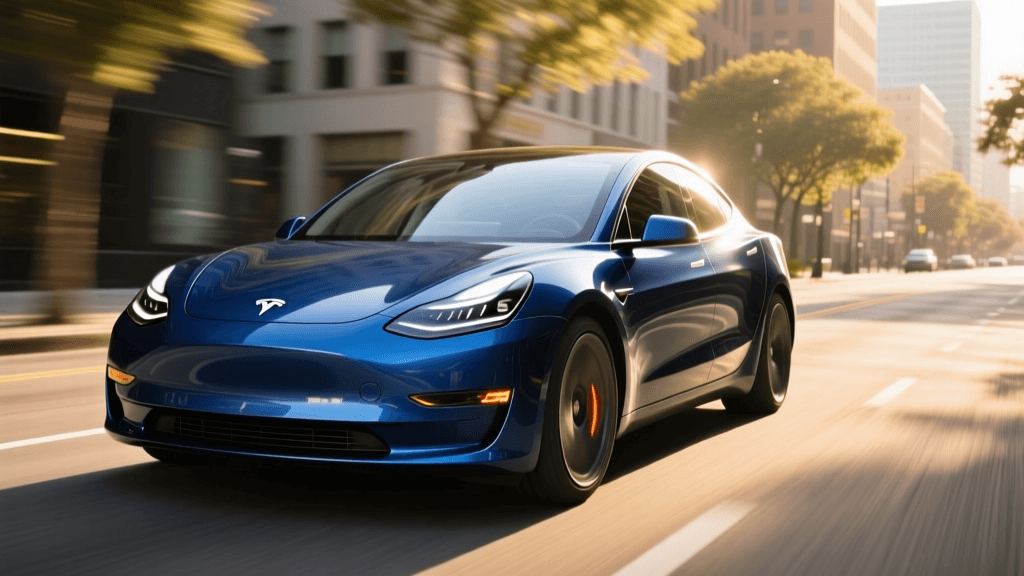
Tesla utilizes a highly sophisticated active liquid cooling system. A glycol-water mixture is pumped through micro-channels within the battery pack's cooling tubes, which sit directly between the cylindrical cells. In newer models (Model 3 and Model Y), Tesla introduced the "Octovalve," an integrated thermal management hub that routes heat between the battery, the drive unit, and the cabin. This allows the car to scavenge waste heat from the motors to warm the battery in winter, or dump battery heat into the cabin or ambient air in summer.
How-To Action: Always use the "Scheduled Departure" feature in the Tesla app. By setting your departure time while plugged in, the Octovalve will use grid power to precondition the battery to the optimal temperature, saving your driving range and reducing wear on the cells during your initial commute.
Hyundai & Kia (E-GMP): Advanced Heat Pumps and Liquid Cooling
Hyundai and Kia vehicles built on the E-GMP platform (such as the Ioniq 5 and EV6) feature industry-leading thermal management. They use a liquid cooling system paired with a highly efficient heat pump system. The heat pump utilizes waste heat from the power electronics and drive motors to heat the cabin and the battery, drastically reducing winter range loss. Furthermore, these vehicles feature a dedicated "Battery Heating" function that warms the cells prior to DC fast charging, enabling their famous 10% to 80% charging times of under 18 minutes.
How-To Action: In sub-freezing weather, manually toggle the "Battery Heating" icon on the infotainment screen before you begin your drive to a fast charger. If you do not precondition the battery, the BMS will severely restrict charging speeds to protect the cold cells.
Nissan Leaf: The Passive Air-Cooled Challenge
The Nissan Leaf is the most prominent example of passive air cooling in the modern EV market. Instead of liquid glycol loops, the Leaf relies on ambient air flowing over the battery casing to manage temperatures. While this reduces vehicle weight and manufacturing costs, it leaves the battery highly vulnerable to ambient heat and the internal heat generated by DC fast charging—a phenomenon the EV community dubbed "Rapidgate." Consecutive fast charges cause the battery to overheat, prompting the BMS to slash charging speeds to a crawl.
How-To Action: If you own a Nissan Leaf, you must actively manage your charging habits. Avoid consecutive DC fast charges (CHAdeMO) on hot days. Rely primarily on Level 2 home charging, park in shaded areas, and use the "B Mode" (increased regenerative braking) sparingly in summer to reduce heat generation from the battery during stop-and-go traffic.
Chevrolet Bolt EV: Liquid Cooling Done Right
The Chevrolet Bolt EV and EUV utilize a traditional but highly effective active liquid cooling and heating system. Three independent liquid cooling and heating loops run through the battery pack to maintain uniform cell temperatures. Following the major battery recall and replacement program, GM also pushed over-the-air software updates that refined the thermal management parameters, allowing for more aggressive cooling during fast charging while maintaining strict safety margins.
How-To Action: Ensure your Bolt is running the latest diagnostic and battery management software. When embarking on a road trip, use the "Hill Top Reserve" or customized charge limit features to keep the battery from sitting at 100% state of charge in hot weather, which stresses the liquid cooling loop and the cells.
Comparison Chart: Thermal Management Systems by Brand
| Brand / Platform | Cooling Type | Heat Pump | Fast Charge Thermal Prep | Best Owner Practice |
|---|---|---|---|---|
| Tesla (Model 3/Y) | Active Liquid (Octovalve) | Yes (Standard) | Automatic via Navigation | Use Scheduled Departure |
| Hyundai / Kia (E-GMP) | Active Liquid | Yes (Standard) | Manual / Nav Triggered | Toggle Battery Heating in Winter |
| Nissan Leaf | Passive Air | No | None | Avoid Consecutive DC Fast Charges |
| Chevrolet Bolt EV/EUV | Active Liquid | No | Automatic | Keep Software Updated, Limit 100% SoC |
| Ford Mustang Mach-E | Active Liquid | Yes (Available) | Automatic via Navigation | Precondition via FordPass App |
How-To: Actionable Steps to Optimize Your EV’s Thermal System
Regardless of the brand you drive, mastering your vehicle's thermal management system requires a shift in how you interact with your car. The Union of Concerned Scientists notes that proactive battery care, including thermal management, can significantly extend the usable life of an EV. Follow these actionable steps to optimize your system.
1. Master the Preconditioning Routine
Preconditioning is the single most effective way to protect your battery. When you use your EV's navigation system to route to a DC fast charger, the BMS automatically begins warming or cooling the battery to the ideal thermal window (usually around 35°C to 45°C for fast charging). Action: Never drive to a fast charger without entering it into the vehicle's native navigation system, even if you know the way. If your car lacks navigation-based prep, use the mobile app to turn on the climate control 20 minutes before departure, which indirectly warms the battery pack.
2. Manage DC Fast Charging Heat
DC fast charging pushes hundreds of amps into the battery, generating massive amounts of heat. If you are driving a vehicle with passive air cooling (like the Leaf) or an older liquid-cooled system, the heat can accumulate. Action: On road trips, adopt the "shallow cycle" method. Charge from 15% to 60% or 70% rather than pushing to 90% or 100%. The final 20% of charging generates disproportionate heat and forces the TMS to work at maximum capacity while the charging speed slows to a trickle. By stopping at 70% and driving, you allow the liquid cooling system to shed the accumulated heat while the car is in motion.
3. Monitor Thermal Throttling and State of Health
Learn to recognize when your TMS is struggling. If your regenerative braking is suddenly limited on a full charge in cold weather, or if your acceleration is restricted on a hot day after a fast charge, the BMS is thermally throttling the car to protect the cells. Action: Install an OBD2 Bluetooth dongle and use third-party apps like LeafSpy (for Nissan) or Scan My Tesla (for Tesla) to monitor real-time battery cell temperatures and coolant inlet/outlet differentials. If you notice the temperature delta between the hottest and coldest cell exceeding 3°C to 5°C consistently, it may indicate a failing coolant pump or air in the thermal loop, requiring immediate dealer service.
Conclusion
Your EV's battery is a living chemical system that relies heavily on its thermal environment. Whether you are leveraging the Octovalve in a Tesla, utilizing the heat pump in a Hyundai, or carefully managing the passive air-cooled pack in a Nissan Leaf, understanding your specific brand's thermal management architecture is the key to long-term ownership satisfaction. By adopting these targeted preconditioning, charging, and monitoring habits, you will minimize degradation, maintain peak charging speeds, and ensure your EV delivers reliable range for hundreds of thousands of miles.